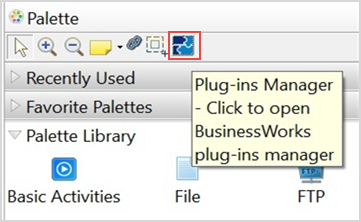
You can uninstall TIBCO ActiveMatrix Business Plug-in for Clarity from Eclipse Update Manager.
You can uninstall the plug-in from within TIBCO Business Studio for BusinessWorks by using TIBCO BusinessWorks Plug-ins Manager.
Prerequisites
To start TIBCO Business Studio for BusinessWorks perform the steps for the platforms that are applicable to your plug-in.
Note: All the platforms might not be applicable to your plug-in. For the list of platforms supported by your plug-in, see the
readme file.
| Platform
|
Step
|
| Microsoft Windows
|
Click
|
| Linux or macOS
|
Run the TIBCO Business Studio for BusinessWorks executable file located in the
TIBCO_HOME/studio/<version>/eclipse directory.
|
What to do next
Restart TIBCO Business Studio for BusinessWorks to verify that the plug-in is uninstalled successfully.

 icon in the Palette section.