| Name
|
No
|
The name to be displayed as the label for the activity in the process.
|
| eFTL Connection
|
Yes
|
The eFTL connection resource for communicating with a TIBCO Cloud Messaging service.
|
| Durable Subscriber
|
No
|
Changes the subscriber into durable subscriber. (default False)
- Incoming messages are preserved if the subscriber application fails, and delivered after the subscriber is back online.
- Durable Name and
Durable Type fields are displayed.
Note: A trigger marked as a durable subscriber should have run at least once in order for it to receive pending messages that are sent during application failure.
|
| Durable Name
|
Yes
|
Name of the durable subscriber that stores messages. Required when Durable Subscriber is set to
True.
|
| Durable Type
|
No
|
Required when Durable Subscriber is set to
True (enabled). Currently, only Shared durable subscriber type is supported. As a Shared Durable Subscriber, if you have multiple instances of an app, the messages received are distributed among the app instances in a round-robin manner.
|
| Destination
|
Yes
|
If left blank, the subscriber receives all messages. If not blank, it receives only messages with the specific destination set.
|
| Content Matcher
|
Yes
|
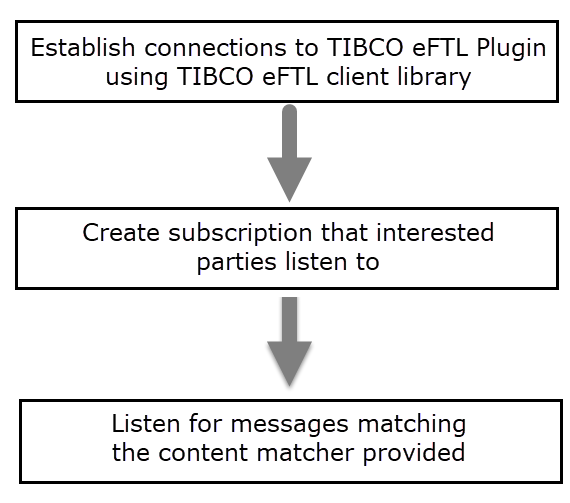
Specify the
eFTL Subscriber activity's interest in a message, based on its content.
Example syntax:
String format:
{"MyLong":123}. A content matcher selects a subset of messages from a message stream according to the fields and values in those messages.
Note: The data types supported as part of content matcher are string, long, or boolean.
|
| Acknowledgment Mode
|
No
|
Acknowledge subscriber messages mode.
Modes
- Auto: eFTL library automatically acknowledges the message when the application callback returns.
- Explicit: Must be used with a Confirm activity in the ActiveMatrix BusinessWorks™ process to explicitly acknowledge the message.
|

 button to initiate multiple conversations.