Get OAuth Token Activity
Use the Get OAuth Token activity to get an OAuth token from an authorized server.

Example
Refer to the associated example:
General
The General tab contains the following fields:
| Field | Literal Value/Module Property/Process Property? | Description |
|---|---|---|
| Name | No | The name to be displayed as the label for the activity in the process. |
| OAuth Resource | No | Points to the desired FHIR authorization server.
Display existing OAuthContextPropertiesDisplays  If multiple properties are created, select one from the list. Create a new process property Set default property values
To select the Default Value Set for the property, click
|
| Grant Type | No | Gives the application an access token.
Currently it is set to
|
| Format | No | Represents the content type.
Currently it is set to
|

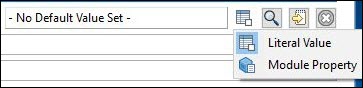
 and select one of the following options:
Description
The Description tab is used to provide a short description of the activity.
Output
You get an OAuth token as an output.
Fault
The Fault tab lists errors that might occur when you use this activity.
| Error Schema Element | Datatype | Description |
|---|---|---|
| msg | string | Error message description. |
| msgCode | string | The error code.
It represents the ActiveMatrix BusinessWorks Plug-in for HL7 with FHIR errors. For more information about error codes, see FHIR Error Codes. |