Transformation Example
The Transformation process demonstrates how to transform health data in legacy formats to FHIR format. The transformation is done with the help of the mapping rule and a structure map.
For more information about the FHIR Transformation activity, see FHIR Transformation Activity.
Transformation Process
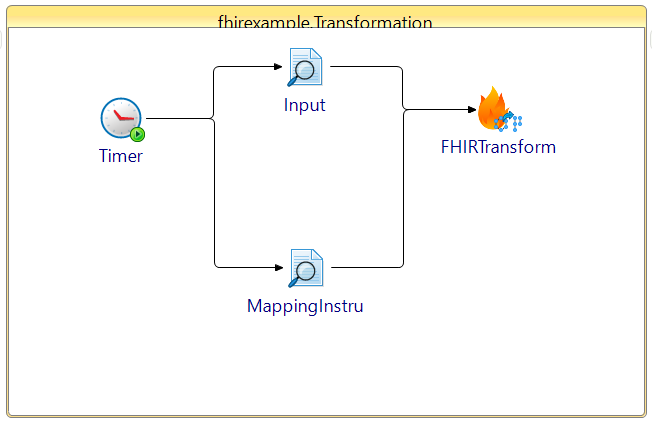
The Transformation process is illustrated here:
FHIRMappingLanguage
Procedure
The FHIR Transformation activity is updated to add the mapping file on the Input tab, which you can use to map the mapping file from a previous activity.- The Timer activity starts the process.
Select the FHIRTransformation activity from FHIR Client Palette.
Select FHIRMappingLanguage from the General section of the FHIR Transformation activity.
Select Output Type as
JSONorXML.Select the Read File activity for input file and mapping instructions file selection.
- Give output generated from the Input file and the mapping instructions file to the Input tab of the FHIRTransformation activity. Next, save and run the process.