Working with Kafka_GeneralSample Project
Before you beginBefore running the project, you must import the sample project to TIBCO Business Studio.
- Procedure
- Start TIBCO Business Studio using one of the following ways:
For Microsoft Windows, click .For Linux, run the TIBCO Business Studio executable file located in the TIBCO_HOME\studio\version_number\eclipse directory.
- From the menu, click .
- In the Import window, expand the General folder and select the Existing Studio Projects into Workspace item. Click Next.
- Click Browse next to the Select archive file field to select the Kafka_GeneralSample.zip file. Click Finish. The Kafka_GeneralSample.zip file is in the TIBCO_HOME\bw\palettes\kafka\version\samples directory.
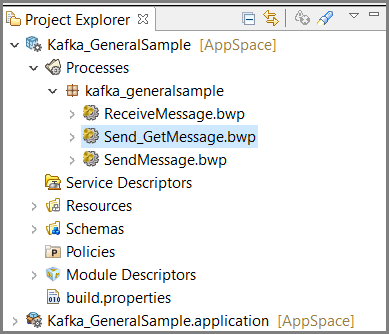
Result The sample project is imported to TIBCO Business Studio.
Subtopics