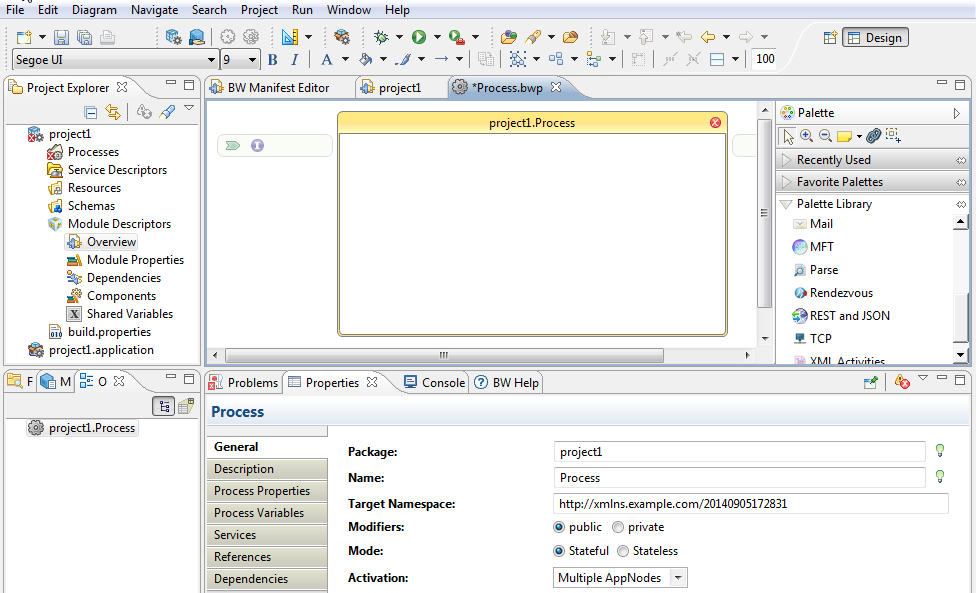
Projects are BusinessWorks application modules that are created in TIBCO Business Studio. A project contains various resources.
Procedure
Open TIBCO Business Studio using one of the following ways:
Microsoft Windows: Click
Start > All Programs > TIBCO > TIBCO Business Studio
version_number > Studio for Designers.
Linux or Mac OS: Run the TIBCO Business Studio executable file located in the
TIBCO_HOME/studio/version_number/eclipse directory.
Click
File > New > BusinessWorks Resources.
In the
BusinessWorks Resource Wizard dialog, click
BusinessWorks Application Module, and then click
Next.
The
New BusinessWorks Application Module dialog is displayed.
Note: There are several ways to open the
New BusinessWorks Application Module dialog and create a new project in TIBCO Business Studio. See the TIBCO ActiveMatrix BusinessWorks documentation for more information.
In the
Project name field, enter a name for the project.
Keep the
Use default location,
Create empty process, and
Create Application check boxes selected. Click
Finish.
Result
A project and an application are created and displayed in the Project Explorer view. The Process editor is displayed automatically.