Using CSDL to create an OData Service
Common Schema Definition Language (CSDL) is a representation of the entity data model exposed by an OData service using XML (Extensible Markup Language). This CSDL file contains the metadata of the entity container. You can drag and drop an EntitySet from the CSDL file on to the left boundary of the Process Editor to create an OData service or drag it to the center.
Note: When you create an OData service, make sure to edit the
Default Host field in the HTTP Connection Resource to reflect the actual host name. By default, the
Default Host field is set to localhost using the
BW.HOST.NAME module property.
Note: When you use CSDL to create an OData service, the fields in the Bindings tab of the service properties display as read-only. CSDL is like a contract that must be followed exactly, so the service you create with the CSDL file cannot be modified.
To create an OData service from a CSDL file, do the following:
- Procedure
- Create an empty project or you can use an existing project.
- Import the CSDL file into the Service Descriptors folder of your project by dragging and dropping it from the File Explorer view (if the CSDL file resides on your local drive).
- Expand the CSDL file that you just created under the folder to view the available paths for entity sets.
- Drag and drop an EntitySet from the
Service Descriptors folder to the left side of the process editor to create a service.
TIBCO Business Studio automatically generates a corresponding XSD schema for the CSDL file in the Schemas folder.
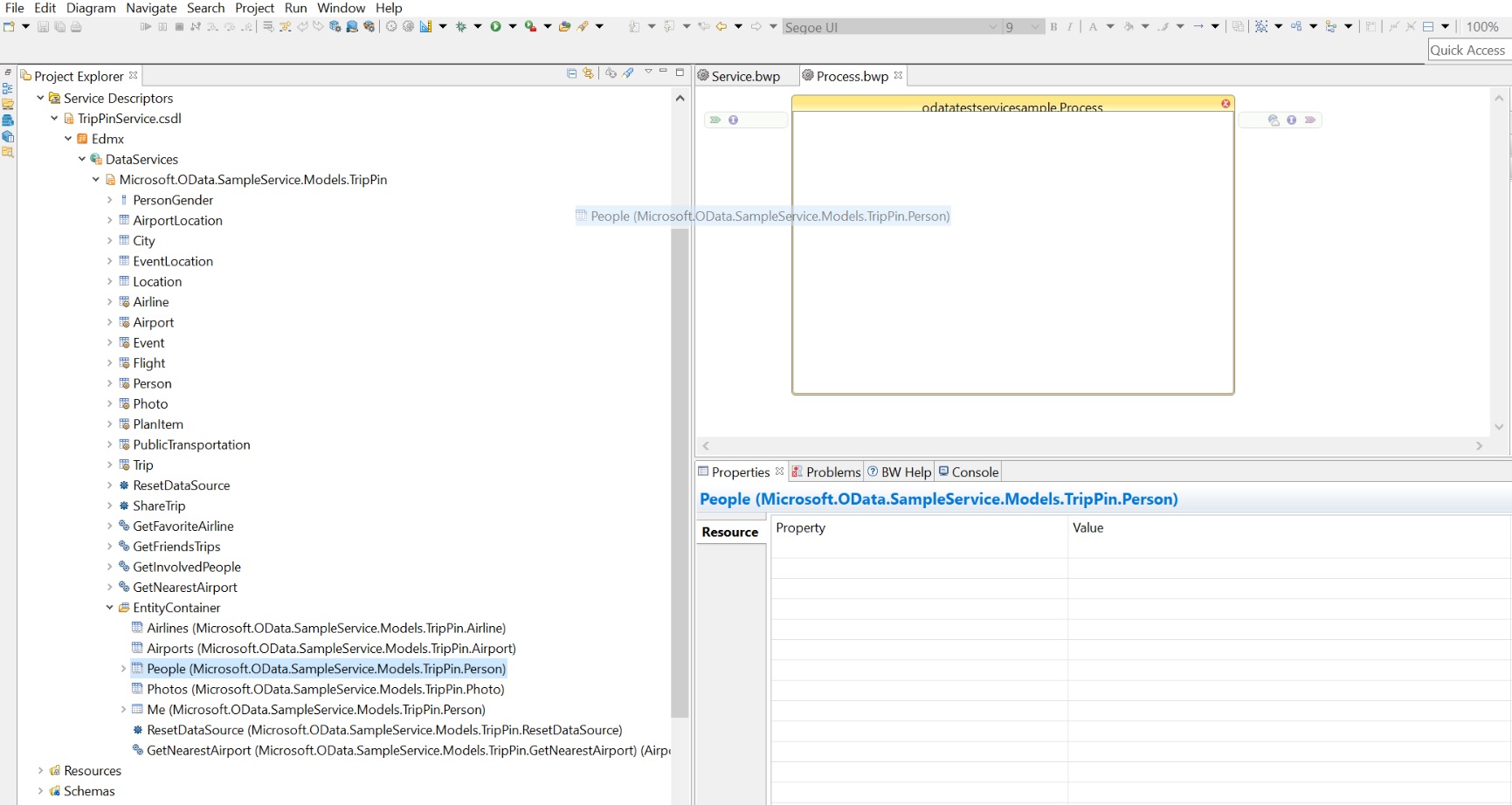
- Configure the OData service by selecting the checkbox for the operations and Click Finish.
ResultThe OData service is created and can be tested using Postman Client or OData palette activities.
Subtopics