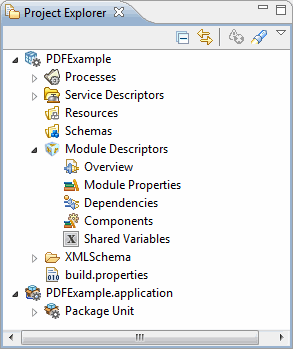
Before running the project, you must import the project to TIBCO Business Studio.
Procedure
Start TIBCO Business Studio using one of the following ways:
Microsoft Windows: click
Start > All Programs > TIBCO > TIBCO_HOME > TIBCO Business Studio
version_number > Studio for Designers.
Mac OS and Linux: run the TIBCO Business Studio executable file located in the
TIBCO_HOME/studio/version_number/eclipse directory.
From the menu, click File > Import.
In the
Import window, expand the
General folder and select the
Existing Studio Projects into Workspace item. Click
Next.
Click
Browse next to the
Select archive file
field to select the
examples.zip file . Click Finish.
The
examples.zip file is located in the
TIBCO_HOME\bw\palettes\pdf\version\samples directory.
Result
The sample project is imported to TIBCO Business Studio.
Note: If you want to upgrade TIBCO ActiveMatrix BusinessWorks Plug-in for PDF from version 6.1 or earlier to version 6.2, you must reimport the sample project.
What to do next
After importing the sample project, you must manually update the path in the
Input File field of the
General tab for each PDF activity. Otherwise, the sample project is displayed with errors in TIBCO Business Studio.