Creating and Configuring the SAP SaaS Connection Resource
Create an SAP SaaS Connection shared resource to establish the connection with your SAP instance.
You can use the SAP SaaS connection to perform the following tasks:
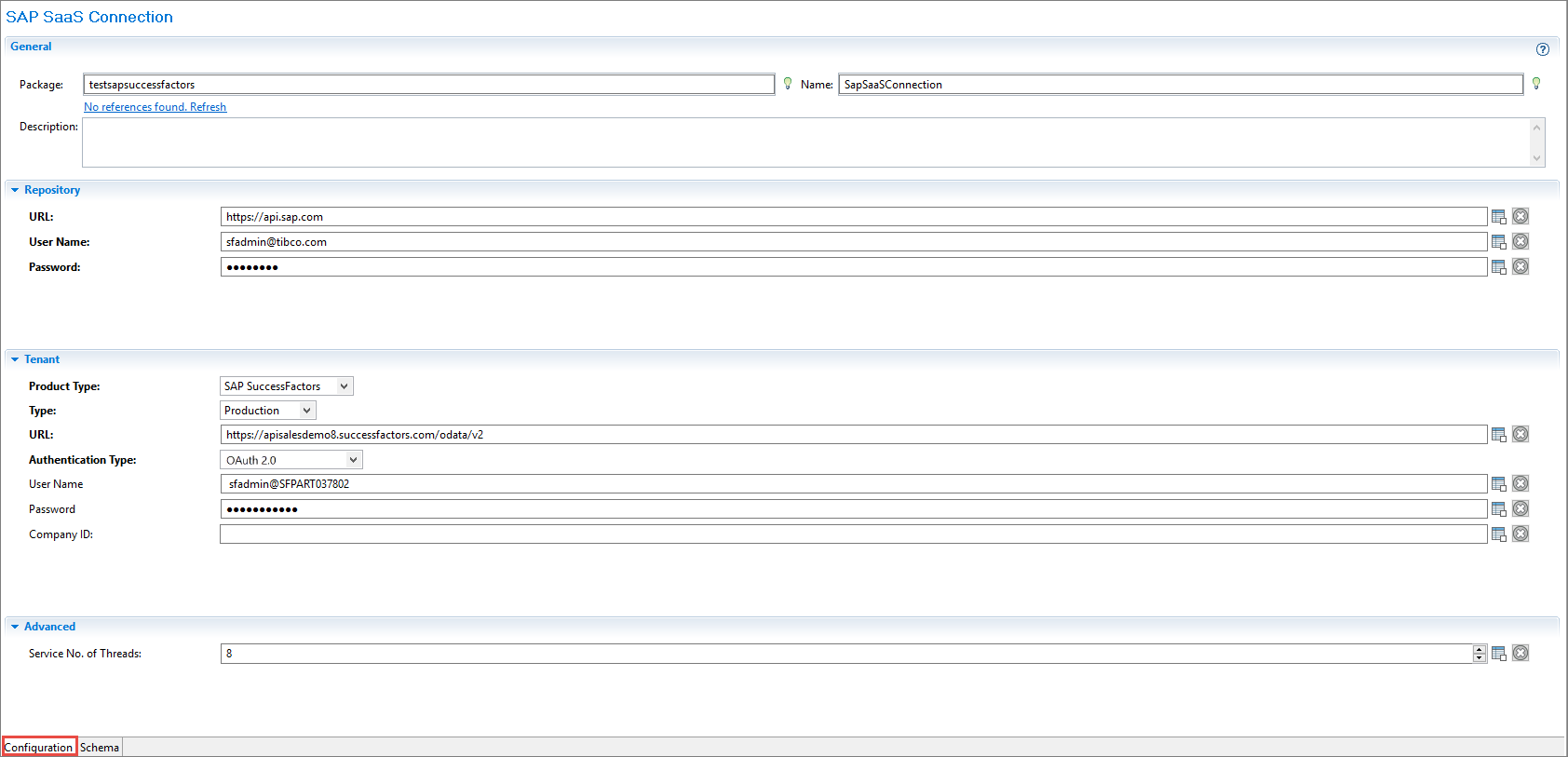
- Choose the Product Type. The Product Type is either a Sandbox or a Production Tenant.
- Set the Authentication Type as OAuth 2.0.
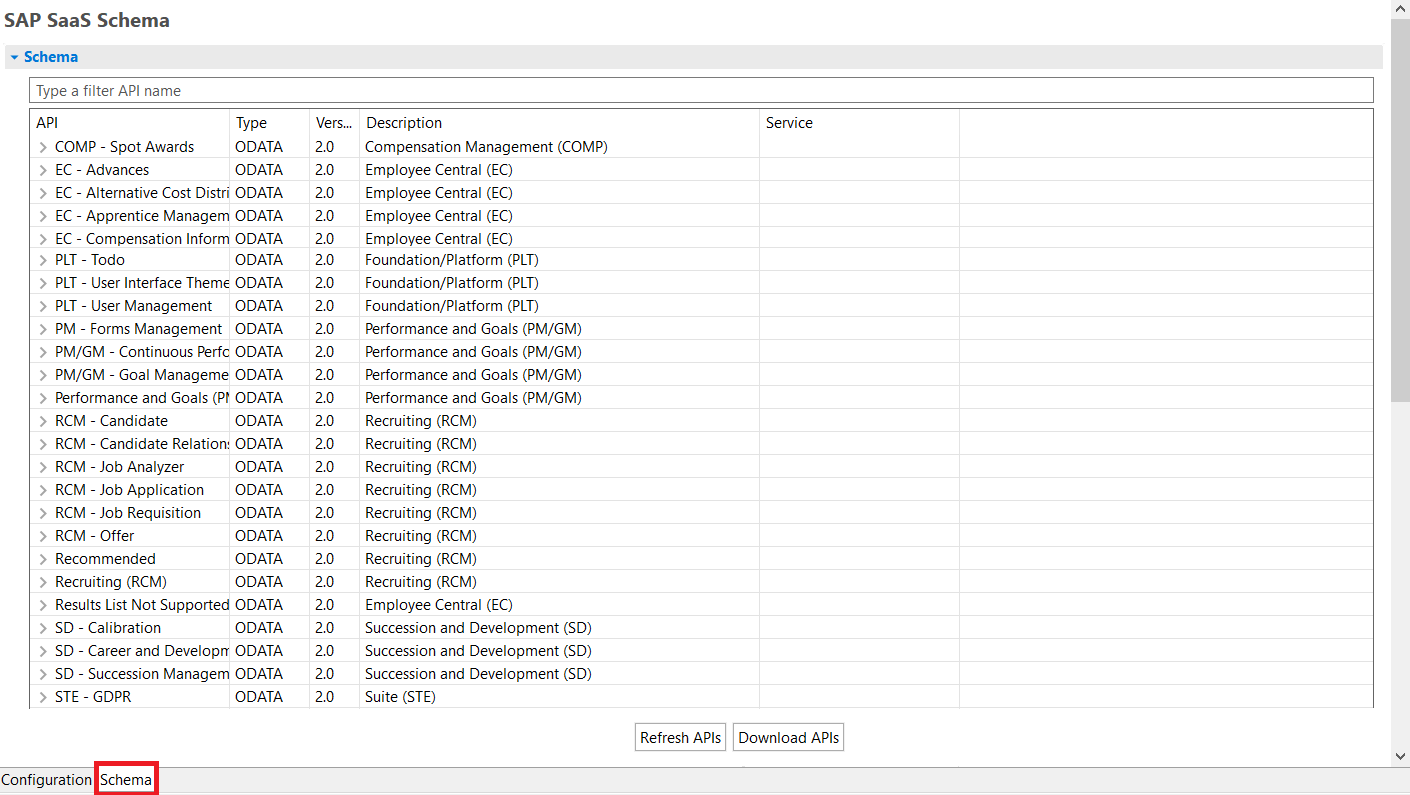
- View the available APIs.
- Download the schema for a particular API.
- Procedure
- In the Project Explorer view, right-click
Resources folder and select
.
Tip: The project must be expanded to display all the folders.
- In the SAP SaaS Connection Resource dialog, fill the Resource Name field and click Finish. To create the shared resource in a resources folder of a different project or in a different package, select Resource Folder or Package accordingly.
- Configure the SAP SaaS Connection resource in the displayed editor, as described in SAP SaaS Connection.