Oracle Tuxedo Schema Validation at Design Time
When running the refactor mechanism inside TIBCO Business Studio™, data type
validation is done between the data type in the XSD schema and the corresponding
Tuxedo service in the Oracle Jolt repository. Following the refactor, a new file
with naming convention Mismatch_Types_<Project Name>_<DateTimeStamp>.txt is created at the root folder.
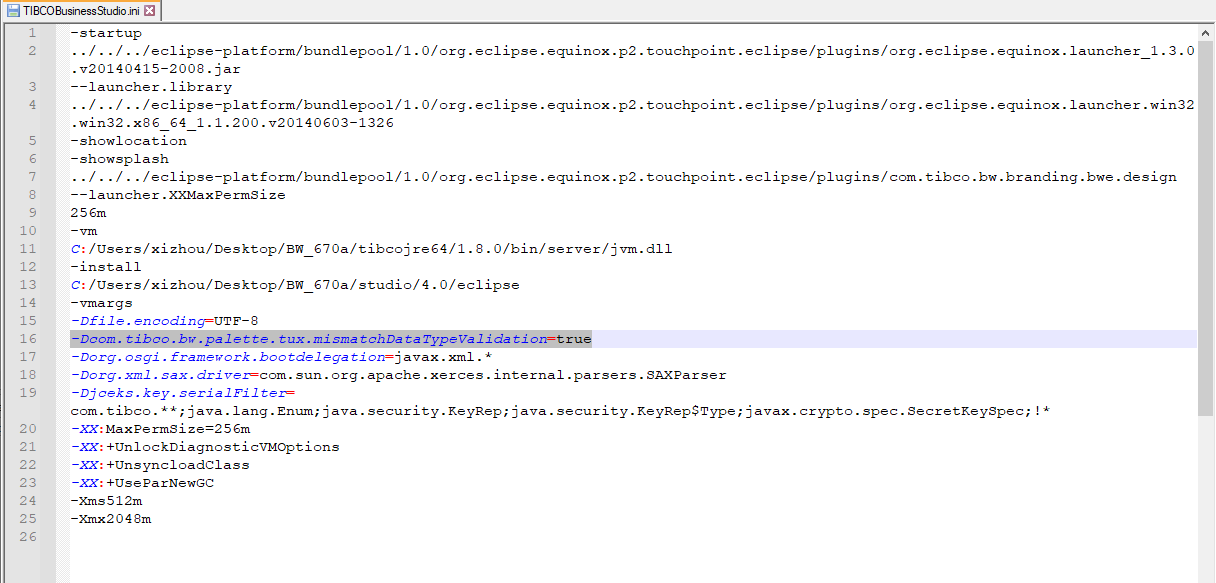
To enable the data type validation, set the following Java property to true in the TIBCO Business Studio™ configuration INI file:
com.tibco.bw.palette.tux.mismatchDataTypeValidation
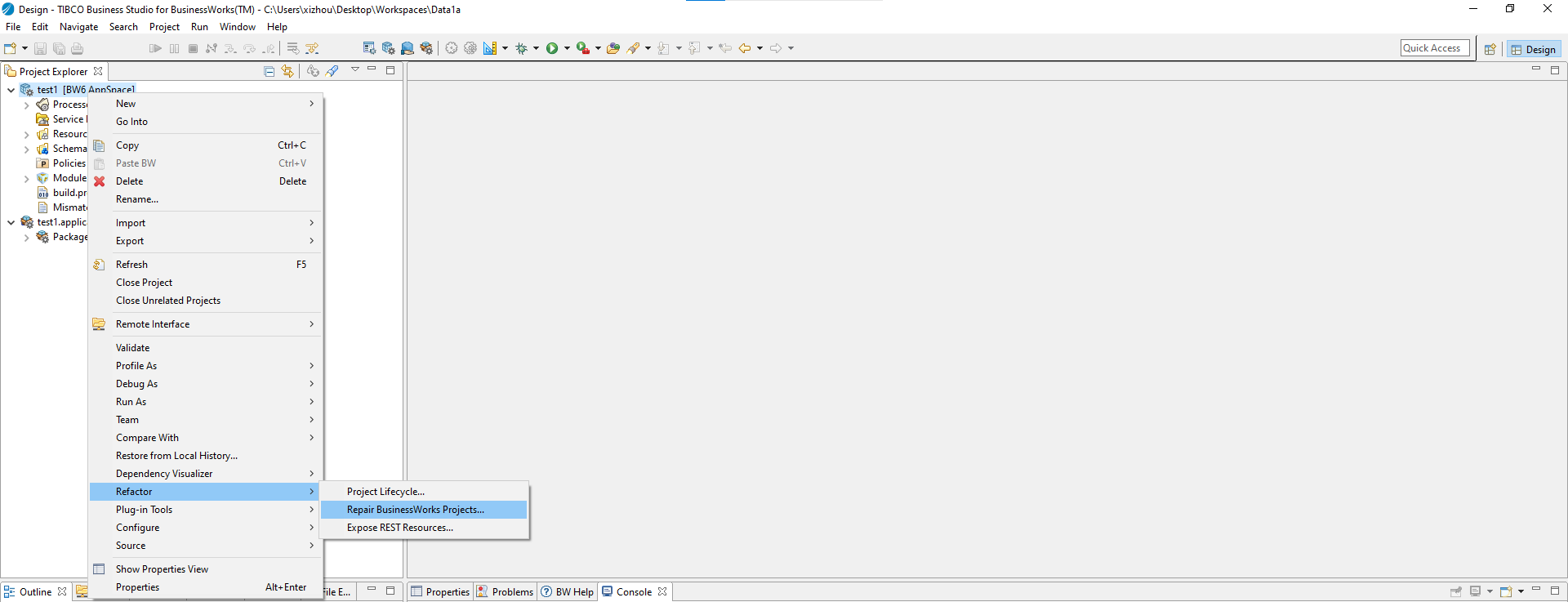
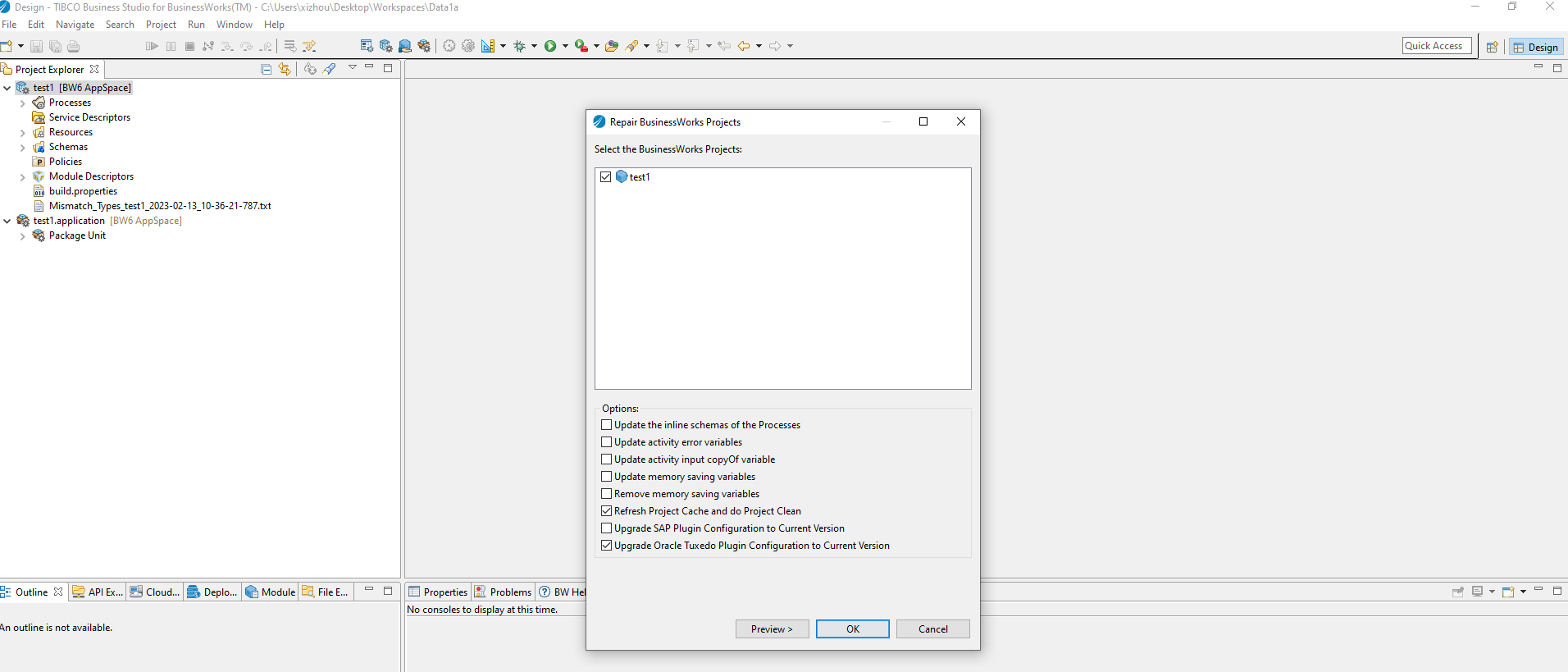
To run the refactor, right-click the project, navigate to Refactor > Repair BusinessWorks Projects, and then select the Upgrade Oracle Tuxedo Plugin Configuration to Current Version checkbox. Click OK.
The file is a CSV file where the first row contains the header fields and subsequent rows contain the data.
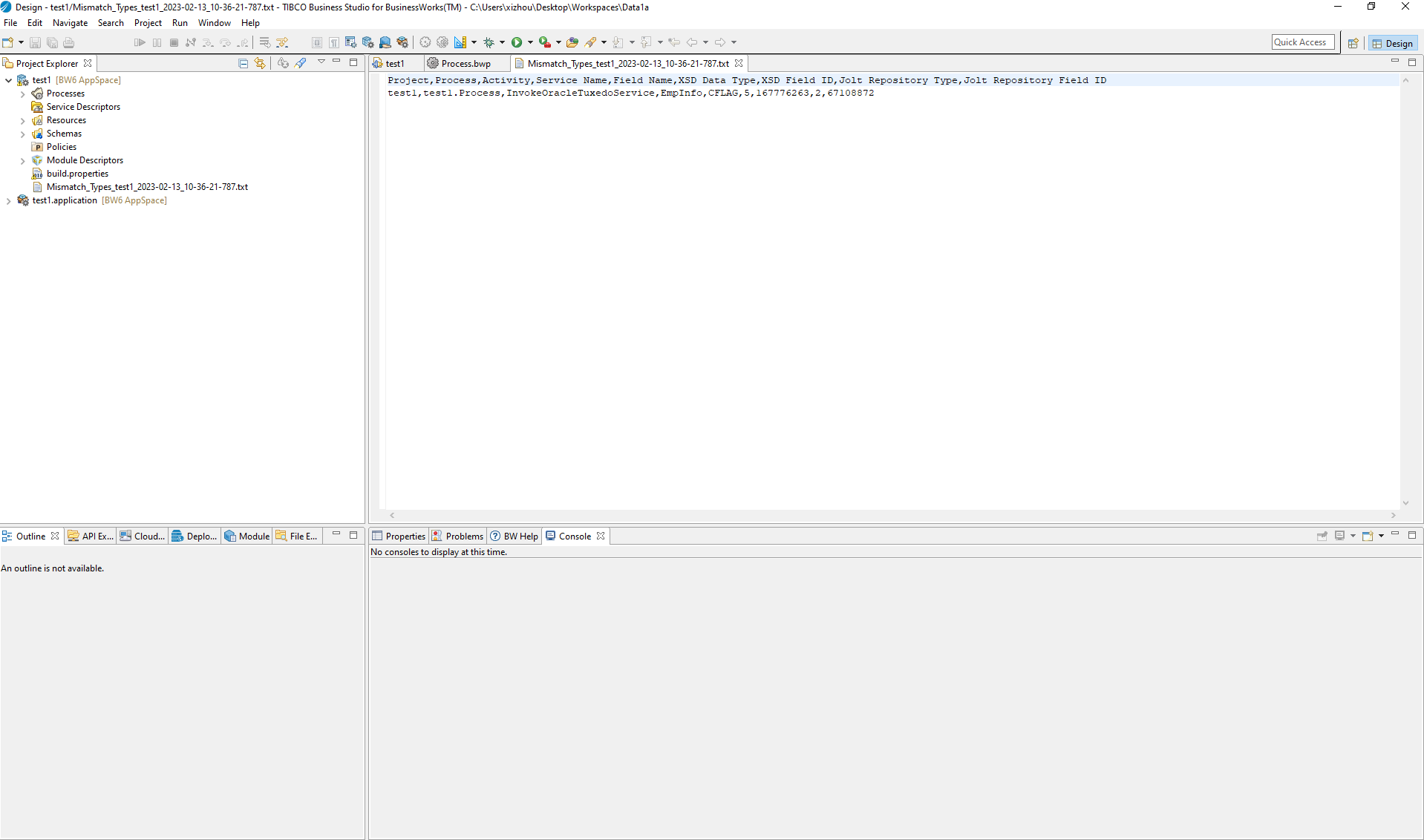
Example file:
Project,Process,Activity,Service Name,Field Name,XSD Data Type,XSD Field ID,Jolt Repository Type,Jolt Repository Field ID
test,test.Process,InvokeOracleTuxedoService,EmpInfo,DEPTNAME,1,33558534,5,167776264
-
For information on the correlation between the integer value and corresponding data type, refer to the following link and section for
bea.Jolt.SBuffer: -
In case of a data mismatch, where the XSD has value of 1(int) and the Jolt repository has value of 10(long), the mismatches can be ignored since it would not cause a runtime error.
-
The process of validating the data type between the XSD and Jolt repository requires the service name property to be populated on the General tab of the Invoke Tuxedo Service activity. The refactor must automatically populate the service name property. If there is an error in auto populating the service name, then populate manually and re-run the refactor.
https://docs.oracle.com/cd/E72452_01/tuxedo/docs1222/javadoc/jolt/javadoc/index.html?bea/jolt/package-summary.html