|
| Copyright © Cloud Software Group, Inc. All Rights Reserved |

Click to display the palette browser. See Using the Palette Browser for information about using it.Allows you to manage user-defined palettes using the New Palette, Delete Palettes, and Reload Palettes menu items. See Working With User Palettes for more information.
• Hide Close Boxes/Show Close Boxes—By default, a close box in the right-most corner of a palette allows you to close that palette. Select Hide Close Boxes to remove it from the display.
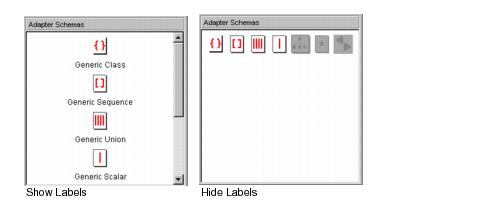
• Hide Labels/Show Labels—By default, each resource in each palette includes a label. If you select Hide Labels, the labels are removed.
• Show Palettes in New Window—Displays all palette in a separate window, enlarging the project panel. To return the palettes to their old location, close the palette window.
• Switch Palette Modes—Alternates between palette mode and non-palette mode. See Choosing Palette Mode or Non-palette Mode for more information.
|
| Copyright © Cloud Software Group, Inc. All Rights Reserved |