FLOGO_RUNNER_TYPE
This variable defines how events are handled by the Flogo engine.
- Supported values are: DIRECT and POOLED.
- Default: POOLED
POOLED Mode
In this mode, the engine handles events in a flow controlled way.
The following pictorial diagram explains the handling of events in POOLED mode.
Figure 6: Events in POOLED mode
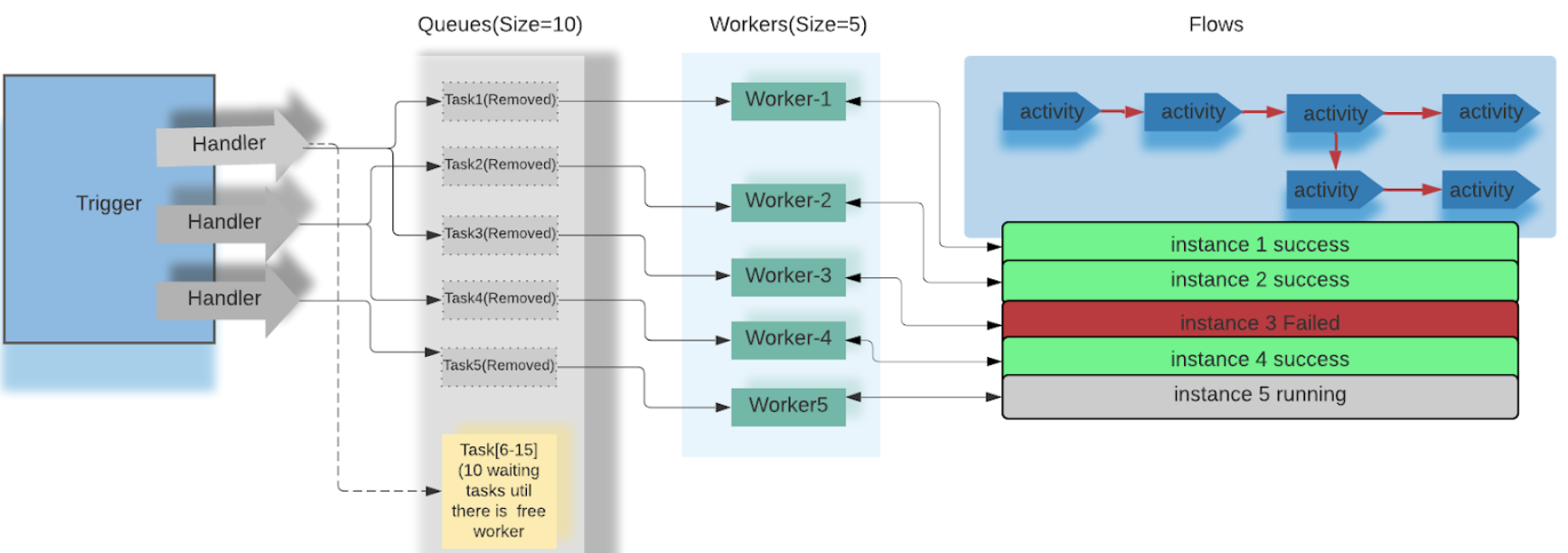
Sets of workers are created to handle events received by all the triggers in the given Flogo app. In golang terms, one worker corresponds to one go-routine. The events received are added to the worker queue before the workers can pick these events from the worker queue.
Once an event is picked from the queue, the corresponding action (for example, flow) is triggered and the worker continues to execute that action until completion (that is, until the action is successful or fails). An event that is picked up from the queue is removed to allow the next event to be added to the queue.
When the queue is full, all trigger handlers that are adding new events to the queue are blocked until workers pick up the next set of events from the queue. Once the worker starts executing the action, it never interleaves the action until its completion. So, the total number of events processed at a time is directly proportional to the time taken by the action to complete and the number of workers in the pool. Hence, for better concurrency, gradually increase the value of queues and workers based on the available compute resources (such as, CPU and memory).
Configurations in POOLED mode:
You can configure the workers and the queue size by setting FLOGO_RUNNER_WORKERS and FLOGO_RUNNER_QUEUE respectively.
-
FLOGO_RUNNER_WORKERS variable determines the maximum number of concurrent events that can be executed by the app engine from the queue. FLOGO_RUNNER_WORKERS executes a finite number of tasks or concurrent events uninterrupted and then yields to the next job that is ready. FLOGO_RUNNER_WORKERS can be tuned to the optimum value by starting with a default value set and increasing it as per requirement until the maximum CPU is reached.
The default values are:
-
Local environment: FLOGO_RUNNER_WORKERS=5
-
TIBCO Cloud: FLOGO_RUNNER_WORKERS=75
-
-
FLOGO_RUNNER_QUEUE variable specifies the maximum number of events from all triggers that can be queued by the app engine. FLOGO_RUNNER_QUEUE can be tuned to the optimum value by starting with a default value set and increasing it as per requirement. The user can change the variable value if he anticipates having more than default value events queued at the same time.
The default values are:
-
Local environment: FLOGO_RUNNER_QUEUE=50
-
TIBCO Cloud: FLOGO_RUNNER_QUEUE=150
-
The CPU and memory resources must be measured under a typical processing load to determine if the default variable value is suitable for the environment. If the user load is more than the default set value, the user can change the runner worker variable as per the requirement to expedite the execution of the concurrent events. Set variable value according to your processing volumes, your number of CPUs, and allocated memory.
Deploying the app to your environment
Set the variable value as follows:
FLOGO_RUNNER_WORKERS=75 FLOGO_RUNNER_QUEUE =150 ./<app_binary>
docker run -it -e FLOGO_RUNNER_WORKERS=75 -e FLOGO_RUNNER_QUEUE=150 <docker-image>
Deploying the app on TIBCO Cloud
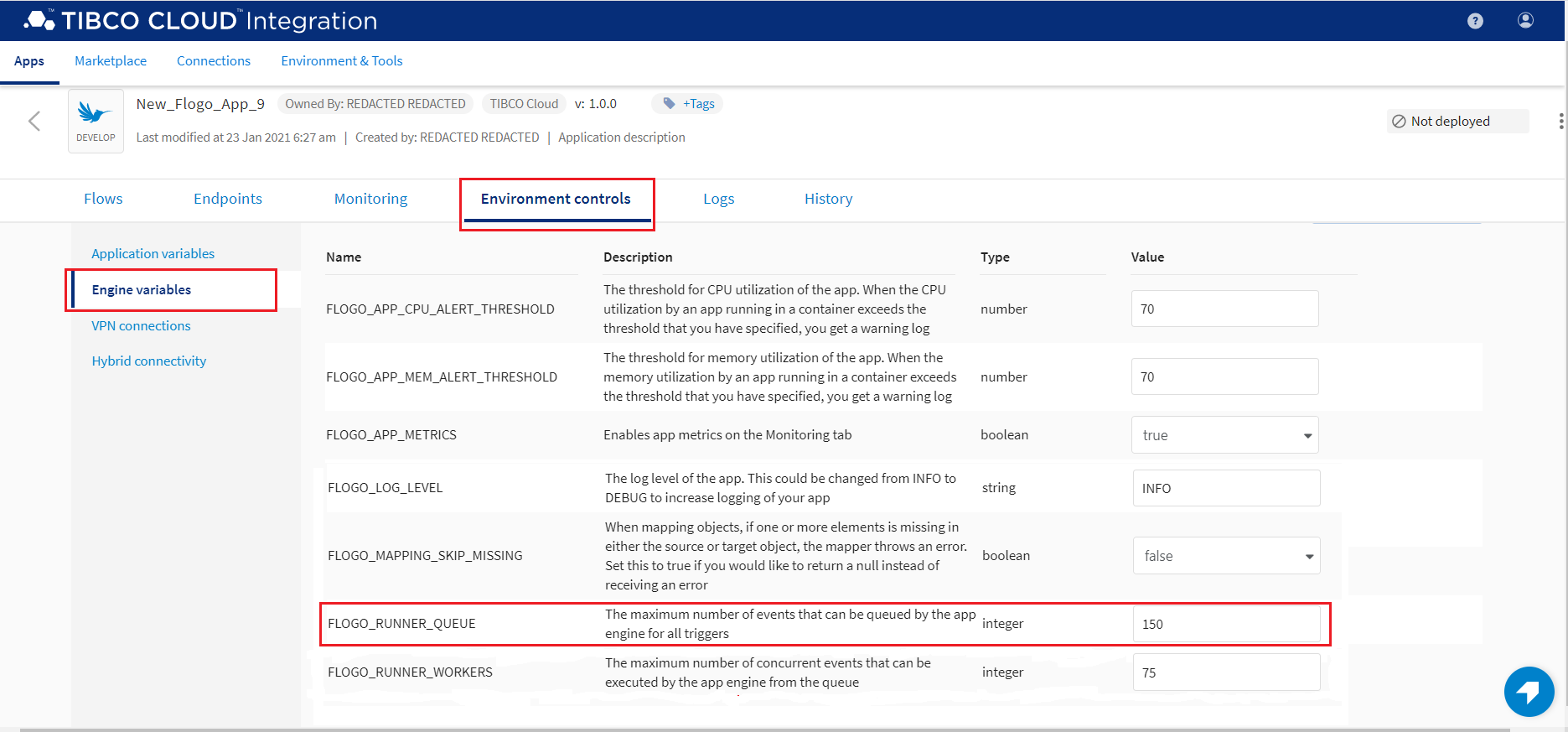
To set the variable values, navigate to your app, click Environment controls, click Engine variables, and set the FLOGO_RUNNER_WORKERS and FLOGO_RUNNER_QUEUE variables.
Figure 7: FLOGO_RUNNER_WORKERS Setting
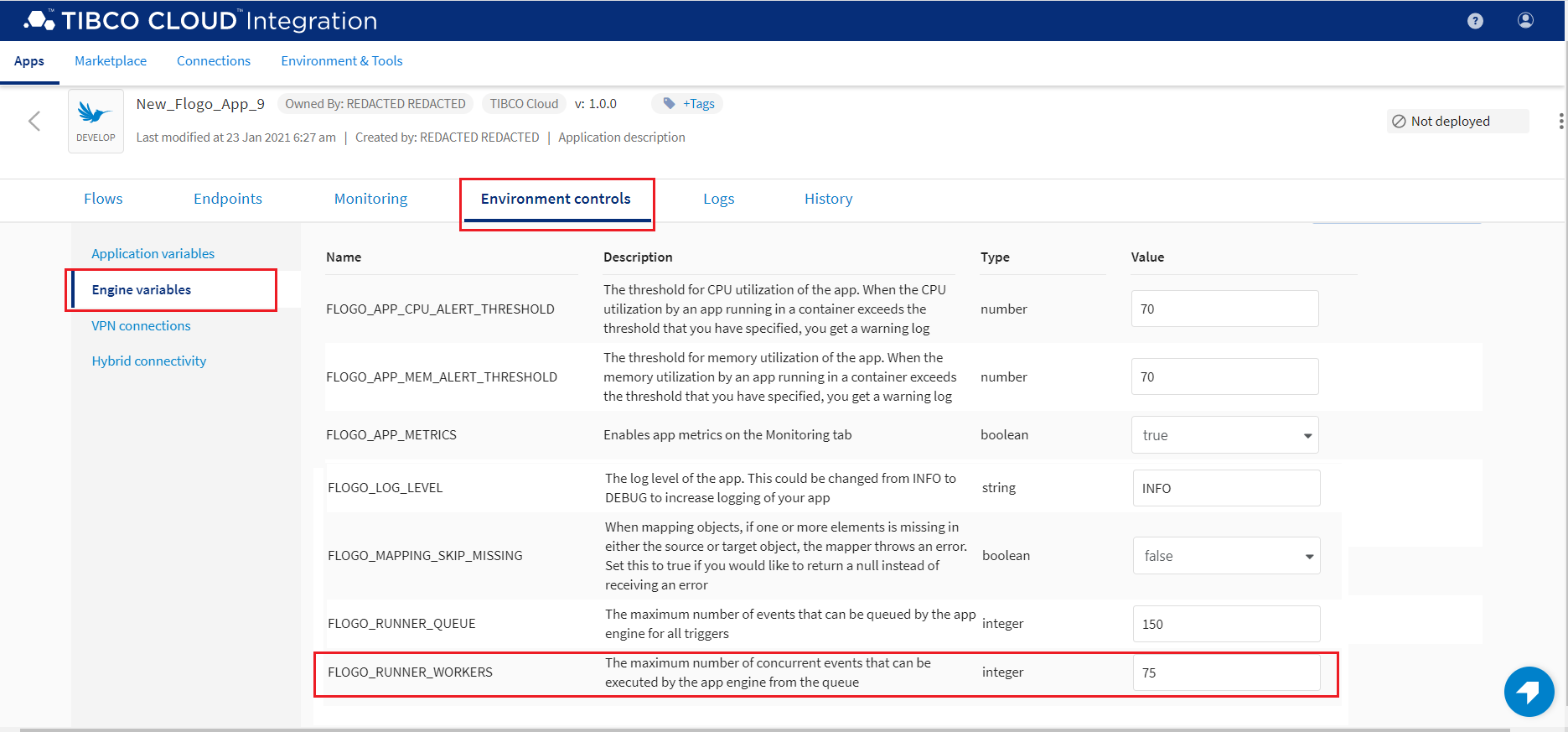
Figure 8: FLOGO_RUNNER_QUEUE Setting
Case Study
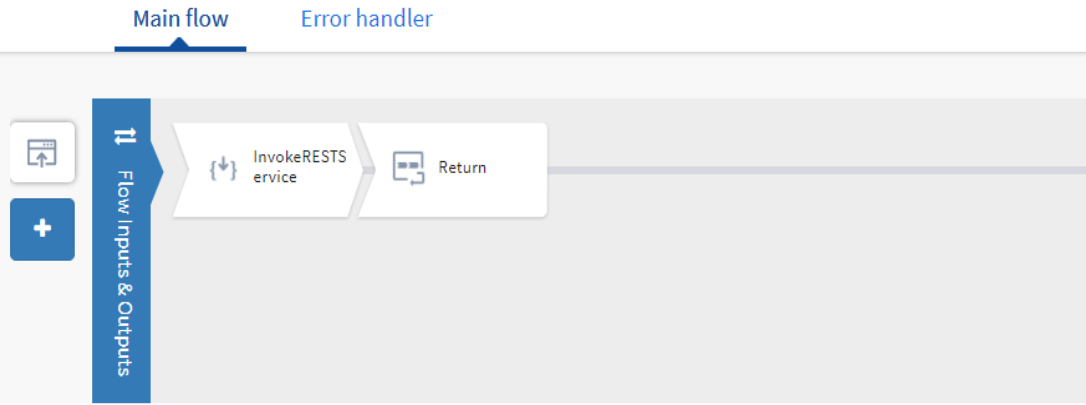
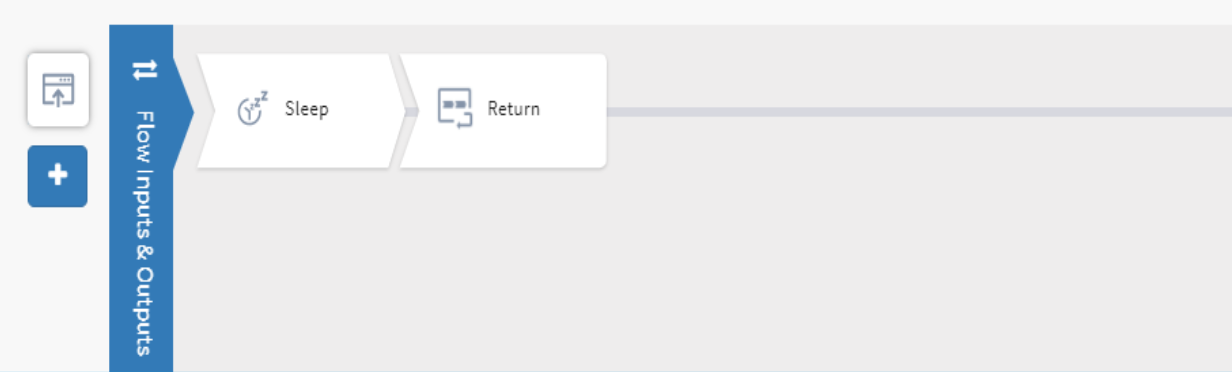
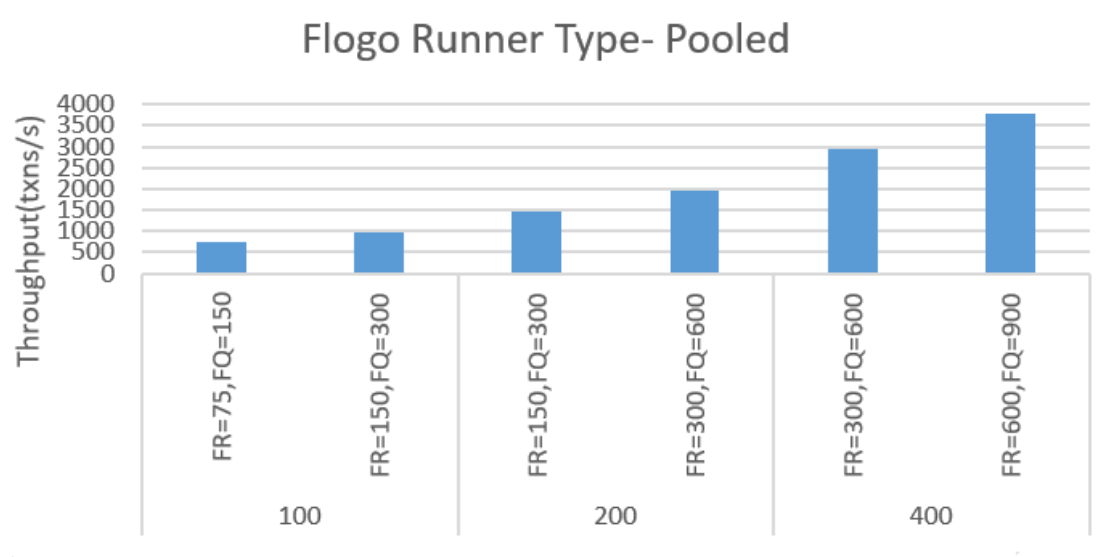
While setting up the FLOGO_RUNNER_TYPE as POOLED, Flogo runner workers and Flogo runner queues are used to handle events received by the trigger. You can increase the Flogo runner worker and queue values gradually to reach the application performance. Set variable value according to your processing volumes concerning your number of CPUs and allocated memory.
It is recommended that you set the queue size greater than or equal to the number of workers.
DIRECT Mode
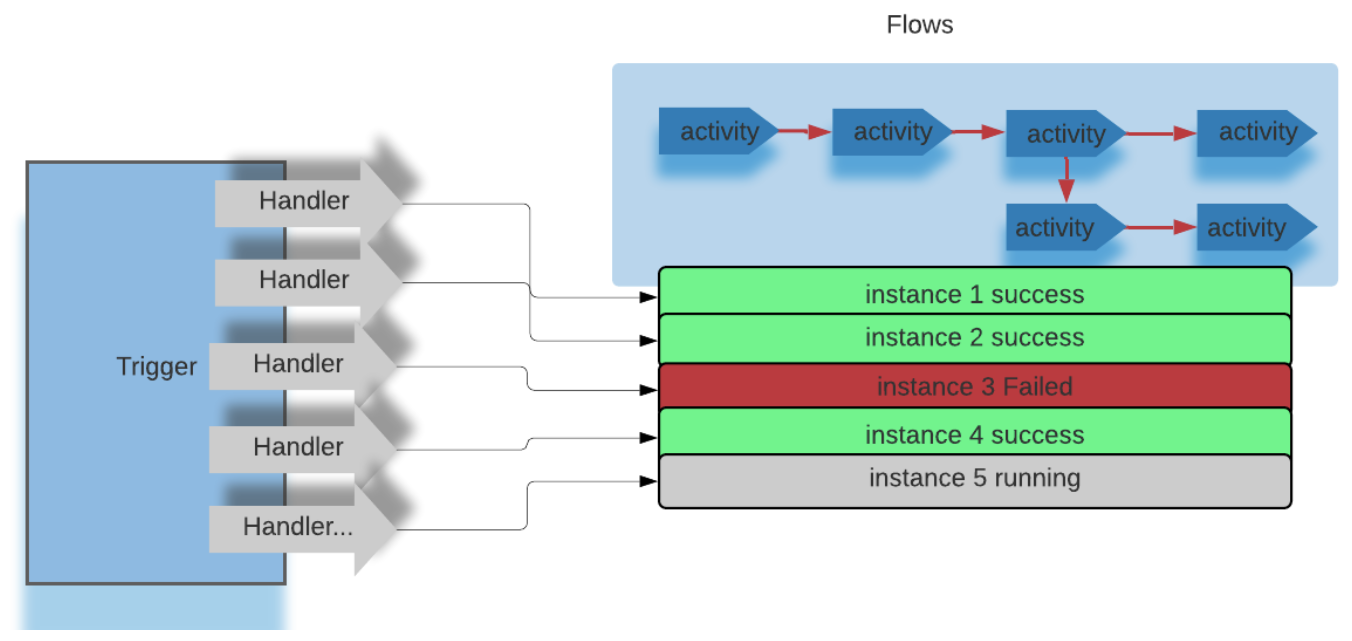
In this mode, every event delivered by the handler triggers a corresponding action. Unlike the POOLED mode, the handling of events is unbounded. All the events are processed concurrently. This might lead to CPU saturation or out-of-memory errors.
The following pictorial diagram explains the handling of events in DIRECT mode.
Deploying the app to your environment
Set the variable value as follows:
FLOGO_RUNNER_TYPE=DIRECT ./<app_binary>
docker run -it -e FLOGO_RUNNER_TYPE=DIRECT <docker-image>
Deploying the app on TIBCO Cloud
To set the variable value, navigate to your app, click Environment controls, click Engine variables, and set the FLOGO_RUNNER_TYPE=DIRECT variable.
Case Study
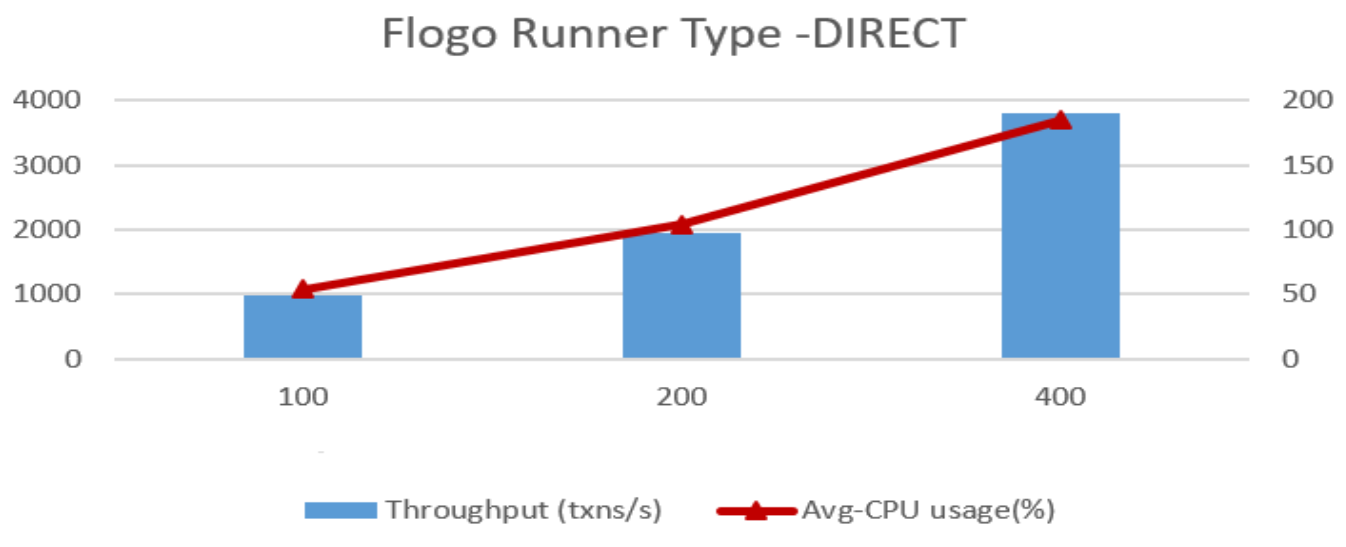
This case study illustrates the application performance when Flogo event handling mode is set to DIRECT.
Figure 9: Application under test - FLOGO_RUNNER_TYPE
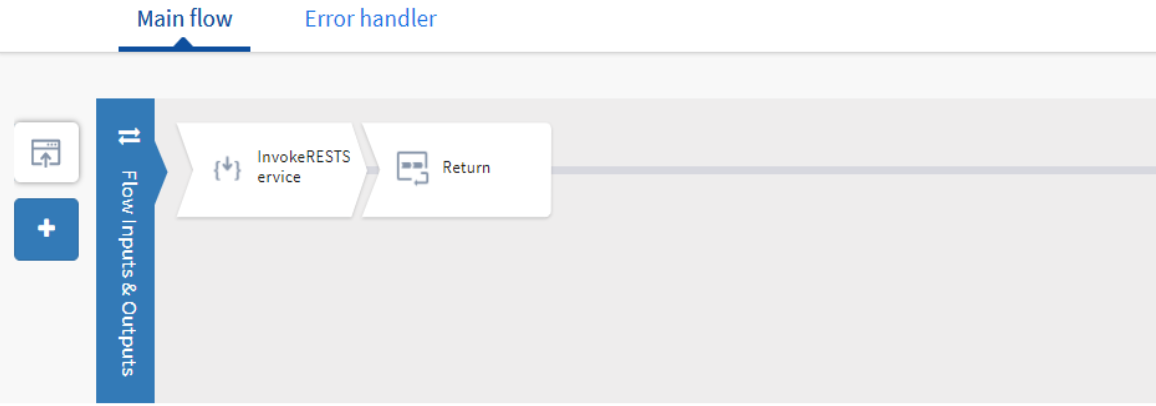
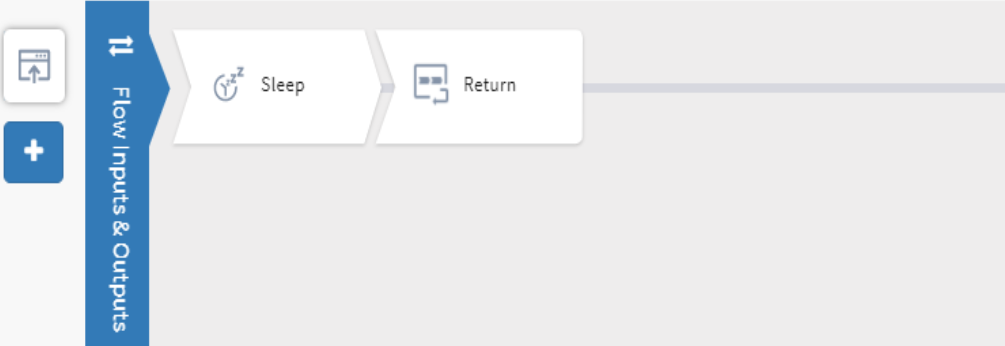
While setting up the FLOGO_RUNNER_TYPE as DIRECT, all the events sent to the trigger are processed concurrently. As you keep on increasing the concurrency, you can observe the linear increase in resources, that is, CPU and memory utilization.
Figure 10: Flogo Engine - Direct Mode