Mapping Array Child Elements to Non-Array Elements or to an Element in a Non-Matching Array
There may be situations when you want to map an element within an array of objects to an output element that is not in an array or belongs to a non-matching array in the
Available data pane. In such a situation, you must create an array with a single element. You do this by using the
array.forEach() function without any arguments. When you use
array.forEach() function without arguments, it creates an array with a single object element. The single object element treats everything in the
Available data as the children of the newly created array object element. This allows you to map to any of the
Available data elements as they are now treated as if they were within an array.
array.forEach() without arguments, be sure to map the child elements individually too in addition to setting the array root to
array.forEach() without arguments. If you do not map the child elements individually, no child elements get mapped. Only elements that you have specifically mapped acquire the mapped values.
Mapping an array child element to a non-array element is a two-step process:
- Procedure
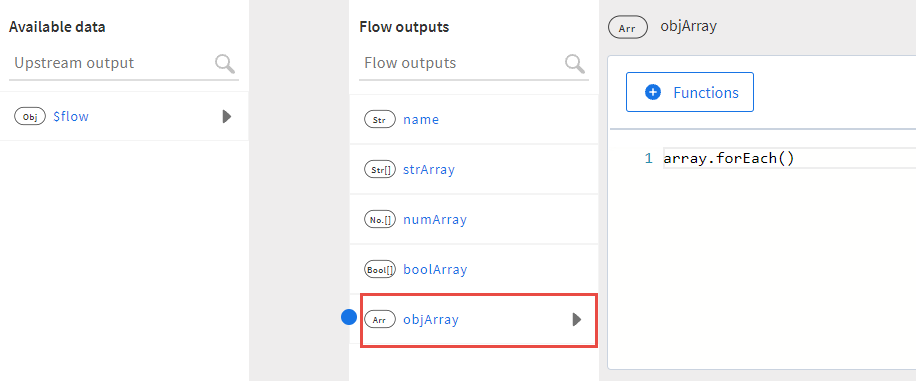
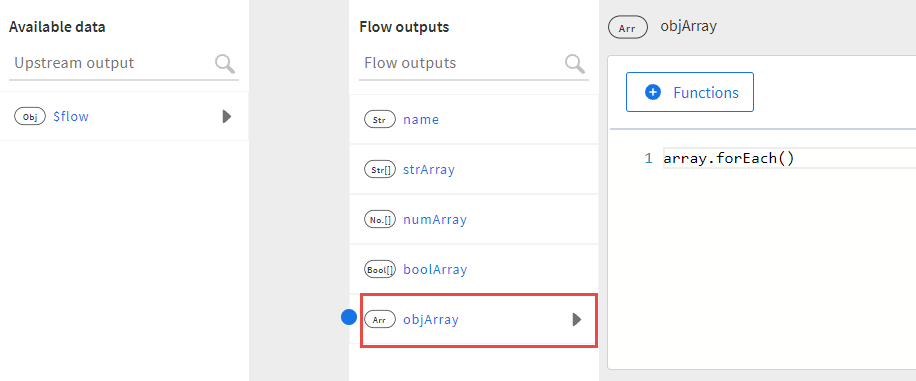
- Click the input array root (objArray in the example below) and either manually enter
array.forEach()without arguments or select the function from the array category from the Functions button and delete the placeholder arguments.This creates an array of objects with a single element in it. The element contains everything under Available data, hence allowing you to map to any element in the Available data pane. The element you are mapping to can be a non-array element or reside within a nested array.
- Map each element in the input array individually to any element of the same data type under
Available data.
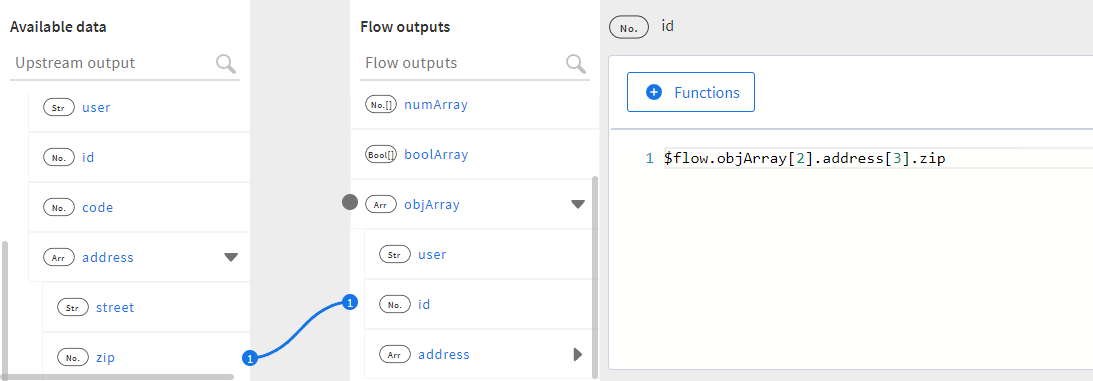
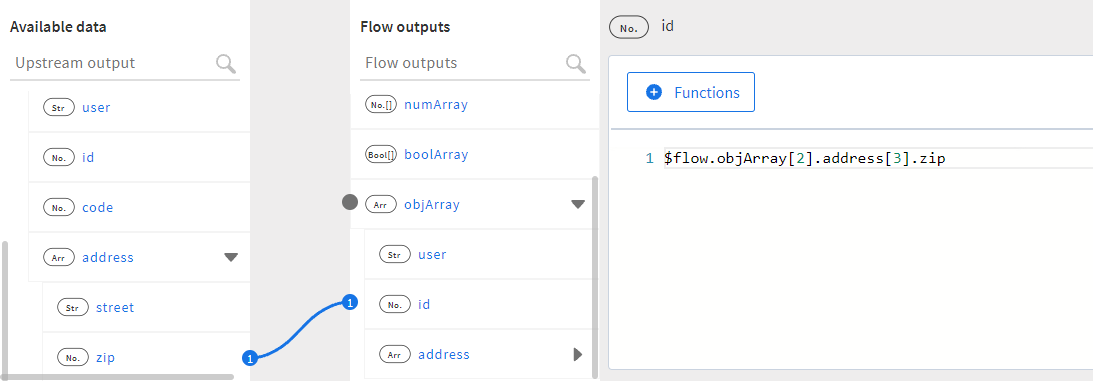
To map an element inside an array, provide the index of the array. To map an element in a nested array, provide the index for both the parent and the nested array as shown.