Using Functions
You can use a function from the list of functions available under Functions in the mapper. Input parameters to the function can either be mapped from an element under Available data, a literal value, or an expression that evaluates to the appropriate data type or any combination of them.
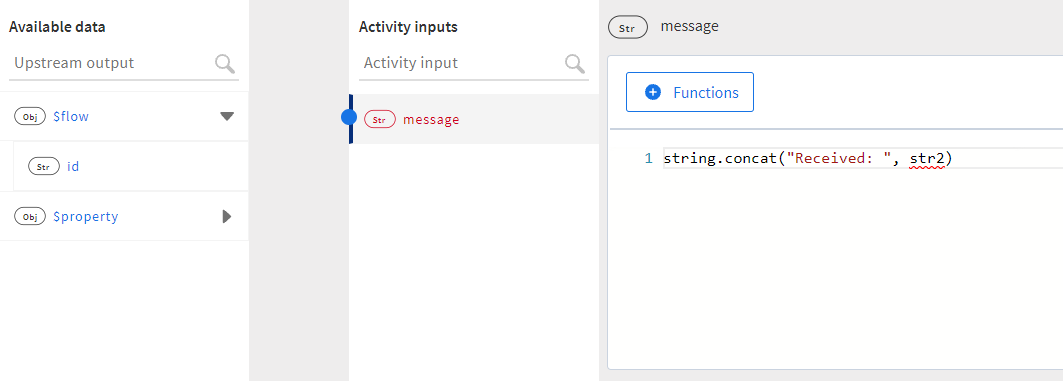
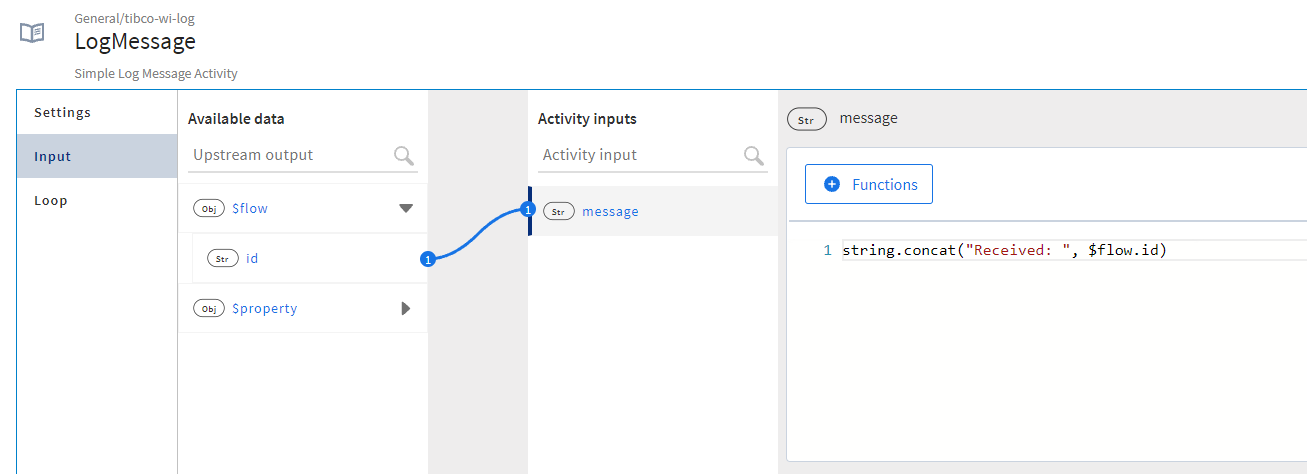
The procedure below illustrates an example that concatenates two strings and assigns the concatenated value to message. We manually enter a value for the first string (str1) and map the second string to id under $flow. The value for id comes from the flow input.
- Procedure
- Click message to open the text editor to the right.
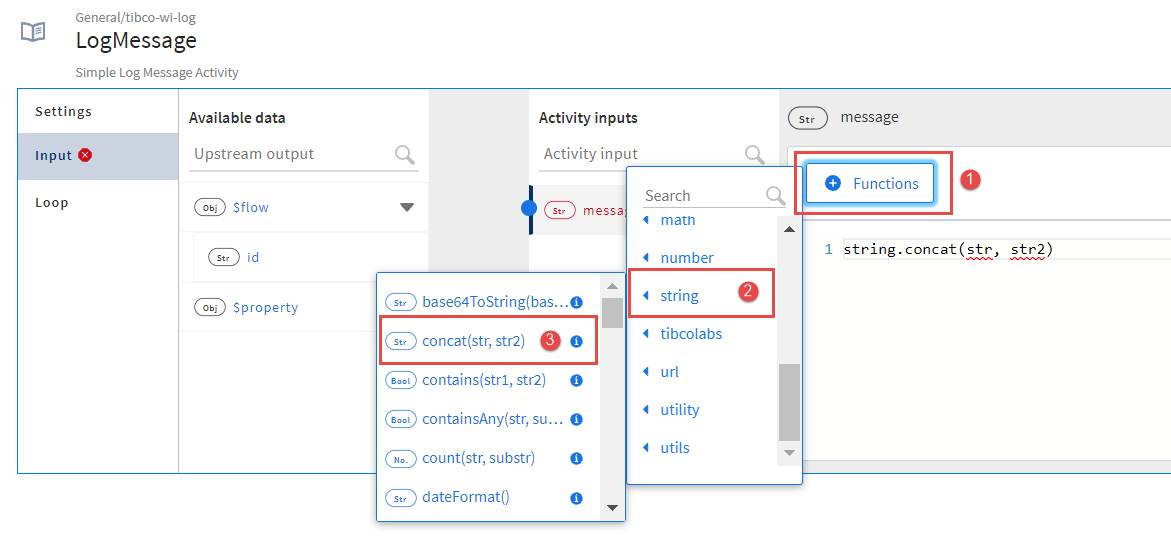
- Click the Functions button. Expand the
string function group and click
concat(str1, str2).
- Select
str1 in the function and type
"Received: "(be sure to include the double quotes as shown below) to replace str1 with it.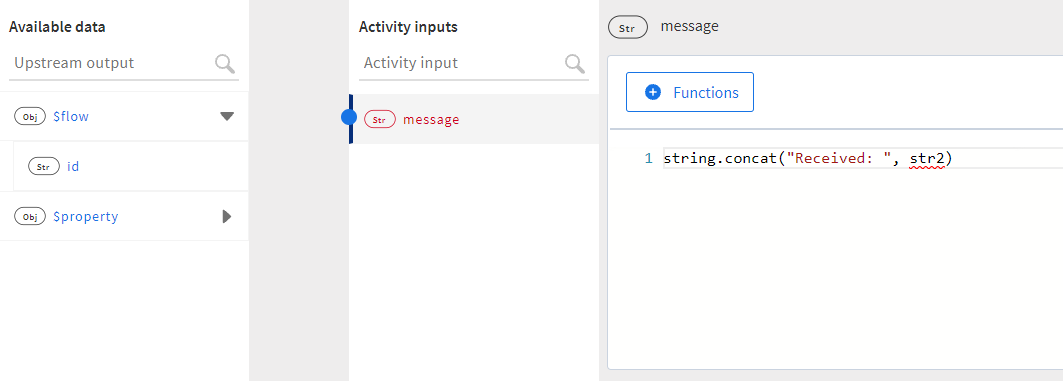
-
Drag id from $flow and drop it in place of str2.
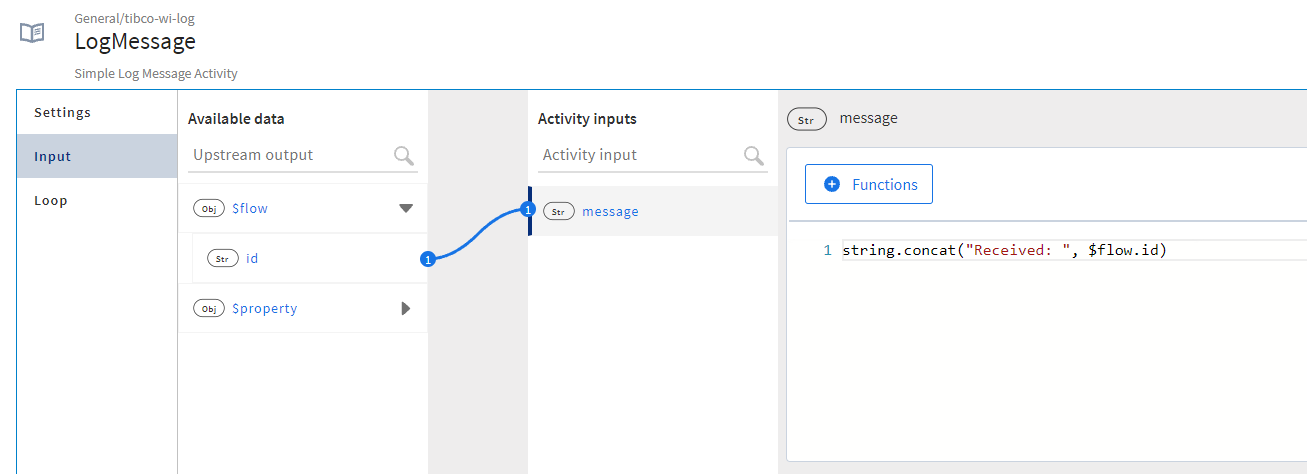
At run time, the output from the
concatfunction is mapped to message.Watch the video:
Subtopics