|
| Copyright © Cloud Software Group, Inc. All Rights Reserved |
Start TIBCO Designer and open the Employee Assistance tutorial project. Follow the instructions in the readme file, providing values for the Global Variables, up to and including building the EAR file.See Summary of Pre-Deployment Steps for more information.
2. Click on New Folder and name the new folder FormBuilder Deployments.
3. Click on the FormBuilder Deployments folder link to enter the new folder.
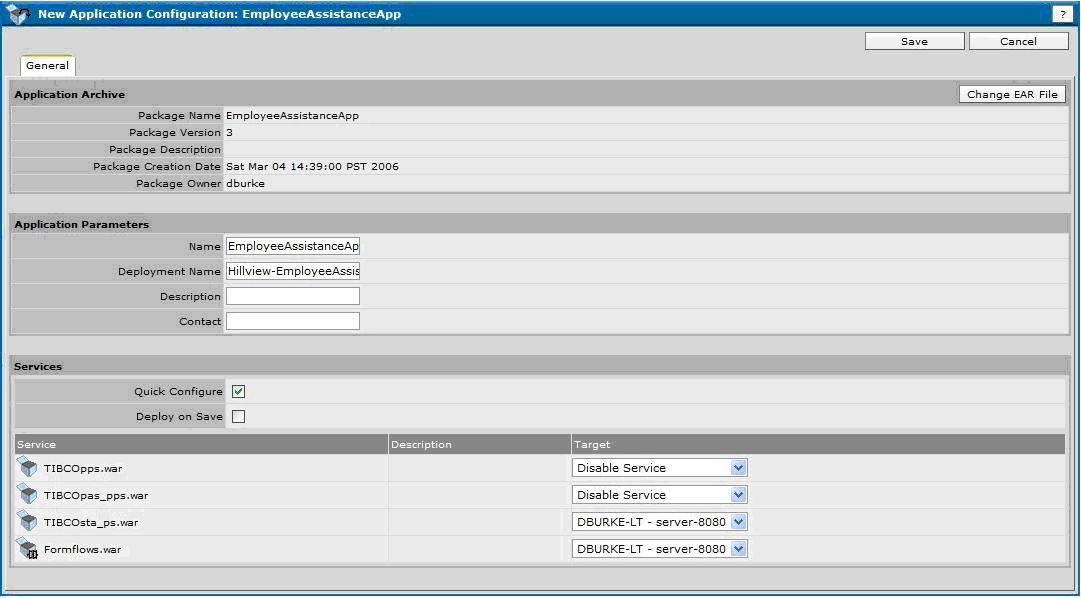
4. Click on New Application. This displays the New Application Configuration page.
5. Click Browse to locate and select the EmployeeAssistanceApp.ear file.
6. Click OK to return to the New Application Configuration page.
7. From the dropdown list, change the Target Value to Disable Service for the two services, TIBCOpps.war and TIBCOpas_pps.war. The reason these services are disabled is that they have already been deployed to Tomcat during the PortalBuilder deployment.
8. Click Save.
9. Click on the EmployeeAssistanceApp in the Configuration screen.Select Advanced tab. Provide the value for the Application Domain Name same as the Portal Builder Application domain name.
10. Click on the EmployeeAssistanceApp package link.
11. Click on Configuration.
12. Click Deploy to go to the Deploy Configuration page.
13. Click OK to start the deployment.Deployment may take a few minutes or longer depending on your system, and will include shutdown and restart of the Tomcat server.
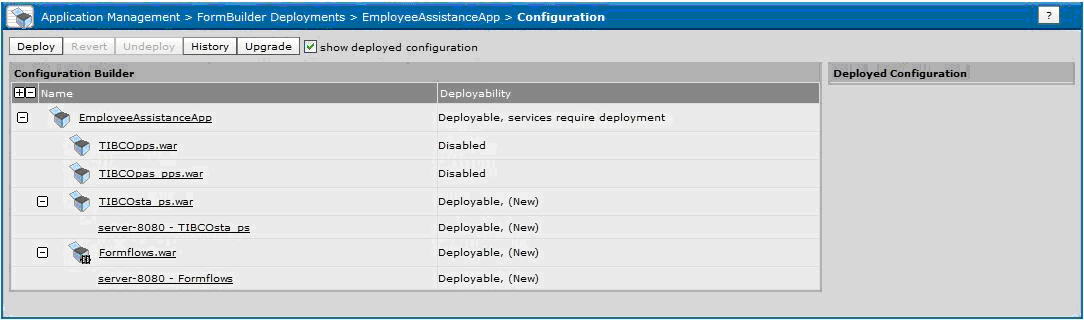
14. TIBCO Administrator will display Success in the Deployed Configuration panel on the right side of the Configuration page, as shown in Figure 70.
|
| Copyright © Cloud Software Group, Inc. All Rights Reserved |