|
| Copyright © Cloud Software Group, Inc. All Rights Reserved |
Once the redeployment of PortalBuilder is complete, you will need to complete the following tasks to integrate the BusinessWorks FormBuilder application into the portal.
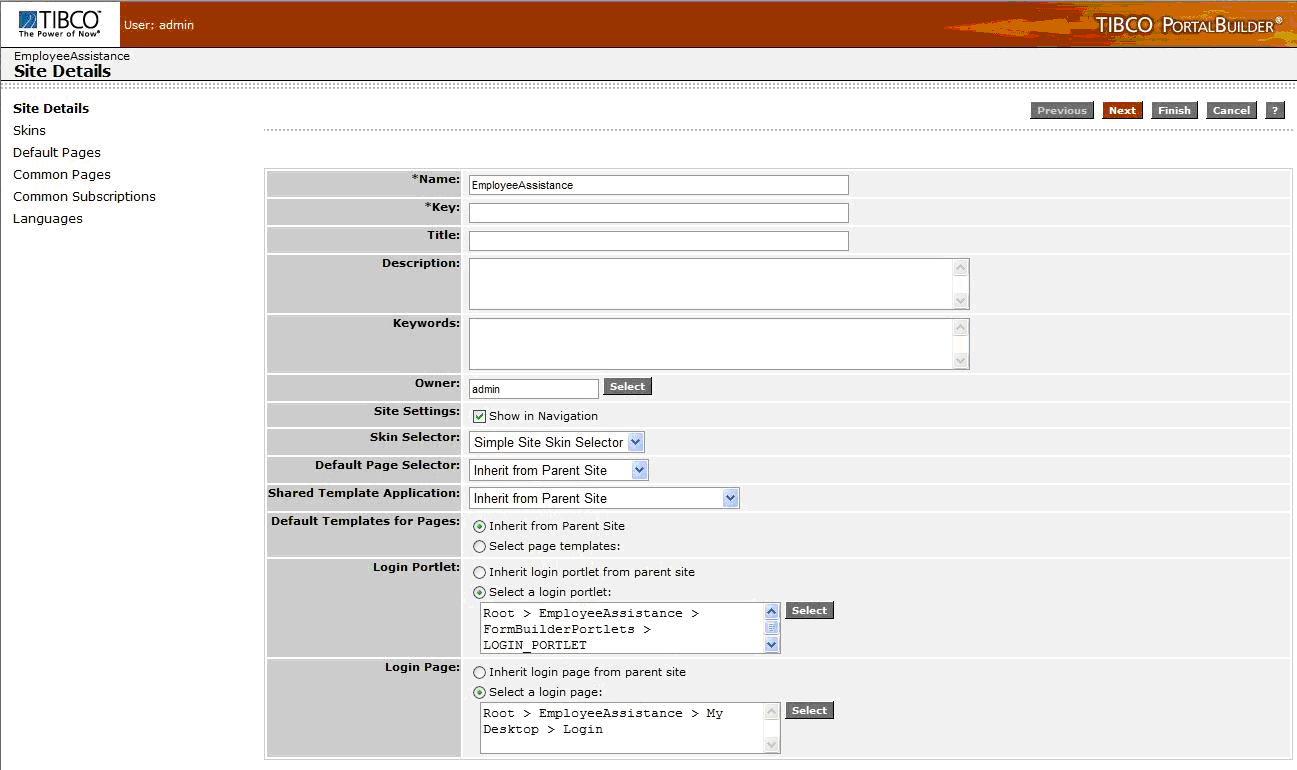
1. Log into PortalBuilder Console and navigate to the EmployeeAssistance site (child site of Root).
2.
3.
4. Edit the Default Page Selector field, selecting Role-based Page Selector from the drop down list.
5. Edit the Shared Template Application field, selecting PS Shared Template Application from the drop down list.
6.
7.
8.
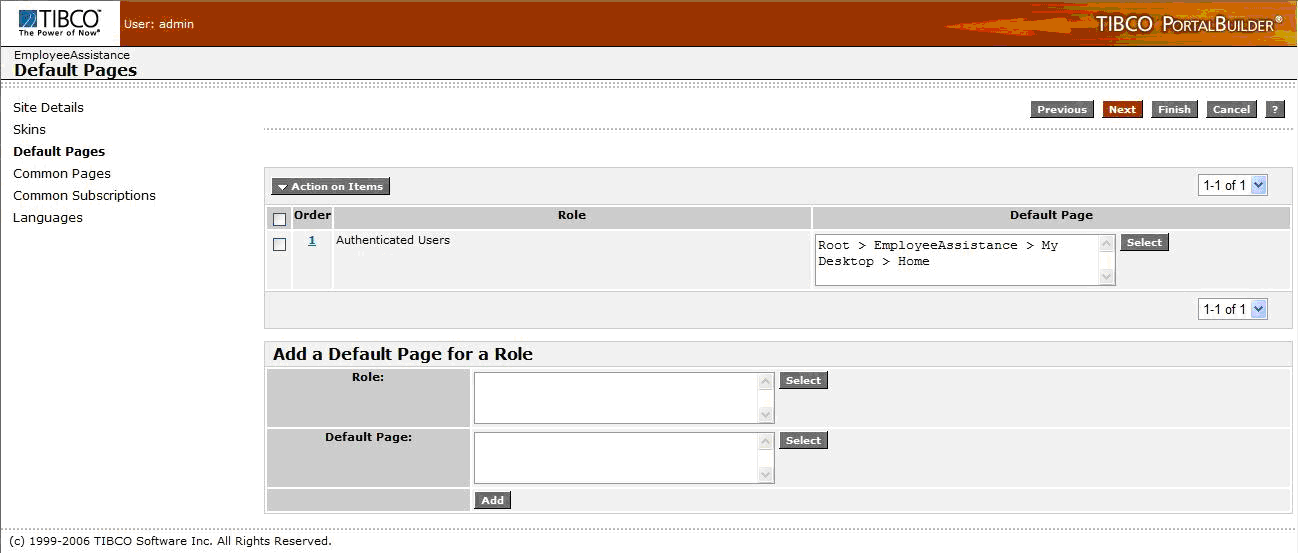
9. Click Add.Figure 75 PortalBuilder Deployment: Default Pages
10. Click Finish.
|
| Copyright © Cloud Software Group, Inc. All Rights Reserved |