|
2.
|
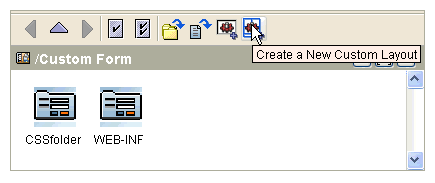
Click the Create a New Custom Layout button  located in the menu bar.
|
For TIBCO Designer templates, the top-level <table> element is required, but the number of rows and cells can be customized. Use the
<pane> element to create one or more panes.
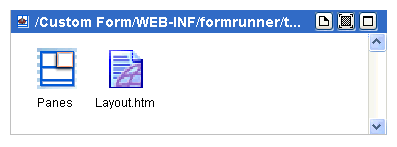
The file Layout.htm (or
Layout.html) is an HTML template that you can edit in the Content screen.
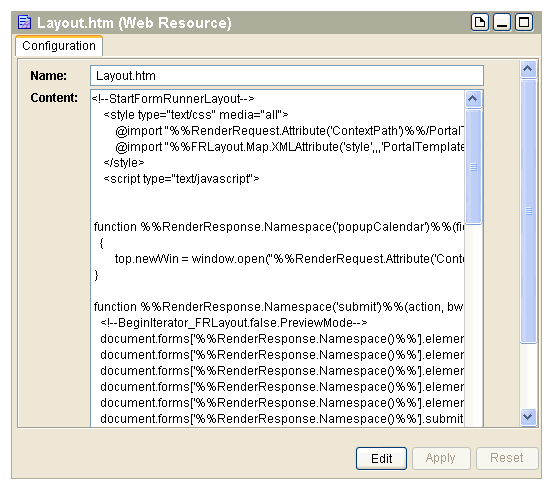
This is a sample file Layout.htm, with marked sections that may be important for users. The file content should be left as is, except for the additions and changes that are explained in
Understanding the Layout.htm Example.
@import "%%RenderRequest.Attribute('ContextPath')%%/PortalTemplates/css/formrunner/default/style.css";
@import "%%FRLayout.Map.XMLAttribute('style',,,'PortalTemplates/css/formrunner/default/style.css')%%";
<script type="text/javascript">
function %%RenderResponse.Namespace('popupCalendar')%%(fieldId,dateFormat)
top.newWin = window.open("%%RenderRequest.Attribute('ContextPath')%%" + '/PortalTemplates/bui/pickers/Calendar/calendar.html?dField='+escape(fieldId)+'&dFormat='+escape(dateFormat), 'cal', 'dependent=yes,width=210,height=230,screenX=200, screenY=300,titlebar=yes,status=no');
document.forms['%%RenderResponse.Namespace()%%'].elements['FRaction'].value = action;
document.forms['%%RenderResponse.Namespace()%%'].elements['FRBWaction'].value = bwaction;
document.forms['%%RenderResponse.Namespace()%%'].elements['FRupdateworkspace'].value = updateworkspace;
document.forms['%%RenderResponse.Namespace()%%'].elements['FRrequiresvalidation'].value = requiresvalidation;
document.forms['%%RenderResponse.Namespace()%%'].elements['FRrowIndex'].value = rowIndex;
<form name="%%RenderResponse.Namespace()%%"
(see explanation)
enctype="%%FRLayout.Map.XMLAttribute('enctype',,,'application/x-www-form-urlencoded')%%">
<!--BeginIterator_FRLayout.true.TemplateMode('error')-->
<!--EndIterator_FRLayout.true.TemplateMode('error')-->
%%FRLayout.Map.Pane('column2')%% (see explanation)
|
•
|
Style Block This section is used to import the style sheet for the form and is used as is.
|
|
•
|
Script Block This section contains JavaScript functions used by the formflow. This code is used as is. If you need a JavaScript, you need to add this code in the Form Resource Store.
|
|
•
|
%%RenderResponse.Namespace()%% This variable is used to generate a unique, random name for a form each time when the form is rendered. To access the form from JavaScript, use this variable.
|
|
•
|
Error Block This section gets substituted for error messages when the form is rendered in error mode.
|
|
•
|
Form Layout Block This section corresponds to what you have designed in the Layout editor.
|
The following example shows only the portion of a runtime layout template that should be modified. This sample code describes how a three-column layout scheme displays at runtime.
bgcolor="#ffffff" cellspacing="0">
<td class="col1" valign="%%FRLayout.Map.PaneValign('
column1')%%" width="33%">
%%FRLayout.Map.Pane('
column1')%%
<td class="col1" valign="%%FRLayout.Map.PaneValign('
column2')%%" width="33%">
%%FRLayout.Map.Pane('
column2')%%
<td class="col1" valign="%%FRLayout.Map.PaneValign('
column3')%%">
%%FRLayout.Map.Pane('
column3')%%
td colspan="3" class="buttonbar" width="100%" valign="%%FRLayout.Map.PaneValign('
buttonbar')%%">
%%FRLayout.Map.Pane('
buttonbar')%%
In this example, the layout is an HTML table with each layout element in a table row. The text in italic typeface (such as
column1,
column2) should be replaced with the
Id attribute for each custom pane defined in the TIBCO Designer template.
Referenced classes are from the default stylesheet, but you can add a custom stylesheet to a Form Resource Store and then reference classes from the stylesheet in your custom layout.