|
| Copyright © Cloud Software Group, Inc. All Rights Reserved |
The look and feel of FormBuilder Desktop is defined by the Home Page Layout resource, which is located in the Layouts folder of TIBCO Designer. This file refers to skin resources for images, CSS references, and so on.<!DOCTYPE HTML PUBLIC "-//W3C//DTD HTML 4.01 Transitional//EN" "http://www.w3.org/TR/1999/REC-html401-19991224/loose.dtd"><td colspan="5" height="2" class="tibheader-border"><img src="%%Skin.FileUrl('images.trans.gif')%%" alt="" width="1" height="2" border="0"></td>When you edit this file, you will notice that it refers to some skin resources such as %%Skin.FileUrl('images.trans.gif')%%.If you want to remove these images, simply remove the entire HTML tag. If you want to replace these images, you need to create a skin.Create a Skin Folder
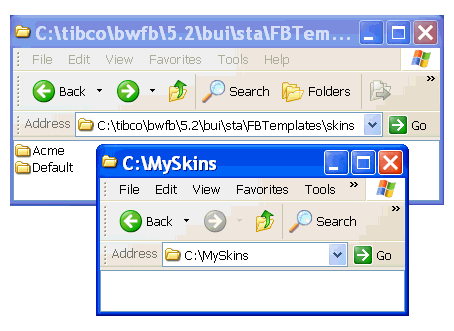
2. Find a folder in your TIBCO directory called Default, which is located in bwfb\version\bui\sta\FBTemplates\skins\Default.
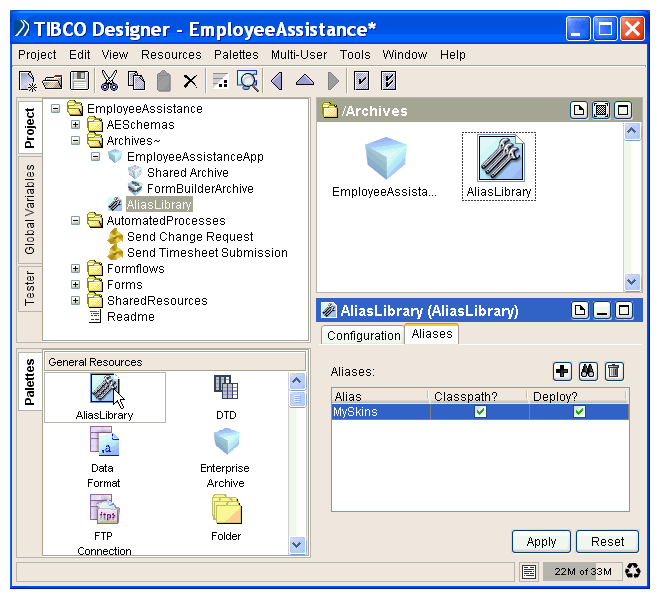
3. It contains skin resources for the default FormBuilder Desktop that you can replace with your custom images or style sheets.Figure 61 Creating SkinsAdd the Alias LibraryFigure 62 Add the Alias Library
6. In the Aliases tab, add a new entry (using the Add button) for this alias library and point it to the new skin folder.
7. Click Apply.
8. Search in the project panel and select the Skins Folder, located under the FormBuilder Desktop resource.
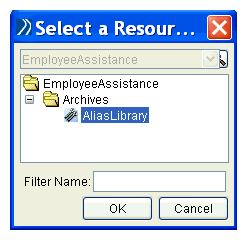
9. Figure 63 Add a Reference to the Alias Library
10. Add a Skin Resource
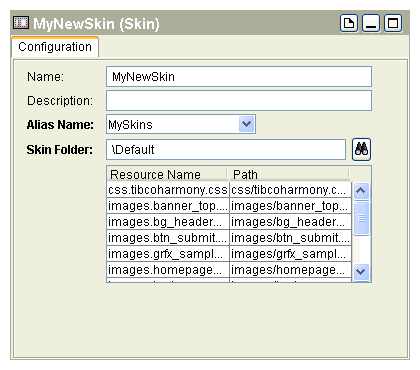
11. Select the Skins Folder and drop a new Skin resource in the design panel. For the Alias attribute, choose an appropriate alias from the dropdown list.
12. Browse to the Default folder of the Skin Folder resource, which is in this example located in the directory MySkins.Figure 64 Add a Skin Resource
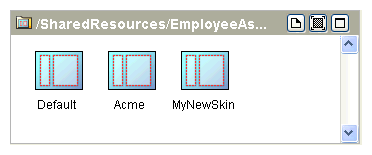
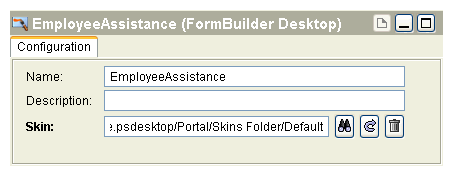
13. Figure 65 Name a Skin ResourceChoose FormBuilder Desktop SkinFigure 66 Choose a SkinEach time you change images or other elements, such as CSS, in the folder MySkins, these changes will be reflected in the FormBuilder Desktop. You can also test it by using the tester.If all your pages have guest access (which is default), you don’t need to login in order to run your formflows.
|
| Copyright © Cloud Software Group, Inc. All Rights Reserved |