RED Segments
See Example Response Generator Commands for options affecting the contents of the RED01 element.
Default behavior
-
If an error occurs within a claim, the 824 response will include a TED segment explaining the error followed by a RED segment giving the claim ID.
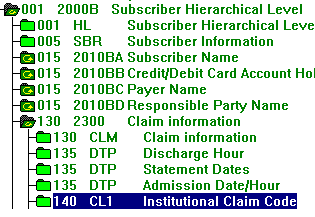
Example: An error in the CLM segment will result in a TED segment followed by a RED segment that contains the Claim ID:
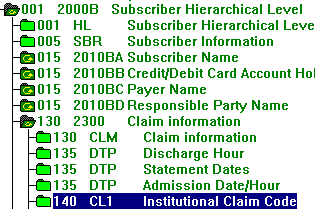
The 824 data might look like this:
TED*024*X7 E 30393 2300 The Facility Code 00 is not …RED*1*AI~
-
If an error occurs above the claim level, the 824 response will include a TED segment explaining the error followed by a RED segment giving a generic message.
Example: An error in the 2010BA Subscriber Name loop will result in a TED segment followed by a RED segment containing a generic message in the RED01.
The 824 data might look like this:
TED*024*X7 E 30373 2010BD The Zipcode 99999 was …RED*Not Claim Specific*AI~
Alternative RED Segment Usage
When an error occurs above the claim level, you will normally get one generic RED segment like this:
TED*024*X7 E 30373 2010BD The Zipcode 99999 was …
RED*Not Claim Specific*AI~
You can instead get a RED segment for each claim that is under the level with the error, with the RED01 containing the claim ID:
TED*024*X7 E 30373 2010BD The Zipcode 99999 was …
RED*1*AI~
RED*2*AI~
RED*3*AI~
To do this, create an INI file containing:
[824]
Display837ClaimID=1
If you want errors in Table 1 and at the top of Table 2, before the 2000 loop, to also trigger the additional RED segments, add this line below Display837IclaimID:
ShowWhenErrorAbove2000=1
Run Response Generator with the z command line parameter that points to the setup file:
"C:\FS\Bin\respgen.exe" -i "C:\FS\output\MY837IA_Results.txt"
-o824 "C:\FS\Output\824.txt" -o997 "C:\FS\Output\997.txt"
-
z”C:\FS\BIN\RG.INI”
For details, refer Appendix D: Z Parameter Setup File.