Liblinks
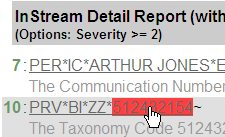
Liblinks are sets of HTML help files that describe transactions. They are specific to the validation guidelines. When you click an error in the HTML report, the liblinks page for that segment displays. Note the path displayed in the browser’s address line below:
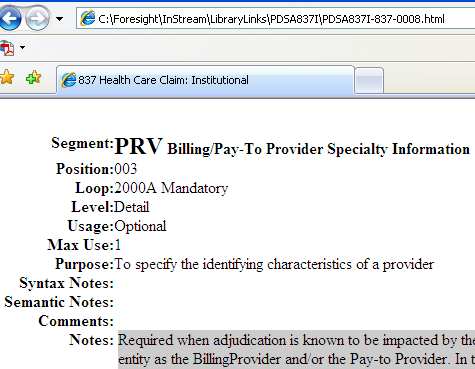
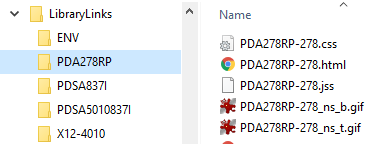
You can see the liblinks that ship with Instream in Instream’s LibraryLinks directory:
Liblinks can be stored elsewhere if you identify that location with the liblinkpath in ValidationHighlighter.ini.
Unzipping Liblinks
To minimize disk space used, the Instream installation only expands the liblinks used in the demos.
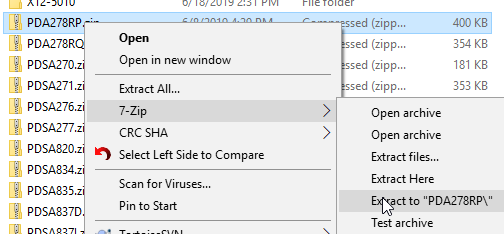
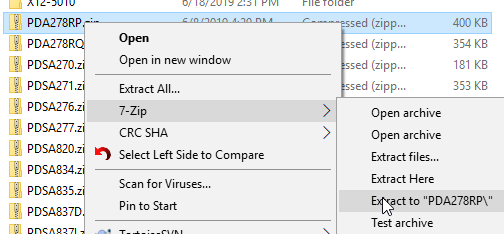
To use liblinks for another HIPAA guideline or for one of the other guidelines, unzip them into the LibraryLinks directory:
-
Click on the desired zip folder and unzip to the LibraryLinks folder.
-
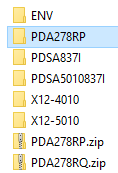
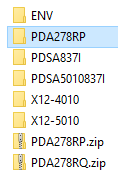
Complete the unzipping, refresh the LibraryLinks directory, and look for a new directory:
-
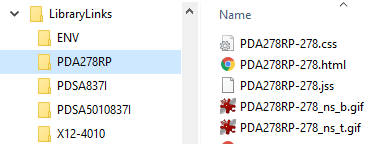
Open the directory and be sure that the files are directly under it, without another subdirectory.
Correct: