Types
Creating a Type
The Dictionary lets you create types in:
-
The Simple Types Dictionary, which contains Simple Types and Global Attributes,
and
-
The Complex Types Dictionary, which contains Complex Types and Attribute Groups
You can create new types in the dictionary and then use them in the SCHEMA. For elements that are used more than once, this is a good alternative to simply adding them directly in the SCHEMA.
It also lets you edit the type in one place (the dictionary) and have it affect all places where it is used as a type in the SCHEMA.
Example - Simple Type
Create a simple type PHONE_NUM in the dictionary and then use it twice in the schema.
-
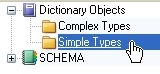
Open Dictionary Objects at the top and click Simple Types.
-
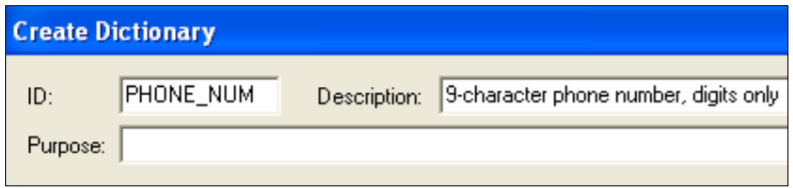
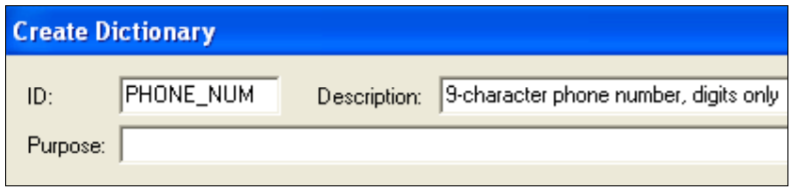
Select Edit > Create a new item … > Schema Simple Type and fill out the box like this:
Close the box.
-
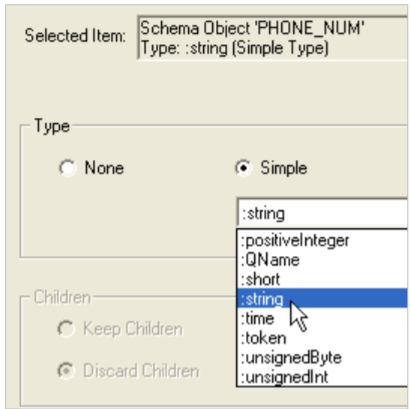
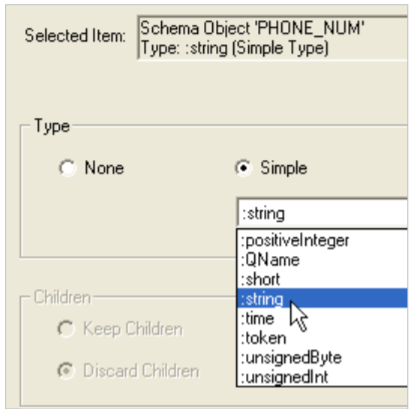
Click in the Type column for PHONE_NUM and select :string from the dropdown list.
-
Click on another line in the top pane, and then click again on PHONE_NUM to refresh the bottom pane.
-
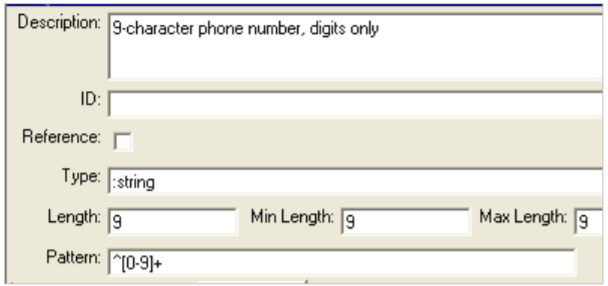
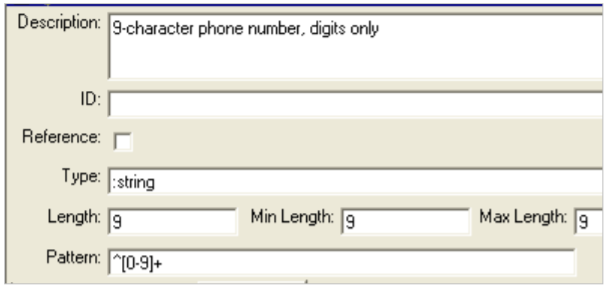
Fill out the bottom pane like this:
-
Return to the SCHEMA and click BT_ADDR1:
-
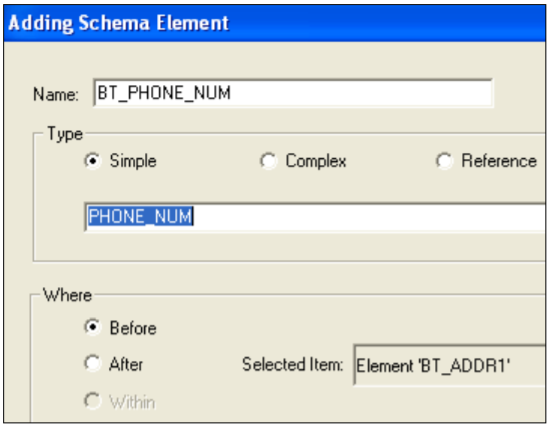
Choose Edit > Add item > Schema Element and fill out the box like this.
PHONE_NUM will be at the bottom of the drop-down list after the built-in types.
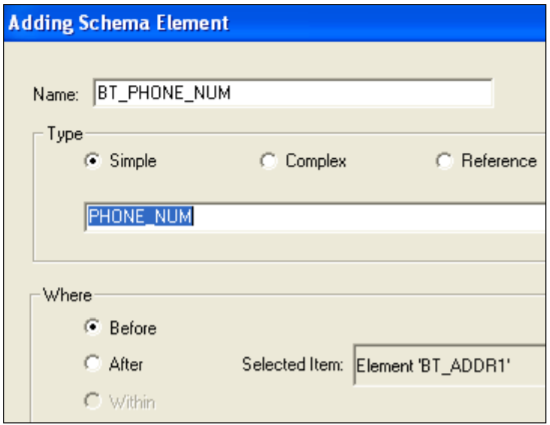
There is no colon at the beginning of a type that you create.
Finish adding the element.
-
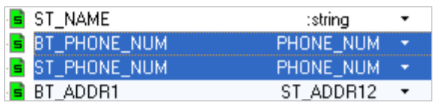
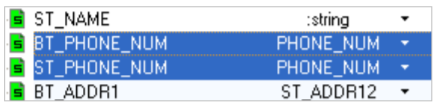
Add ST_PHONE_NUM after BT_PHONE_NUM

Example - Complex Type
Create a complex type CONTACT in the dictionary and then use it in the schema.
-
Under Dictionary Objects, click Simple Types and create this type in the Simple Types dictionary:
NAME Type :string Min 3 Max 20
-
Under Dictionary Objects, click Complex Types.
-
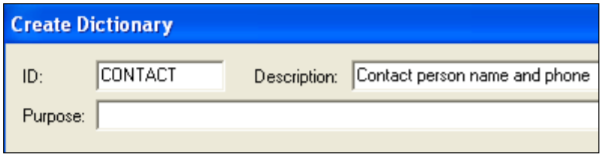
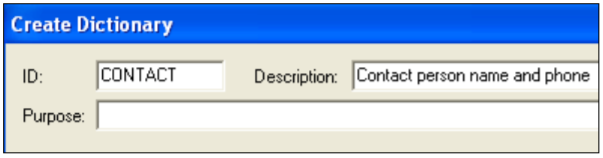
Select Edit > Create a new item … > Schema Complex Type and fill out the box like this:
Close the box.
-
Save.
-
With CONTACT selected, choose Edit > Add item … > Schema Element and add this simple element:
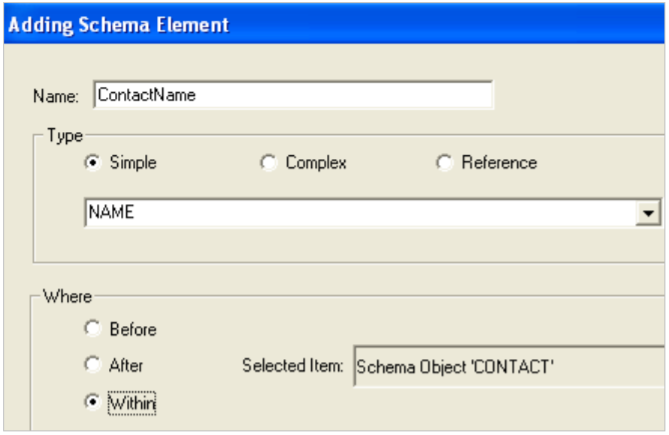
-
Highlight ContactName and add this after:
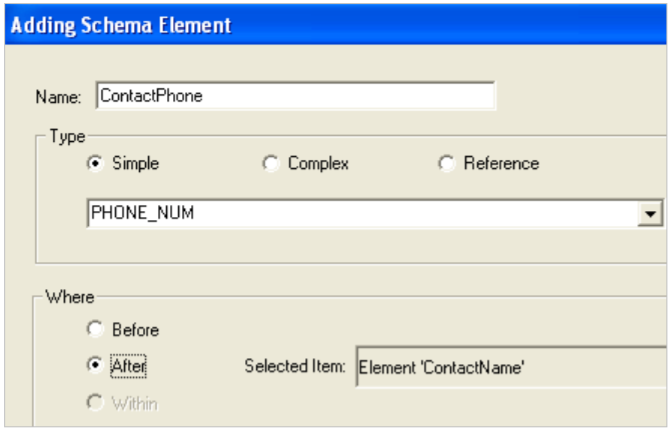
-
Save.
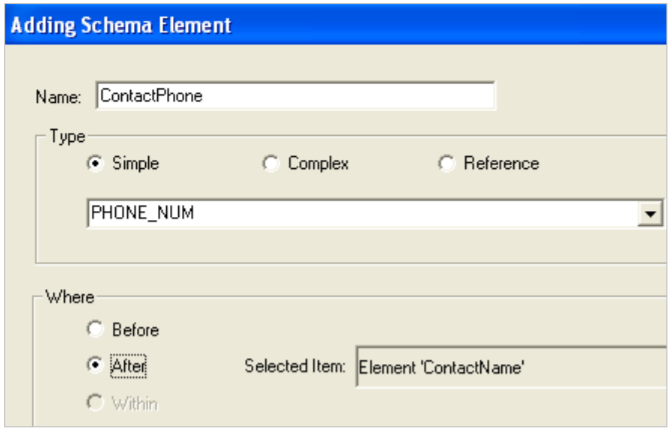
Now use this type in the SCHEMA:
-
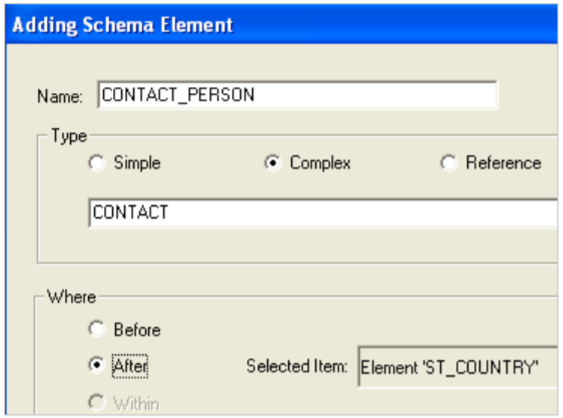
Click ST_COUNTRY in the SCHEMA and choose Edit > Add item > Schema Element.
-
Fill out the box like this:
-
Save.
-
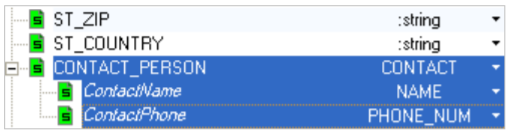
Expand CONTACT_PERSON in the SCHEMA to see this:
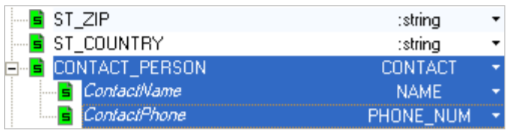
Notice the Italic ContactName and ContactPhone, indicating that these are being supplied from the Complex Types dictionary.
You can use this type as often as you’d like. It is the same as having a local complex group that contains NAME and PHONE, only you can maintain it centrally from the dictionary.
Changing an Element’s Type
You can change an element’s type by:
-
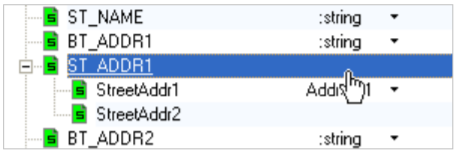
Clicking (or double-clicking, depending on your preferences) on its type in the top pane:
-
Or, by clicking the Change type button at the end of the Type field in the Detail pane:
-
This displays the Change Element Type dialog box:
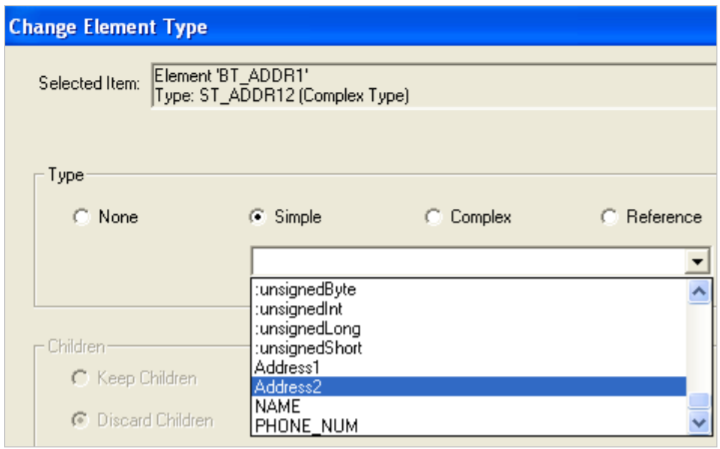
Where:
Selected Item Name and type of the current element. Parentheses at the end of the type line contain one of these:
Complex Selected type has child elements. ComplexContent Selected type contains data and has child elements. Simple Type Selected type contains data. Type Select a type:
None Deletes the type from the element. Simple Drop-down list offers all built-in simple types or those from your Simple Types dictionary. Complex Drop-down list offers all complex types from your Complex Types dictionary. Reference Drop-down list offers all types defined elsewhere in the document Keep children Save the current child elements and add the one(s) from the selected type. Available if you have child elements that are local (See Localizing an element.) Discard children Delete the current child elements and add the one(s) from the selected type. Available if you have child elements that are local (See Localizing an element.)


