Setting up Success Codes
Each task in each component has a Success Code field where you can specify a code that means the task completed successfully.
You can customize this:
-
From within Foresight Studio. Choose Model system | Component Templates | component | Task tab. Select a task and look at the Success Code field.
-
In the workflow component’s XML file with the
<SuccessCode>tag.
Example
-
From Foresight Studio, open the Model system and choose Component Templates > ResponseGen.xml > Task tab.
This defines the behavior of the ResponseGen component.
-
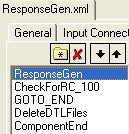
The task list contains these tasks plus the ComponentEnd marker.
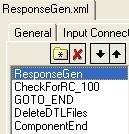
Currently, the ResponseGen task is selected and the rest of the screen shows information about it.
Since
RespGen.exesends 100 if it is able to complete its assignment, the Success Code field should also contain 100.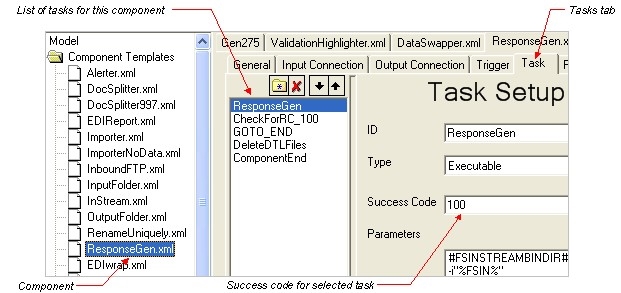
-
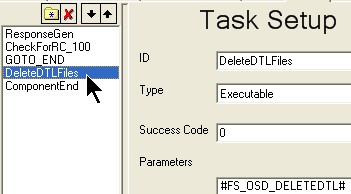
Choose the DeleteDTLFiles task.
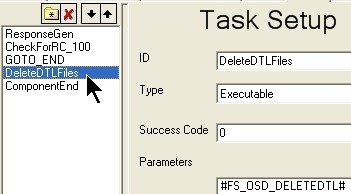
This contains a workflow global variable. If the task succeeds, it sends a code of 0; therefore, its Success Code field should contain 0.
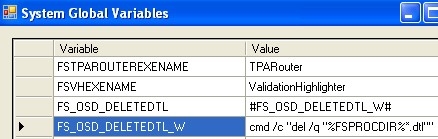
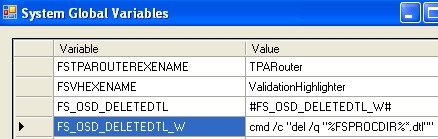
To see what the parameter means, choose File > Edit Globals. We can see that it is executing a DOS del command to delete the DTL file from the Component’s Process directory: