Tutorial Workflow
This tutorial guides you through all major steps in setting up this workflow:
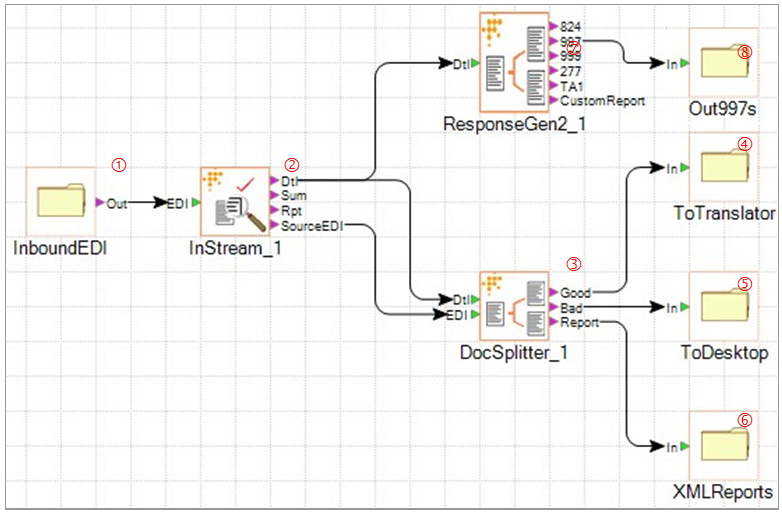
The workflow steps include:
-
Move 837I EDI files from an inbound directory.
-
Validate them with Instream, using a specific profile.
-
Split good from bad claims.
-
Put good claims in a directory to go to the translator.
-
Put bad claims in a directory to be viewed by a support person using TIBCO Foresight® HIPAA Validator® Desktop.
-
Put XML reports in a separate directory.
-
At the same time, feed the validation detail results file into Response Generator and generate 997s.
-
Put the 997s in a directory where they will be sent out.