FHIR Resources Page
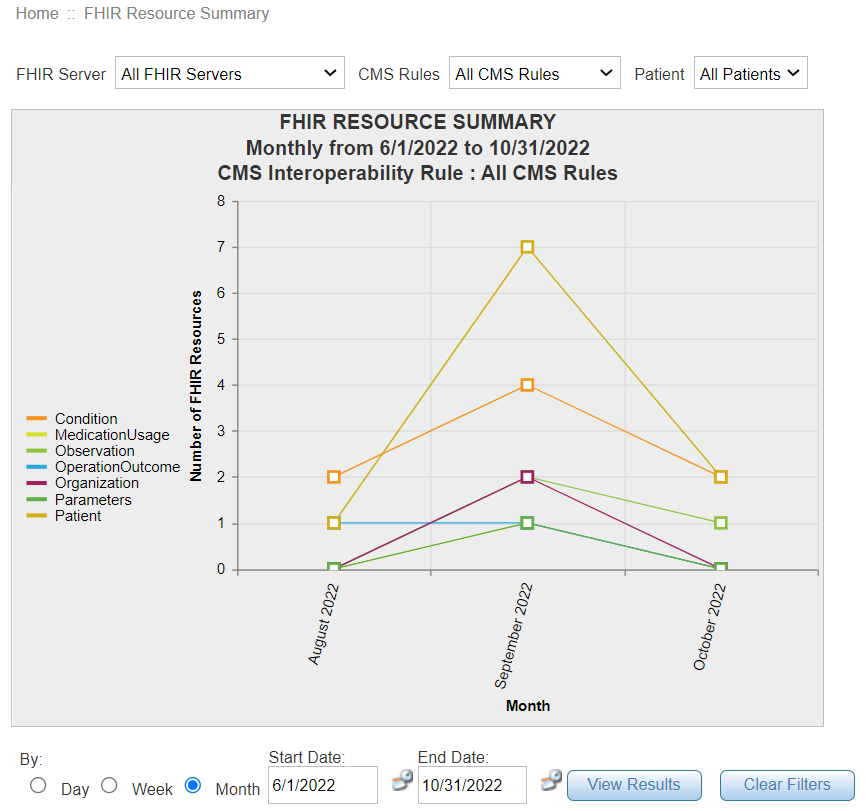
Using this page you can view all the resources loaded in the FHIR servers. The results can be filtered for all the patients or for a specific patient. There is a blank field in Patient search dropdown to search all resources.
When the user selects FHIR Resources from the Statistics drop-down following filters are displayed:
| Field | Description |
|---|---|
| FHIR Server | List of FHIR Servers available. |
| CMS Rules | CMS Interoperability Rules. |
| Patient |
Filter your search by individual Patient IDs, All Patients and a blank field. Selecting the blank field shows all the resources loaded in the FHIR server. |
| Day/ Week/ Month | Filter your search by Day/ Week/ Month. |
Click Clear Filters button to clear any existing filters applied.
Apply all the filters and click View Results button to see the results in a graphical format.
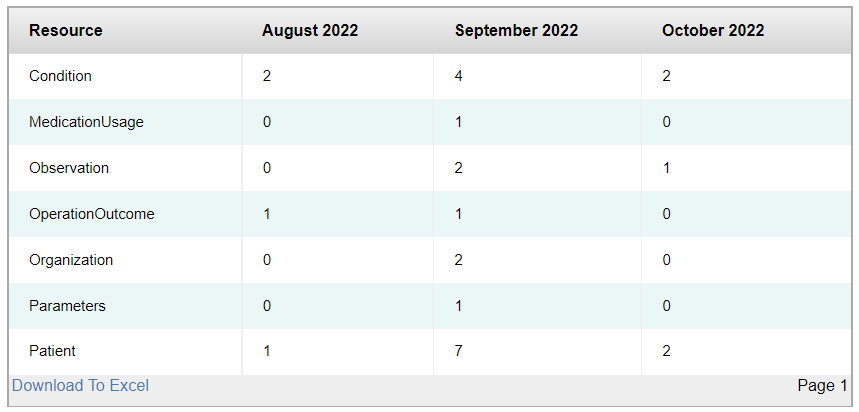
You can download the details in an excel format by clicking Download to Excel button.