Logging In
To log in to the Transaction Insight Portal:
-
Use your browser to go to the portal page specified by your Transaction Insight administrator.
-
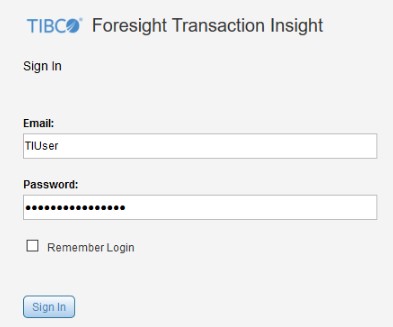
Type the Email address and Password assigned to you by the administrator. Your “Email” mightnot actually be an e-mail address.
-
Click Remember Login if you want to save your Email and Password.
Note: This option might or might not be enabled by your administrator.This is specific to your machine. If you choose Remember Login, you have to skip the Account Login page when accessing Transaction Insight, and so do anyone else using your PC. If you use another PC to access Transaction Insight, you have to log in.
-
Click Sign In.
The user sees a page containing the Foresight Portal applications plus other applications that are supplied by your administrators. Click Transaction Insight.

If you have no other applications, you are redirected to Transaction Insight without seeing the portal page.
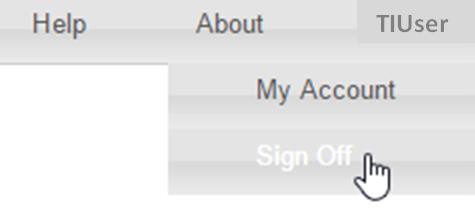
To log off, click your name and then Sign Off in the upper right corner.