|
| Copyright © Cloud Software Group, Inc. All Rights Reserved |
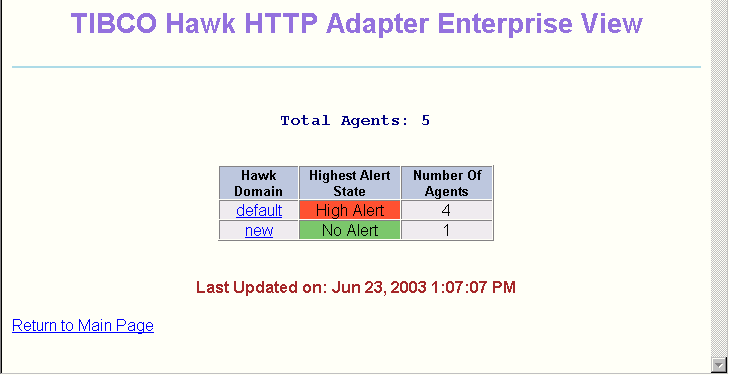
In the Enterprise view, you see an overview of all monitored TIBCO Hawk domains in your enterprise.The Hawk Domain column lists the names of the domains being monitored. The Highest Alert State column indicates the highest current alert state in each domain, and the Number of Agents column indicates how many agents are in each domain.
•
− The default domain contains four agents.
− The new domain contains one agent.
• In the default domain, at least one agent has a High alert. Other agents in the default domain may also have High alerts. They may also have Medium or Low alerts or informational messages. None of the agents in the default domain are Expired.
• The agent in the new domain does not have any active alerts. It may have informational messages.Click the name of a domain to view information about the clusters in that domain. The Domain View appears, described in the next section.
|
| Copyright © Cloud Software Group, Inc. All Rights Reserved |