|
|
| Copyright © Cloud Software Group, Inc. All Rights Reserved |
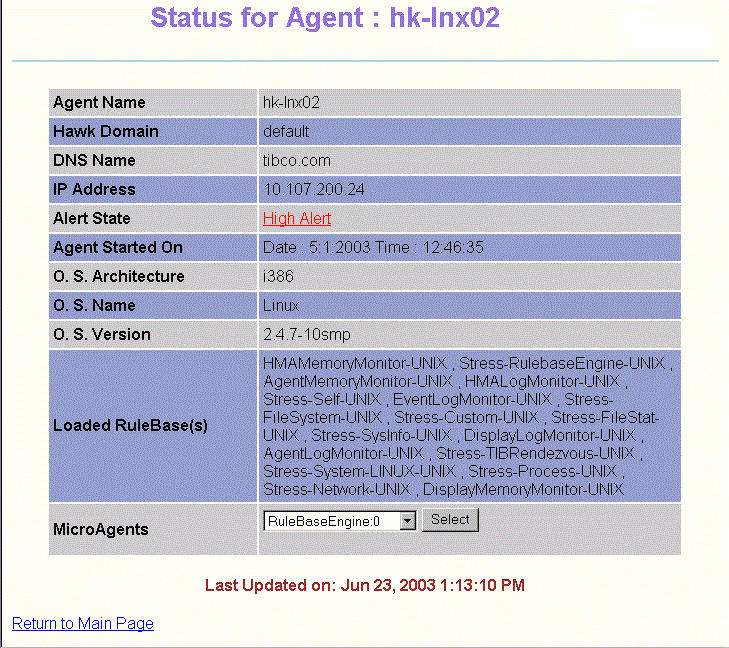
This screen displays information about the selected agent. The fields on this screen are described in the TIBCO Hawk Administrator’s Guide.This screen also allows you to view the microagents on this agent. For more information, see Microagent View.For example, the sample screen above displays the current status of the hk-lnx02 agent, belonging to the LINUX cluster in the TIBCO Hawk default domain. The highest current alert level in this agent is High. It may also have one or more Medium or Low alerts or informational messages.To display the Alert View for this agent, click the alert level. This displays the same screen as clicking the highest alert level for this agent in the Cluster View.
|
|
| Copyright © Cloud Software Group, Inc. All Rights Reserved |