Copyright © Cloud Software Group, Inc. All Rights Reserved


Chapter 4 Using the Sample HTML Interface : Method Details

Method Details
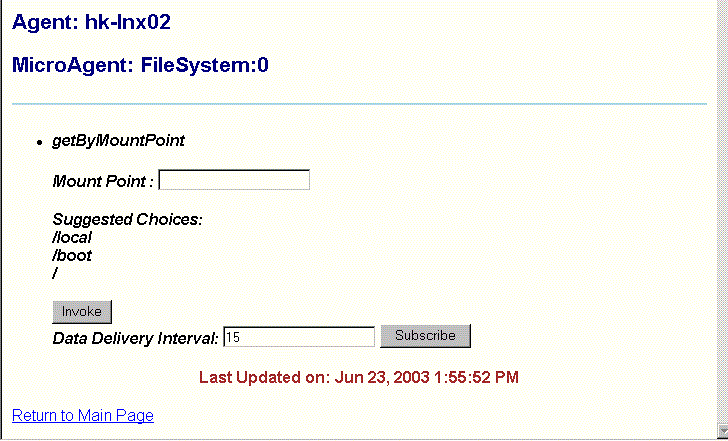
This view displays the parameters in the method selected in the Microagent View. The available parameters for the method vary depending on the method signature.
The sample screen above shows the getByMountPoint synchronous method in the FileSystem:0 microagent, in the hk-lnx02 agent.
Fill in the parameter(s) and click Subscribe or Invoke, as desired.
Invoke invokes the method on the microagent. This option is available with synchronous and asynchronous methods.
Subscribe subscribes to the method. This option is available only with synchronous methods.
Each option displays the Method Results view, described in the next section.

Copyright © Cloud Software Group, Inc. All Rights Reserved