|
| Copyright © Cloud Software Group, Inc. All Rights Reserved |
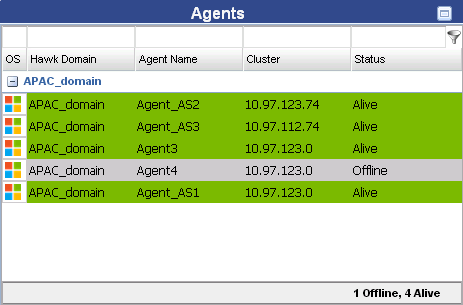
Figure 1 Agents Portlet
−
• A brief description of every agent is displayed when you hover over the agents in the Agents portlet
• Agents portlet status bar displays a summary of "Alive" and "Offline" agents count.
• Clicking on an agent that is "Alive", a new Agent tab is opened. The name of the Agent tab is same as the selected agent name <agent_name>.
|
| Copyright © Cloud Software Group, Inc. All Rights Reserved |