|
| Copyright © Cloud Software Group, Inc. All Rights Reserved |
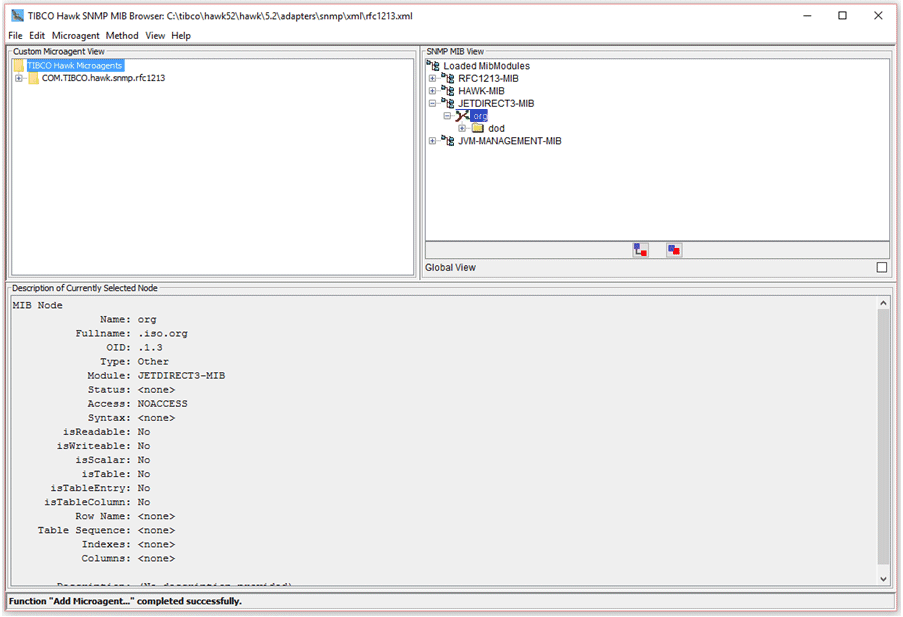
The SNMP MIB can be presented in either MIB or trap view. The MIB view tree shows the SNMP variables defined in the loaded MIBs and is used for creating get and set methods. The trap view tree shows the SNMP traps defined in the loaded MIBs and is used for creating onTrap (to receive traps) and sendTrap methods. You can switch between views using the View menu.
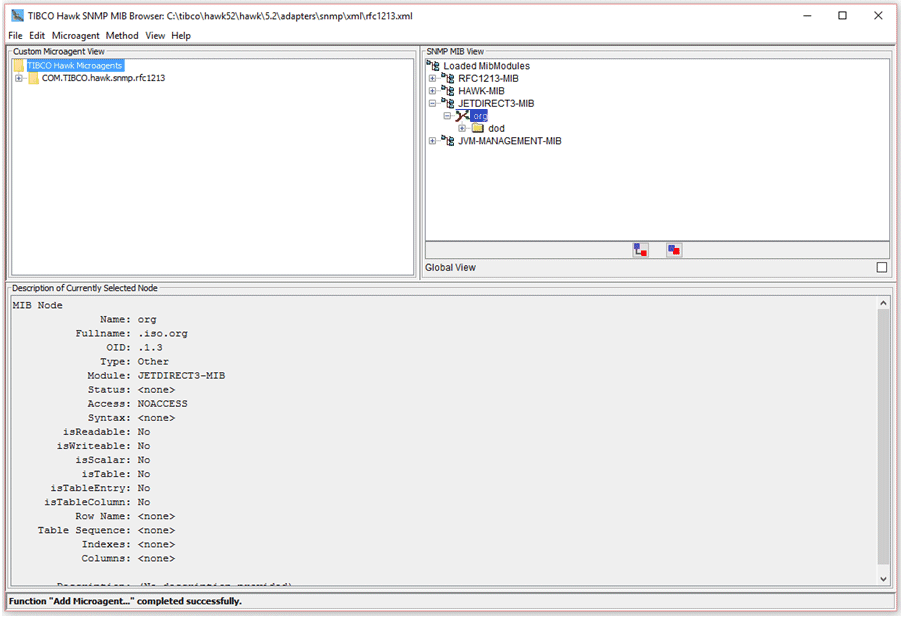
1. If the Hewlett Packard JetDirect3 MIB file has not been previously loaded, select the File->Load MIB options, navigate to the directory which contains the Hewlett Packard JetDirect3 MIB file.
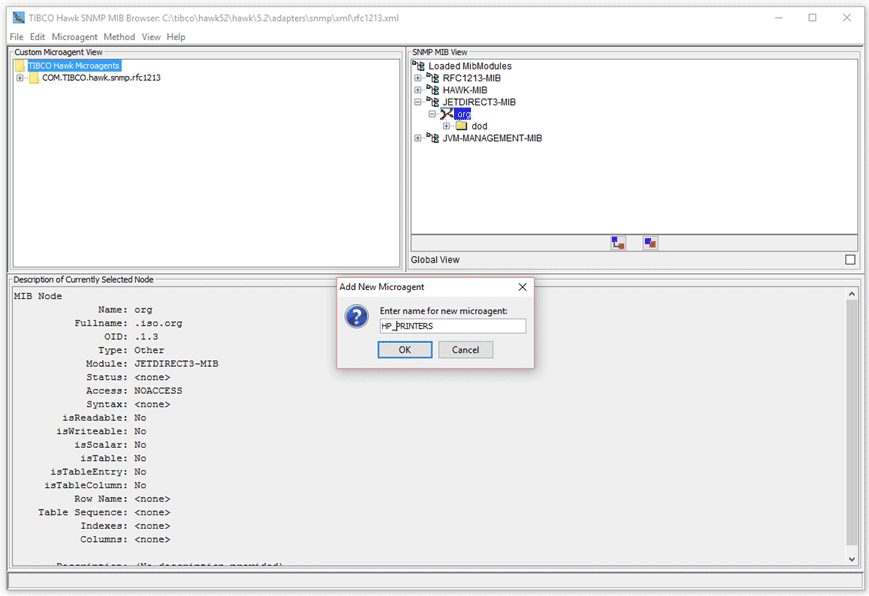
2. To create a new microagent, select Microagent->Add Microagent.
3.
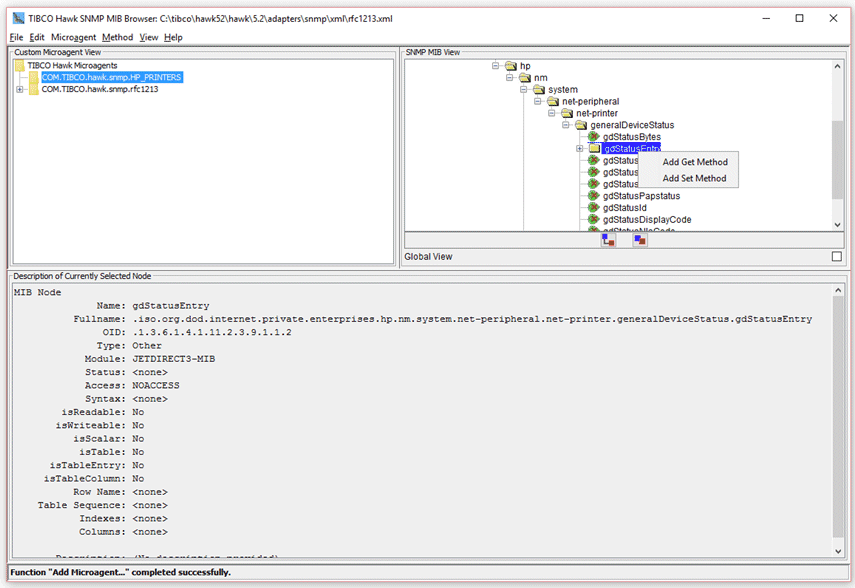
4. Expand the tree-structure of the JETDIRECT3 MIB.
5. Right-click the gdStatusEntry folder.
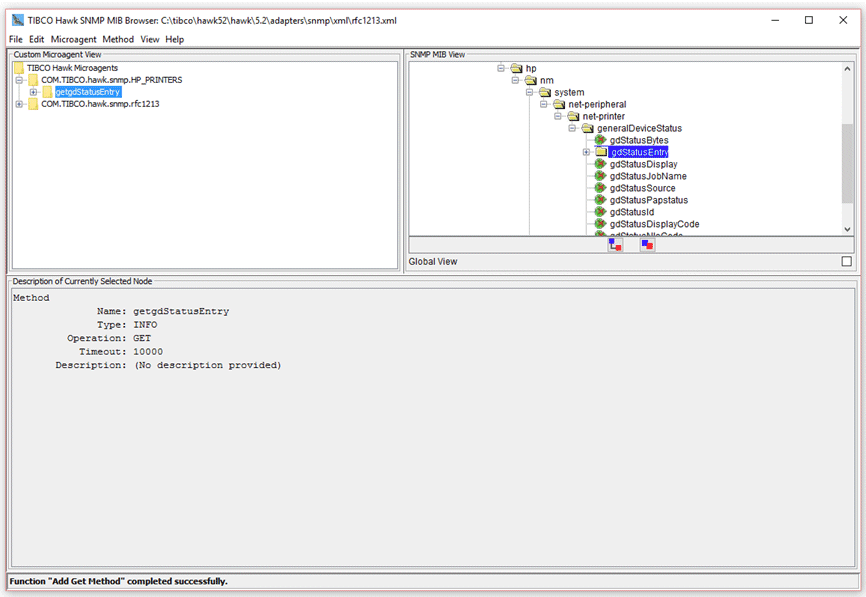
6. A new method named getgdStatusEntry is added to the selected microagent in the microagent tree. The method name is derived from the operation (get) and the MIB item name (gdStatusEntry). Expanding the getgdStatusEntry tree node, note that method arguments and returns have been automatically generated from the MIB definition.The standard arguments Host, Community, Port, and SNMP are automatically added where appropriate to allow these values to be specified when the method is invoked. These standard arguments have default values of localhost, public, 161, and version 1, respectively. The Port argument defaults to 162 for sendTrap methods.For the get() methods, a return is defined for each MIB variable from the selected MIB node. If the node represents a terminal node, a single return is added for that variable. If the node represents a non-terminal node (for example, gdStatusEntry), a return is added for each terminal node contained in that node. If the node represents a table, a return is added for each column of the table.For onTrap methods a return is added for each variable defined for the selected trap.For sendTrap methods an argument is added for each variable associated with the selected trap.Filter arguments can be added to get methods which return tabular data and to onTrap methods. A filter argument corresponds to a particular return and is used to filter the data returned by a method. For tabular get methods they are used to filter which table rows are to be returned. For onTrap methods they are used to filter out unwanted traps. Filter arguments are automatically added for all table index columns in tabular get methods. A filter argument can be added for any return. If the return is an enumerated type then a legal value choice is defined for the filter argument containing the list of enumerated types.
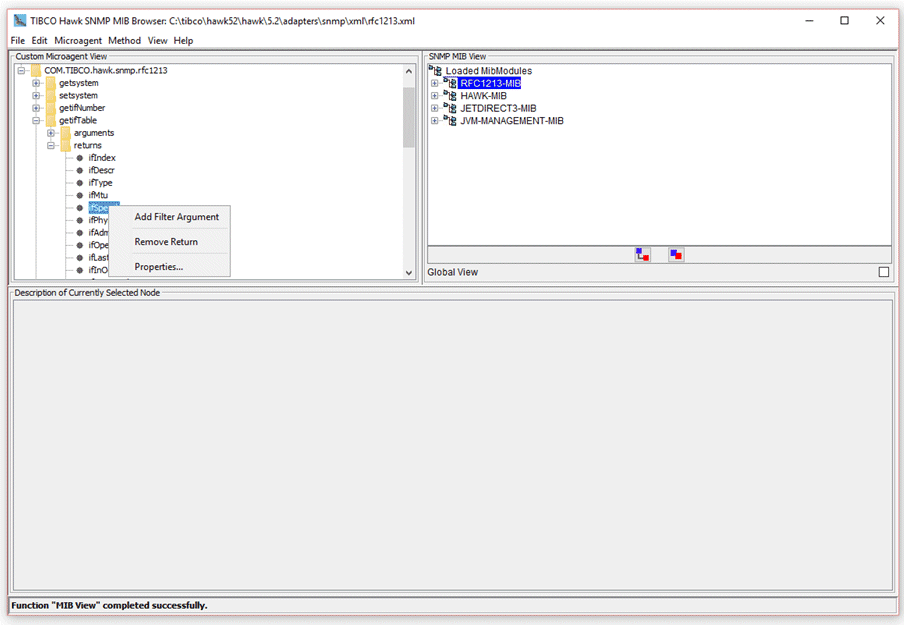
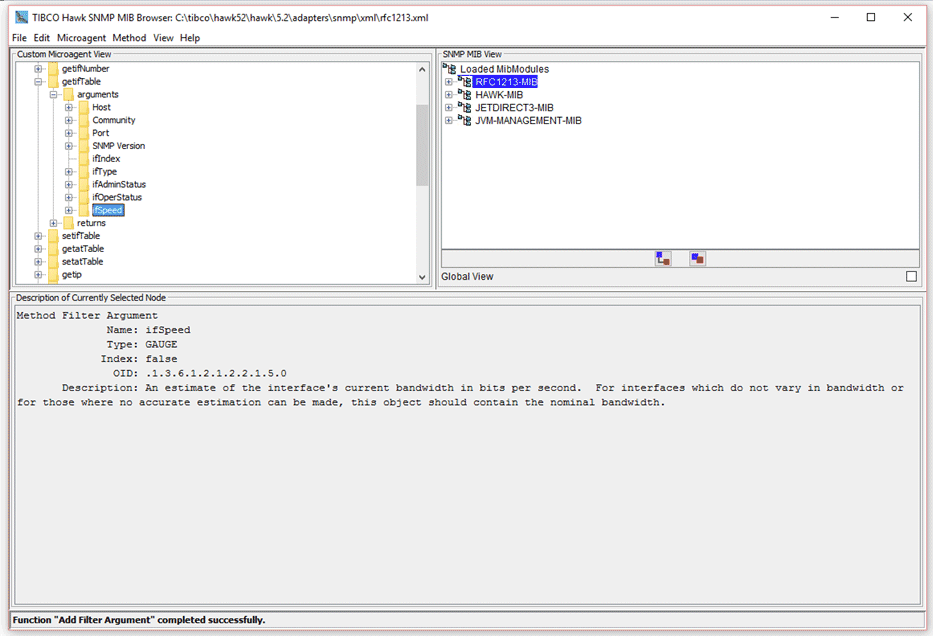
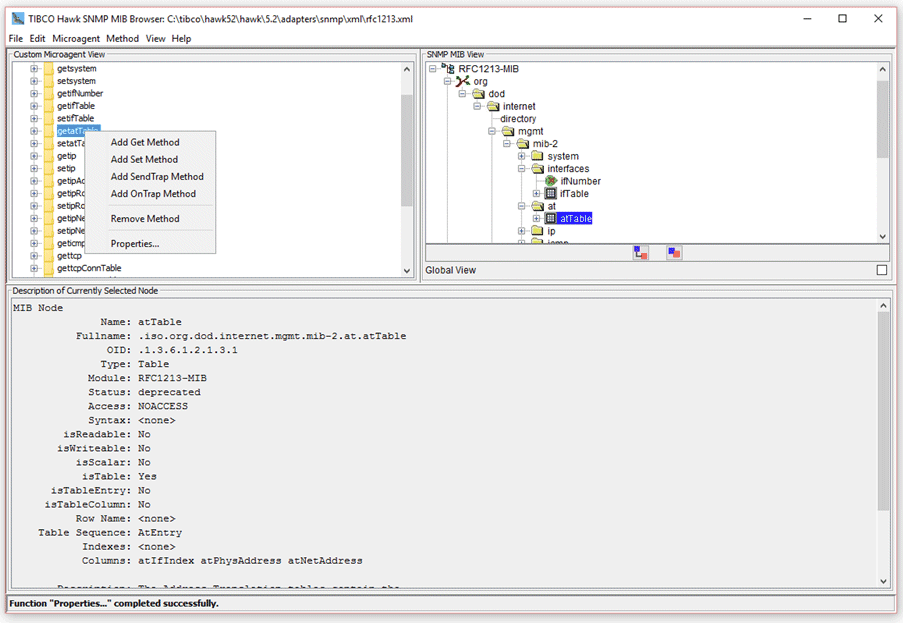
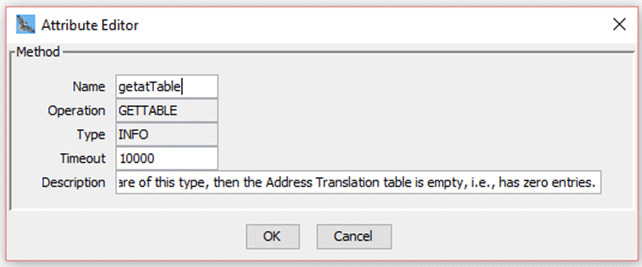
7. Select the File->Save options to save the microagent descriptor file.When working with OnTrap methods or methods that return tabular data you can specify any output parameter of the method as a filter argument. This adds an output filter argument corresponding to the selected output parameter. You can now filter the returned data using specific values for this output filter argument.When used with OnTrap methods, the output filter is used to send only those traps that pass the filter criteria. Similarly, with methods that return tabular data, the output filter is used to filter rows of the return data.To add a filter argument, right click on the selected output parameter and choose Add Filter Argument.To edit the properties of a node in the custom microagent tree, right-click on that node and choose the Properties... option.This brings up the Attribute Editor containing the properties of the selected node. The properties that can be edited are displayed with a white background:
|
| Copyright © Cloud Software Group, Inc. All Rights Reserved |