Map iProcess Fields to Web Service Fields
If you selected an RPC operation, you can use single parameter mapping as described in this section. Follow the instructions in this section to define the Web Service fields that will be mapped to the iProcess fields.
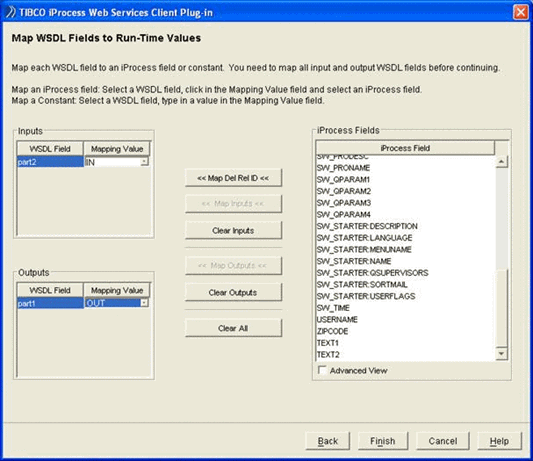
The list of input fields from the WSDL definition source is displayed in the Inputs section. For each field, create a mapping to a iProcess field or a constant. You can either:
| • | Click in the Mapping Value text box and select a iProcess field or, |
| • | Click in the Mapping Value text box and type in a constant value or, |
| • | Click in the WSDL Field text box, select a iProcess field from the iProcess fields list and click Map Input. Select the Advanced View checkbox if you want to see the type, length and number of decimal places for each iProcess field. |
|
Tip |
You can clear all the Input mappings by clicking Clear All. |
If the Web Service operation you are calling enables responses, click Next and continue with the next section.
If the Web Service operation that you are calling does not enable responses, proceed as follows:
| • | If you are defining a Withdraw action web service (you selected the Define Withdraw action checkbox in Select the Data Transport Mechanism and Invocation Style dialog), click Next and continue with Select the Data Transport Mechanism and Invocation Style to define the details of the web service that you want to invoke for the Withdraw action. |
| • | If you are not defining a Withdraw action web service, click Finish to complete the EAI call-out definition. |