Select XSLT Files for Input of Data
If your Web Service operation uses mixed call styles or XML/JMS, you need to use XSLT transformations so that the data can be passed correctly to the Web Service.
Procedure
| 1. | You must select where the XSLT source is derived from. The following table describes your options: |
|
Option |
Use to: |
|
Static XSLT |
Specify that you have a XSLT template that you want to use. You can paste the XSLT contents into the XSLT Data/Location text area. |
|
URL |
Choose this option if your XSLT code will be derived from a URL. You must then enter the URL of the XSLT template in the XSLT Data/Location text area. |
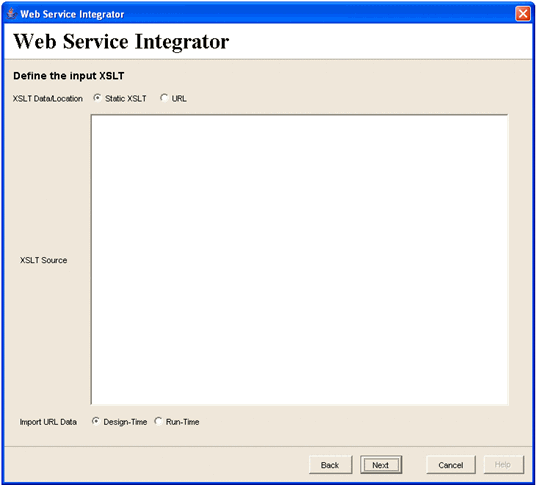
| 2. | Specify the contents of the XSLT template as either static data or the URL location of the XSLT template. |
In the XSLT Data/Location text area, enter the XSLT code if you have chosen the Static XSLT option or enter a URL to specify the location of the XSLT template.
|
Note |
You must make sure that the URL to the WSDL template can be resolved on both your client and server machines. |
| 3. | Choose if you want to import the XSLT template from the URL now (design time) or when a case is run (run-time). |
| — | Design-Time - The XSLT template is derived from the provided URL when the step definition is saved. |
| — | Run-Time - The XSLT template will be derived from the provided URL only when the case is run and when the step is processed. You may want to use this if you know that the XSLT is dynamic and you always want to use the latest code. |