|
| Copyright © Cloud Software Group, Inc. All Rights Reserved |
•
• ProcsCases - composite of the procedure list component (StartHistoryProcs) — see Procedures) and the case list component (see Cases)
•
• WorkQsItems - composite of the work queue list component (see UserWorkQs) and the work item list component (see WorkItems)To configure access to the functions available from each component in a composite, you must drill down to the desired component under the composite in the Component Hierarchy, then configure the appropriate property.For example, the ProcsCases composite component needs to subscribe to an event to cause it to display, as follows:
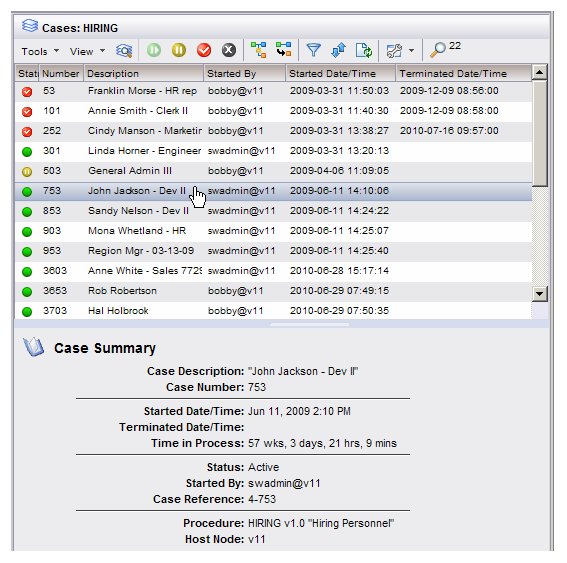
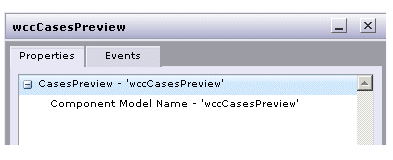
Note that you cannot drill down to the composite’s underlying components in the Component Hierarchy and set up event subscriptions for those components because the Event tab for the underlying components is disabled (although other components may want to subscribe to the events published by the underlying components).The CasesPreview component is a composite of the case list component ( Cases) and the preview pane. (This is considered a composite, although technically it does not comprise two components that you can see in the Component Hierarchy; in this context, the preview pane is considered a component.)When a case is selected (single click) in the case list displayed by this component, the case summary is displayed in the preview pane. When a case is opened (double click, or select the Open Case function), the case detail tabs are displayed in the preview pane. For example:The case detail tabs displayed are the same tabs that can be displayed using the CaseDetail component (see CaseDetail). The example illustrated above shows all four available tabs, although they may not all display, depending on the user’s access privileges.The case list that is displayed using the CasesPreview component also contains the Preview icon, as well as the Preview menu selections on the View menu to allow you to display the case details in a floating window. (Note that the Cases component, which also displays the case list, always opens the case details in a floating window.)None — composite components do not have their own properties. To set the properties for the individual components that are part of the composite, click on the underlying component in the Component Hierarchy, then use the Properties Editor to set access for functions provided by that component.
The Cases component is the only underlying component in CasesPreview. The case details that appear in the preview pane are not shown as a component in the Component Hierarchy. Therefore, you cannot separately configure access to the functions on the case details alone. When you configure access to functions using the properties on the Cases component under the CasesPreview component, you are configuring access to the functions on both the case list and the case details.For information about the events published by the components included with CasesPreview, see:Note that the Cases component events include the events published by case detail tabs displayed when a case is opened from the case list.The ProcsCases component is a composite of the following two components:
− StartHistoryProcs (see Procedures)
−
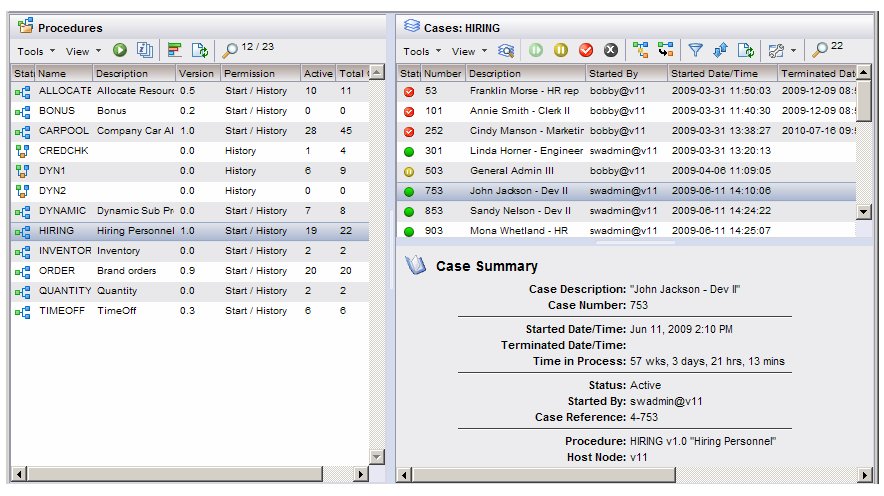
• displays the procedure list — by default, the procedure list contains all procedures for which the user has start and history access (it uses the StartHistoryProcs component)
• displays the case list when the user clicks on a procedure in the procedure list — by default, the case list subscribes to the “List Item Select (single click)” event on the StartHistoryProcs component, causing the case list to appear upon a single click of a procedureThe ProcsCases component does not need data to render, although there must have been a previous login because it needs a valid user and server name.None — composite components do not have their own properties. To set the properties for the individual components that are part of the composite, click on the appropriate component in the Component Hierarchy, then use the Properties Editor to set access for functions provided by that component.
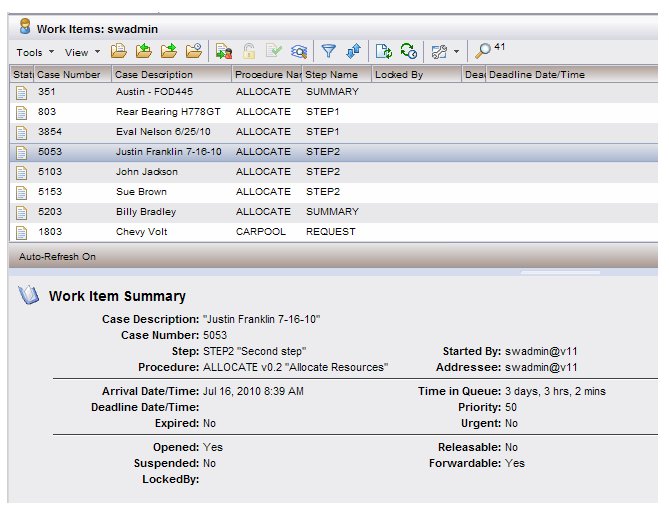
• Procs Component Events [note that the events published by the StartHistoryProcs component are described in the Procs component section]The WorkItemsPreview component is a composite of the work item list component ( WorkItems) and the preview pane. (This is considered a composite, although technically it does not comprise two components that you can see in the Component Hierarchy.)When a work item is selected (by single clicking) in the work item list displayed by this component, the work item summary is displayed in the preview pane. When a work item is opened (by double clicking, or selecting the Open Selected Work Items function), the work item form is displayed in the preview pane.
Work item forms will appear in the preview pane only if they were developed using TIBCO® General Interface. Non-General Interface forms always appear in a floating window.
The work item list Filter dialog may be displayed instead of the work item list if the number of work items in the work queue exceeds a specified threshold. For more information, see WorkItems.The work item list that is displayed using the WorkItemsPreview component also contains the Preview icon, as well as the Preview menu selections on the View menu to allow you to display the work item form in a floating window. (Note that the WorkItems component, which also displays the work item list, only opens the work item form in a floating window.)Subscribe to: UserWorkQs component:None — composite components do not have their own properties. To set the properties for the individual components that are part of the composite, click on the underlying component in the Component Hierarchy, then use the Properties Editor to set access for functions provided by that component.For information about the properties available for the components included with WorkItemsPreview, see:None — composite components do not publish events themselves, although the individual components that comprise the composite publish events. Therefore, other components cannot subscribe to events of a composite, but they can subscribe to events of the underlying components. For more information, see TIBCO iProcess Workspace (Browser) Components Concepts guide.For information about the events published by the components included with WorkItemsPreview, see:The WorkQsItems component is a composite of the following two components:
− UserWorkQs (see UserWorkQs)
−
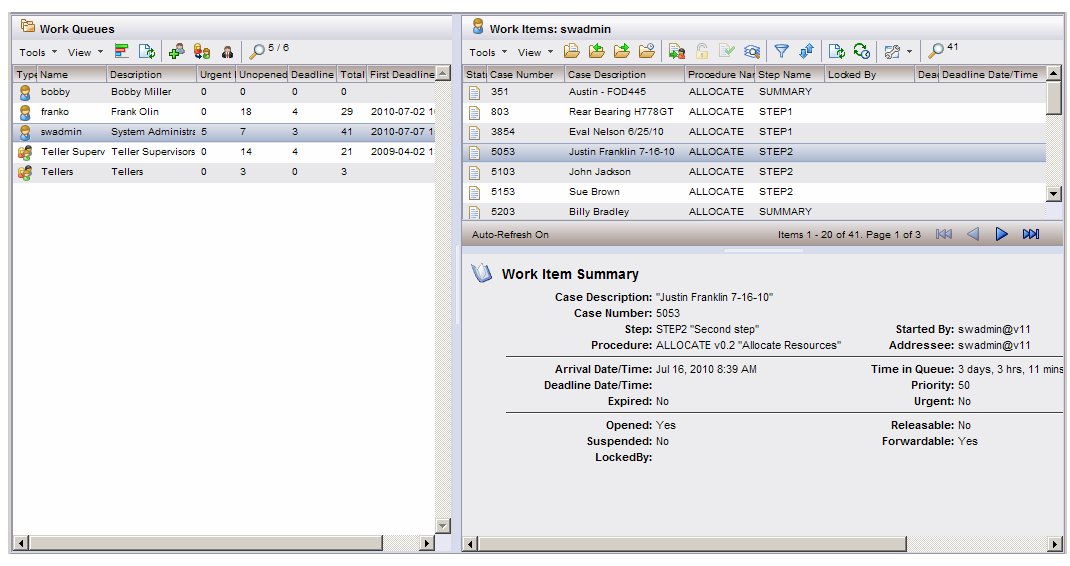
• displays the work item list in the upper right part of the window — by default, the WorkItems component subscribes to the “List Item Select (single click)” event on the UserWorkQs component, causing the work item list to appear upon a single click of a work queue.
•
The work item list Filter dialog may be displayed instead of the work item list if the number of work items in the selected work queue exceeds a specified threshold. For more information, see WorkItems.The WorkQsItems component does not need data to render, although there must have been a previous login because it needs a valid user and server name.None — composite components do not have their own properties. To set the properties for the underlying components that are part of the composite, click on the appropriate component in the Component Hierarchy, then use the Properties Editor to set access for functions provided by that component.
|
| Copyright © Cloud Software Group, Inc. All Rights Reserved |