|
| Copyright © Cloud Software Group, Inc. All Rights Reserved |
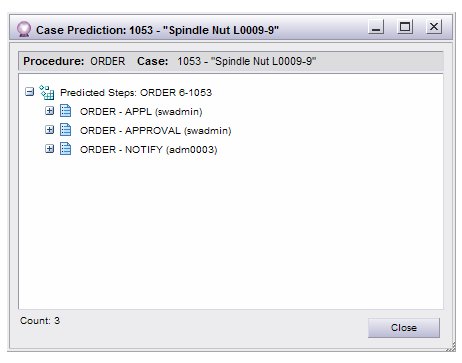
Case prediction provides the means for predicting the expected outcome of a live case. Running the case prediction function causes a list of “predicted work items” to be returned that represent the work items that are currently due (outstanding work items), as well as the work items that are expected to be due in the future.
1. Open the desired case and display the History tab.
2.
− This provides a list of the predicted steps — the currently outstanding steps, and steps predicted to be outstanding as the case is processed to completion. For each step, it also indicates in parentheses the addressee of the step.
3. Click on a + icon to expand one of the steps to view information about the predicted start and end times for the step. Expanding the final step provides information about when the case is predicted to be completed:In this example, the case is predicted to end at 3:27 PM on July 15, 2010. (Whether or not the start/end times show seconds and microseconds depends on the setting of the Show seconds and microseconds check box on the History tab — for more information, see Case History.)Note that predicted steps can also be viewed using the graphical case history feature (you must configure the graphical case history display to show predicted steps — see Viewing a Graphical Case History).
4.
|
| Copyright © Cloud Software Group, Inc. All Rights Reserved |