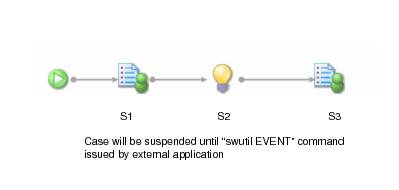
A case can be suspended by linking to the left of an Event from the release action (i.e. the right hand side) of a Step. When the Step is released this branch of the case is suspended, and an entry is written to the Audit Trail to show that an event is outstanding.
The trigger is sent by calling the SWDIR\
bin\
swutil utility. If required, fields may be updated by including an
abox file in the event command line - see
Externally Updating Field Data in a Case for more information.
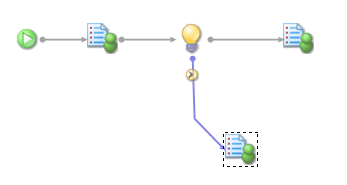
To avoid this scenario, consider the alternative shown in the following diagram. In this scenario, if the Event (
S2) is not triggered by the external program within the defined deadline period, the case will proceed to the
S4 step (a reminder, escalation step) when the deadline expires.