Deleting Records
- Procedure
- Click
Browse and Search.
From the Repository Name drop-down list, select the name of the repository from which you want to delete records. - Click
View All.
A list of records is displayed. - Check the record ID check box that you want to delete.
- Click Delete Record.
The Delete Record(s) page is displayed.If the record consists of relationships, select the relationships that you want to delete in the Related Records section. For more information about deleting related records across repositories, see Deleting Records in Cross-Repository Relationship.
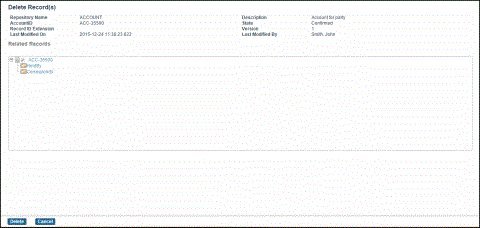
- If the record has no relationships, click
Delete.
The record is deleted. - If you have the required privileges to delete records without requiring a workflow, the following message is displayed:
Delete this record immediately without initiating workflow?Click OK to delete and confirm records immediately. Click Cancel to delete and submit records for workflow.
If you do not have the required privileges to delete records without requiring a workflow, the delete will be submitted for delete workflow.
For more information about Future Dated Records, see Effective Date Records.