Viewing Associated Hierarchies
You can view the hierarchies (manual and automatic) associated with a record using the Show Associated Hierarchies option.
- Procedure
- From the menu bar, click Browse and Search.
- From the Repository Name list, select the name of the repository.
- Click
View All
.
A list of records is displayed.
- Click a record whose associated hierarchy you want to see.
The View Record page is displayed.
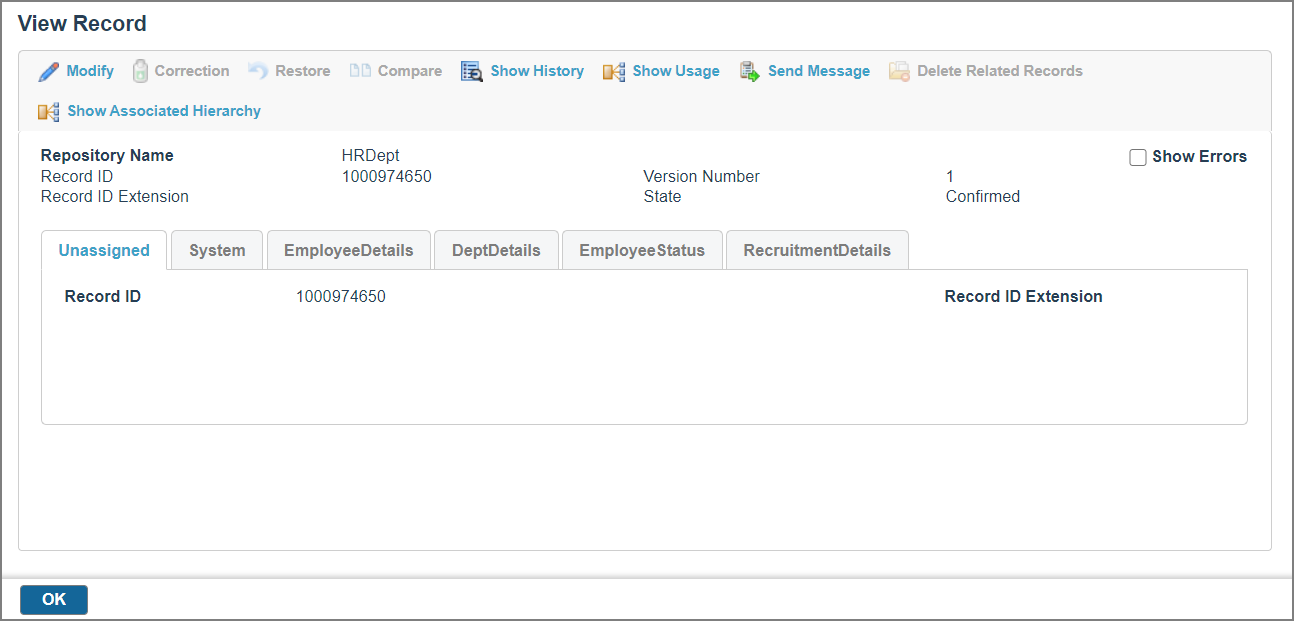
- Click
 .
The Associated Hierarchies page is displayed with the hierarchy links.
.
The Associated Hierarchies page is displayed with the hierarchy links.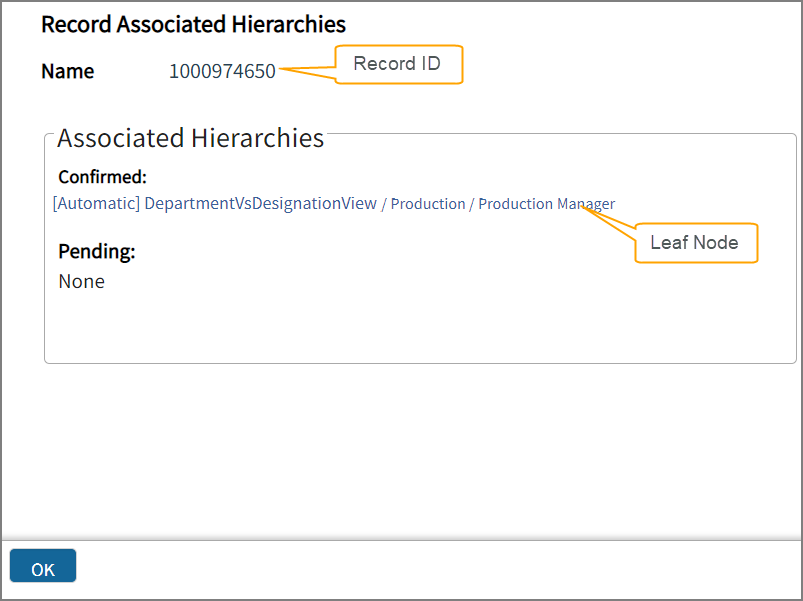 The Associated Hierarchies section displays all the hierarchies to which the selected record is associated. The complete path until the leaf node (to which this record is linked) is displayed. Click the hierarchy node link to navigate to the Hierarchies page.The Name value indicates the record ID and extension. The hierarchies are divided into the following categories:
- Confirmed: Lists the manual and automatic hierarchies.
- Pending: Lists the manual hierarchies (if the hierarchy link approval work item exists) and automatic hierarchies (if the hierarchy edit approval work item exists and if work items for the split and merge operations exist).