Creating a Named Version
- Procedure
- Log in to ibi MDM.
- Click
.
The Repositories page is displayed.
- Select the repository, and then click the
Create Named Version icon.
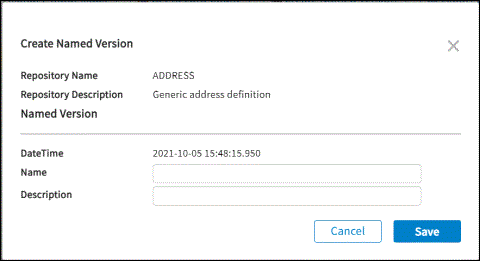 The Create Named Version page is displayed with a named version details.
 - Enter a logical name and its description to the snapshot of records of the repository In the Name field.
- Click
Save.
Named Version is a token assigned to a timestamp, and all records with that timestamp become a part of this version of the repository. You can use the named versions to export or browse the records. All records until the timestamp for which the named version was created are included.