Uninstalling Language Pack
Before you beginStop the application server.
- Procedure
- Log in to Configurator.
- Navigate to
.
The Install or Uninstall Language Pack window is displayed.
- Select the
Uninstall option.
The installed languages are displayed in the Select Language Pack drop-down list.
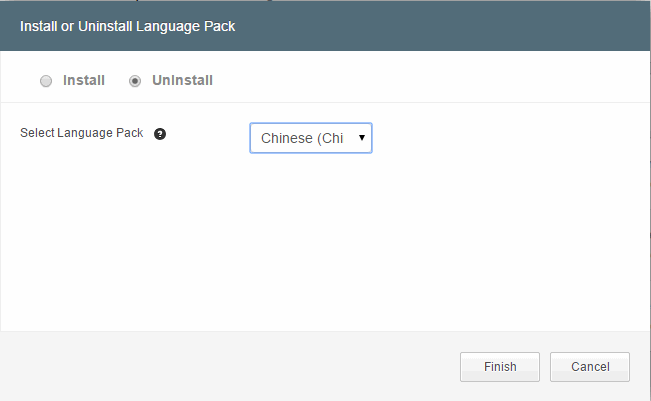
- Select the language that you want to uninstall.
- Click
Finish.
The Language pack uninstalled successfully message is displayed.
- The property files of the selected language pack are deleted from the $MQ_COMMON_DIR/Work/resources/tiblp.jar file.
- The language code entry is removed from the $MQ_COMMON_DIR/Work/languagePack/prop/lang.properties file, that is, tiblp.jar is regenerated without deleting the resource bundles.
Note: For JBoss WildFly Application Server, copy the newly generated tiblp.jar to $JBOSS_HOME/modules/system/layers/base/com/tibco/mdm/main folder.

What to do next
Restart the application server manually, where TIBCO MDM is deployed.