Adding Existing Related Records
You can add existing related record in the target repository by clicking each relationship node.
Before you beginYou must have a permission to add existing related record, else the Add Existing Related Record option is disabled.
- Procedure
- Open the relationship canvas as described at steps 1-3 of Creating Related Records.
- On the relationship node, click Add Existing Related Record.
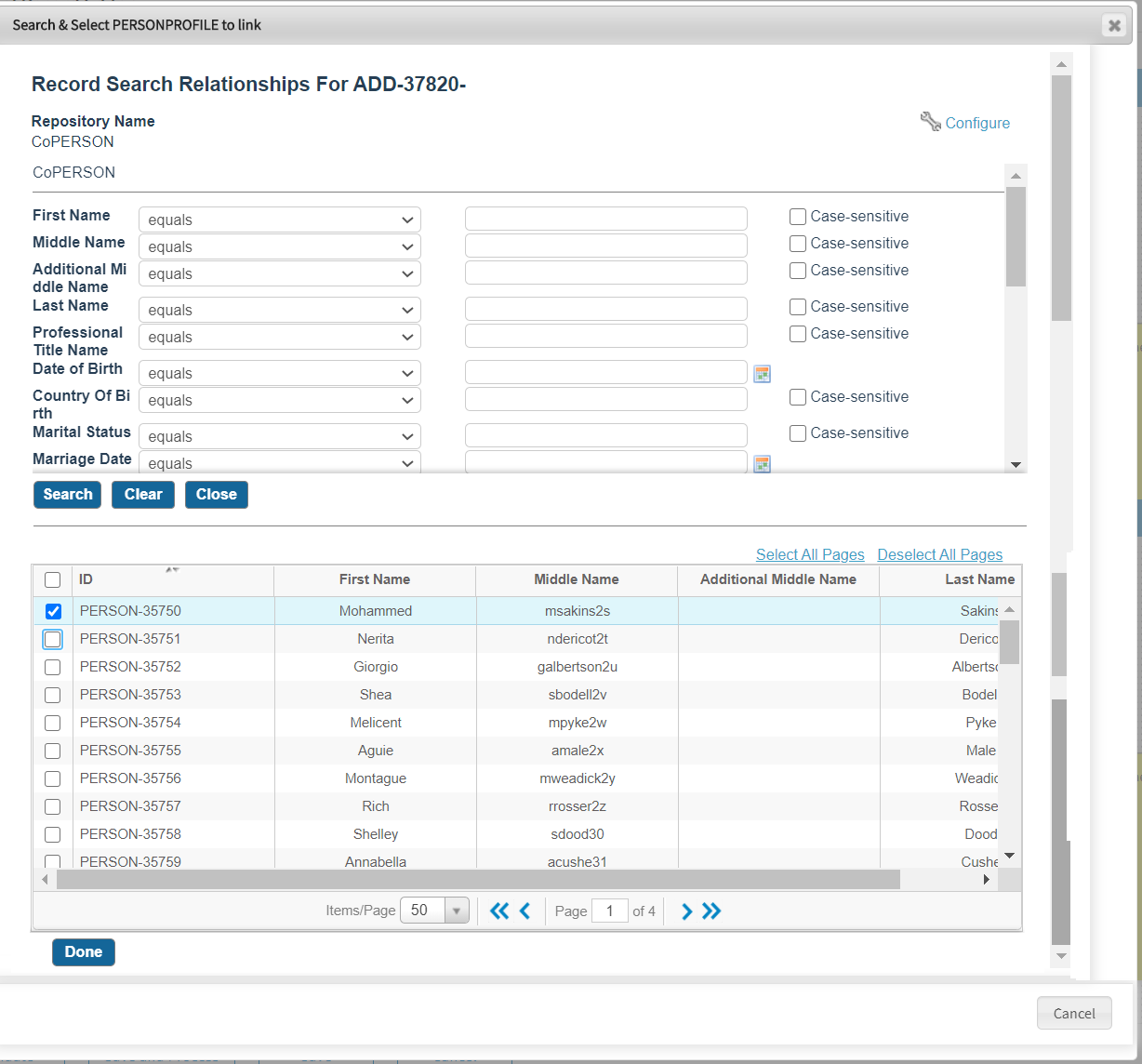
The Search & Select <record> to link window is displayed.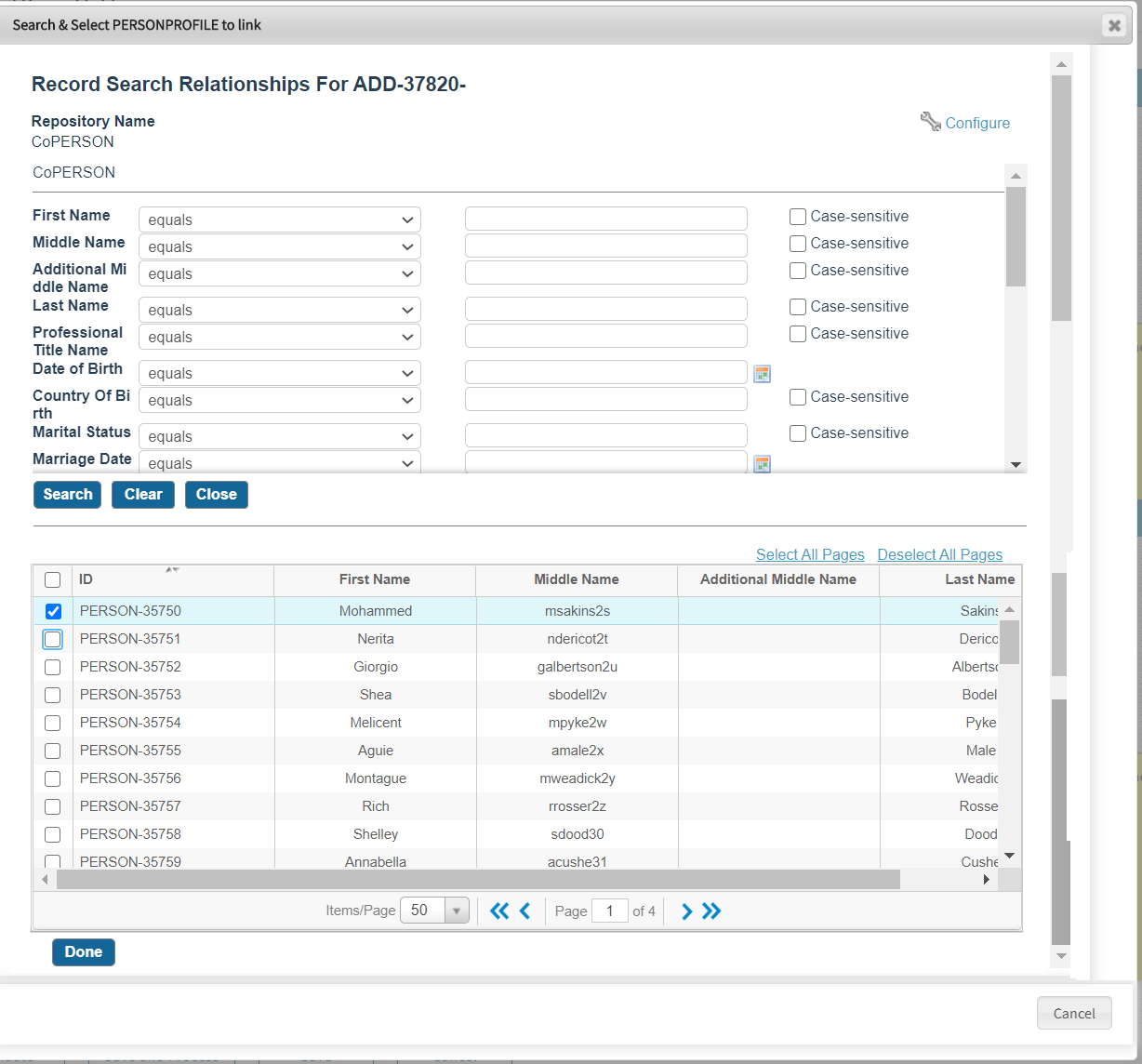
- Enter search criteria fields and click Search to retrieve filtered records of the target repository.
- From the result list, select records and click Done.
The existing related record is displayed in the hierarchy. - Click Validate, and then Save and Process or Save.
The record modification is validated and then saved with the newly added related records.
For more information on the action buttons displayed on the graphical editor, see Graphical Editor.