Synchronizing a Synchronization Profile
To export synchronization profiles, repositories associated with a specific output map should be synchronized. Records involved in a cross-repository relationship are exported based on the relationships between records and output maps.
For more information about Output Maps, see the section Output Maps.
- Procedure
- Click
.
The Synchronization Profile page is displayed. - Select the check box against the synchronization profile name that you want to synchronize and click
the Synchronize icon.
If you do not have an existing synchronization profile, create one by referring to the Creating a Synchronization Profile section. The page that is displayed has the information that you filled in when you created the synchronization profile.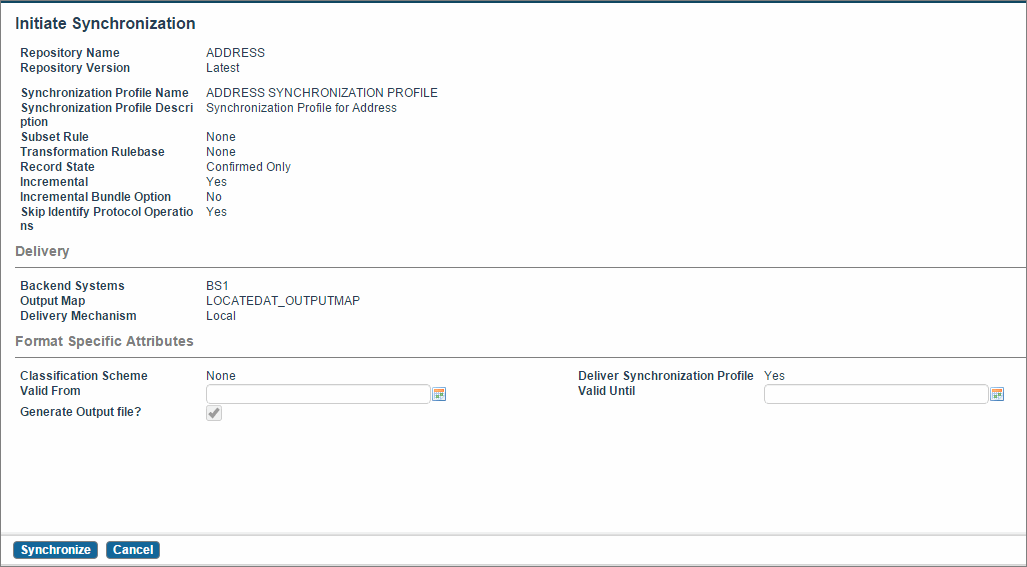
- Click
Synchronize. The Synchronization Status page is displayed.
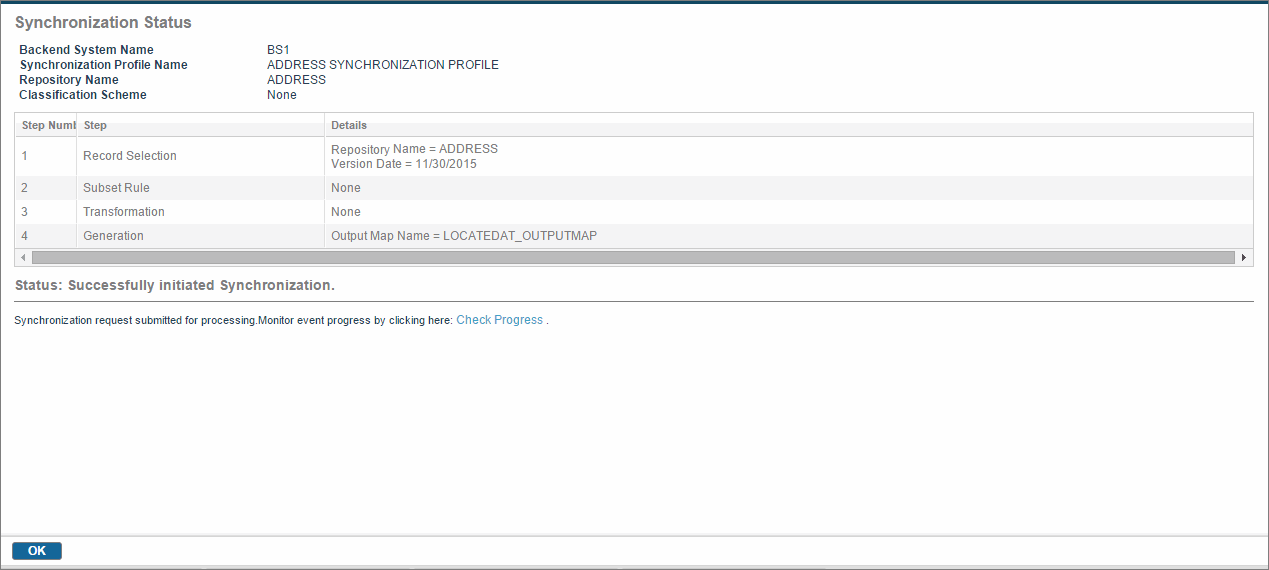
- Click Check Progress to monitor the progress of synchronization. Once the synchronization process is over, if you have chosen Local to be the delivery mechanism, a ZIP file is created.
- Click
Download next to Data File to open the output files.
You can verify the records in the output text file. For more information, see Synchronization Output File.
Subtopics