Managing Remote Nodes
You can use the NODE info option in the Platform Server primary window to display the remote systems that have been defined to the Platform Server.
After you select NODE info in the Platform Server primary window, the Node Display Results panel is displayed as shown in the following figure.

You can view the remote systems defined to the Platform Server, and perform various operations by issuing the following commands in the input field to the far left of the node names and pressing Enter:
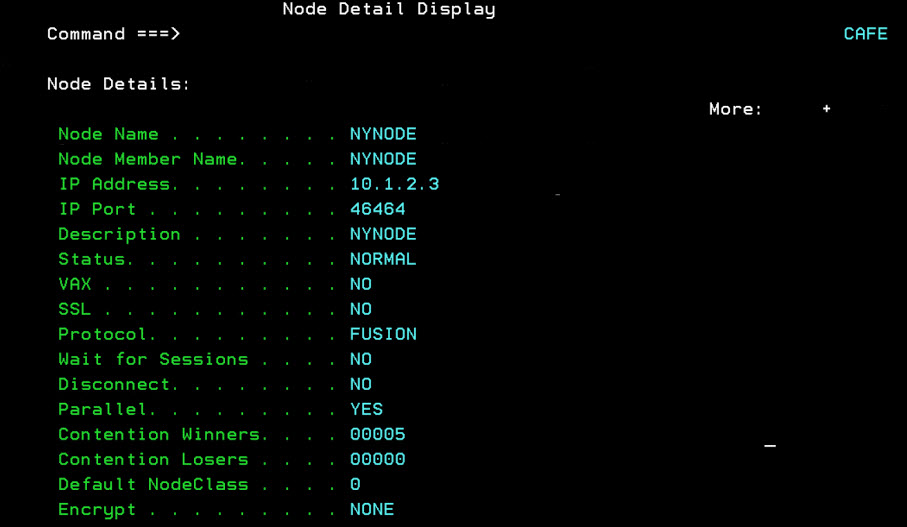
- D: Displays the details of a node in the Node Detail Display panel.
- R: Resets a node that is in error. When the node is reset, transfers using that node are retried again.
- S: Displays the details of a node.
- 1: Turns on the Initiator Hold flag.
- 2: Resets the Initiator Hold flag.
- 3: Turns on the Responder Hold flag.
- 4: Resets the Responder Hold flag.
The following figure shows an example of the details of node NYNODE: