Choosing a License
Based on your requirement, you can choose the license of TIBCO OI Hawk RedTail and enable or disable additional monitoring capabilities of TIBCO OI Hawk RedTail. To choose a license, perform the following steps:
Note: For information about the license based features, see "Overview of TIBCO® Operational Intelligence Hawk® RedTail" in TIBCO® Operational Intelligence Hawk® RedTail User Guide.
| 1. | Navigate to Administration > About. |
| 2. | Select the product in the About dialog box that you are licensed for and click on the Update button.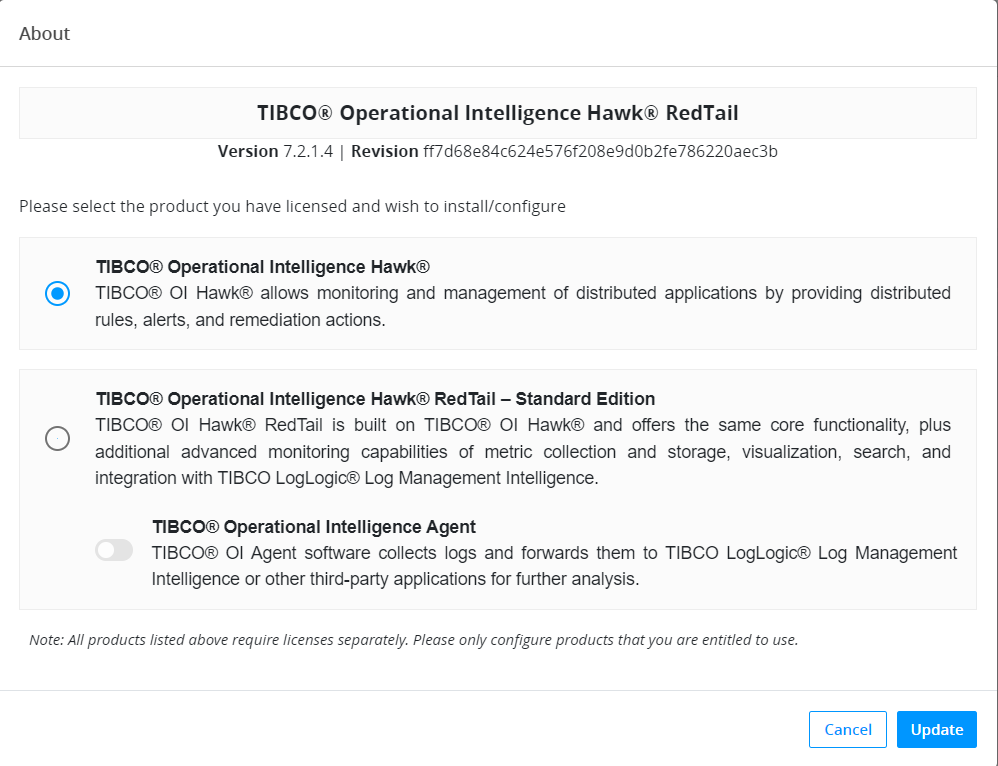 |
| 3. | In the Change License confirmation window, click Yes. |
Note: Contact your account executive to ensure that you have the correct TIBCO OI Hawk RedTail license for your needs.
The session restarts and features based on the selected license are loaded.