Authorization Service
Token-based authentication is implemented in TIBCO Offer and Price Engine to ensure secure access to TIBCO Offer and Price Engine Server REST APIs, and to support multitenancy. The authentication service in TIBCO Offer and Price Engine uses JSON WebToken(JWT) to validate user credentials (user name, password, and tenantID).
The following functions are covered under the Authorization Service:
-
After a user is created, authenticate it by following the procedures in the Generating an authorization token topic.
Create and Modify User
This request is used to create a new user or to update an existing one.
Method: HTTP POST method
Endpoint:http://<host_address>:<port_address>/v1/user
Create and Modify User Parameters
| Parameter | Cardinality | Description | |
|---|---|---|---|
| X-API-AppId | Mandatory |
The application ID is used to get user details. The default ID is auth. |
|
| X-API-Key | Mandatory |
This key is used for getting user details. The default ID is auth. |
|
| userInfo (Body) | enabled | Mandatory |
The value can be "true" or "false". If you set the value as "true", then the user is accessible through the configurator and the "false" value disables the user. |
| password | Mandatory | The password to be used for the user. | |
| tenantId | Mandatory | This is the TENANT value as stored in the users' table in the database. If the tenantId is not present in the database, then a new TENANT is created. | |
| userName | Mandatory | It specifies the user name to be created or modified. | |
| userRoles | Mandatory | It assigns the role to the user. The valid role values are ROLE_ADMIN and ROLE_USER. |
If the userName and tenantId provided in the request already exist, then the user is modified with the provided values.
Example for the Create and Modify User request:
{
"user": [
{
"enabled": true, "password": "testpassword", "tenantId": "testTenant", "userName": "testuser", "userRoles": [
"ROLE_ADMIN"
]
}
]
}
Get User
This request is used to get the details of the existing user.
Method: HTTP GET method
Endpoint:http://<host_address>:<port_address>/v1/user
Get User Parameters
|
Parameter |
Cardinality |
Description |
|---|---|---|
| X-API-AppId | Mandatory |
The applicationID is used for getting the user details. The default ID is auth. |
| X-API-Key | Mandatory |
This key is used for getting the user details. The default ID is auth. |
| tenantId | Mandatory |
This is the TENANT value as stored in the users' table in the database. |
| userId | Mandatory |
This is the userId value as stored in the users' table in the database. |
Delete User
This request is used to delete the existing user.
Method:HTTP DELETE method
Endpoint:http://<host_address>:<port_address>/v1/user
Delete User Parameters
|
Parameter |
Cardinality |
Description |
|
|---|---|---|---|
| X-API-AppId | Mandatory |
The applicationID is used for getting the user details. The default ID is auth. |
|
| X-API-Key | Mandatory |
This key is used for getting the user details. The default ID is auth. |
|
| userInfo (Body) | enabled | Mandatory |
The value can be true or false. The value true makes the user accessible through the configurator and false disables the user. |
| password | Mandatory |
It specifies the password for the user to be deleted. |
|
| tenantId | Mandatory | This is the tenant value stored in the users' table in the database. | |
| userName | Mandatory | It specifies the user name to be deleted. | |
| userRoles | Mandatory | It specifies the role assigned to the user' to be deleted. |
Example for Delete User request:
{
"user": [
{
"enabled": true, "password": "testpassword", "tenantId": "testTenant", "userName": "testuser", "userRoles": [
"ROLE_ADMIN"
]
}
]
}
Generating an authorization token
This token can be used to access operations of the services such as Catalog service, OPE endpoints service, Offer Search Indexing service, and Shopping Cart service. For the Configuration service and Authorization service, a token is not required.
Procedure
-
To authorize a particular service, open the REST API home page of that service in a browser.
Note:If the enableSecureAPI value is set as false, the authentication is bypassed and you do not have to authorize the service. For the REST services, the authorization token is not required. However, you must provide the tenantID.
-
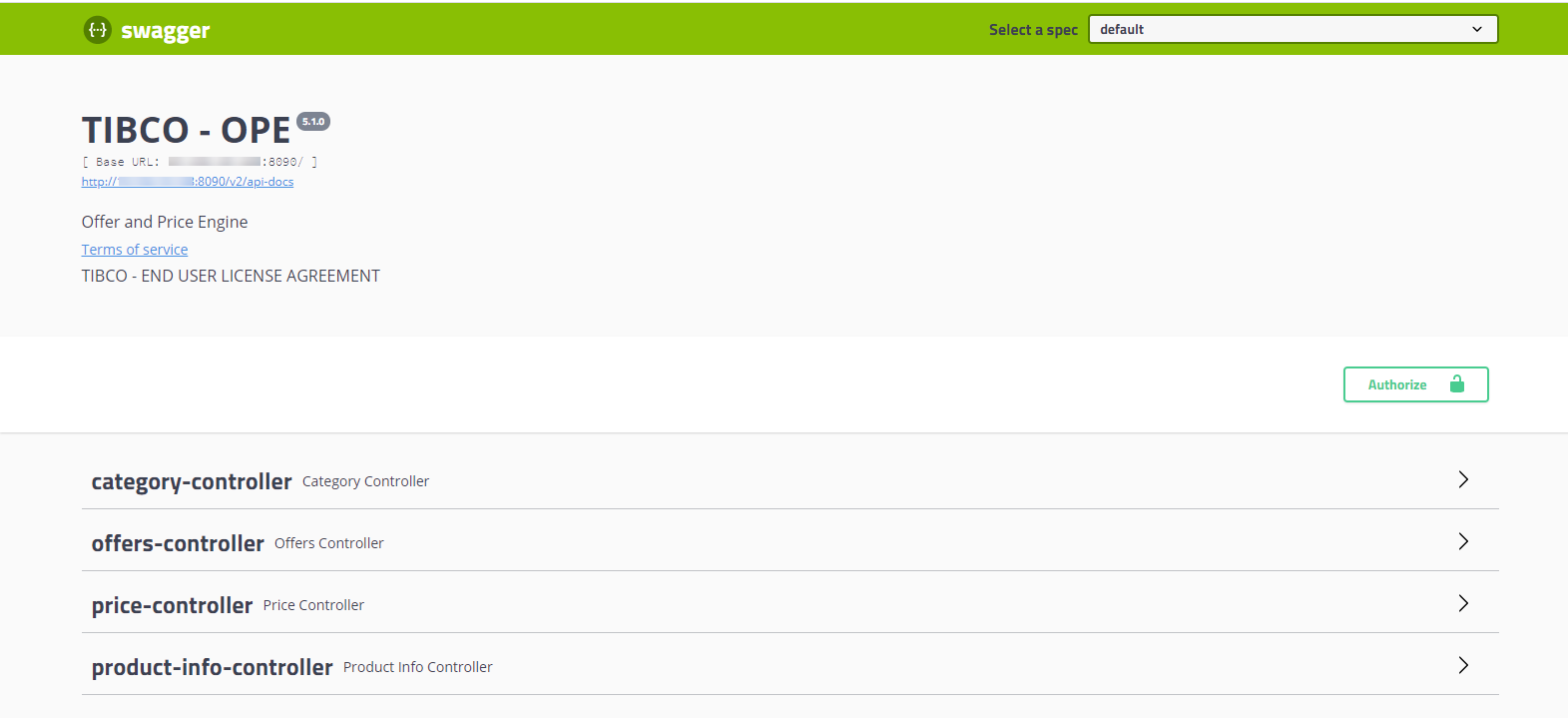
Click the Authorize button.
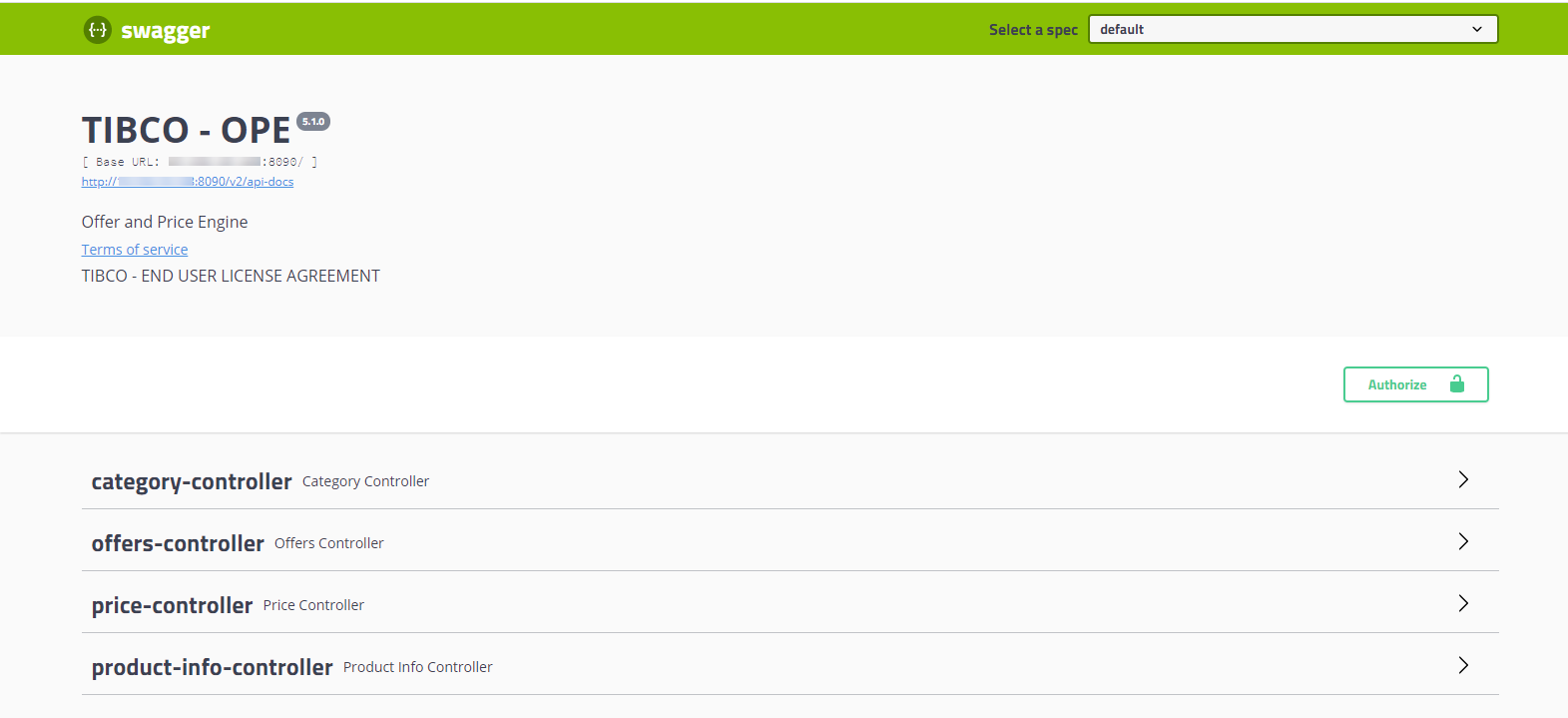
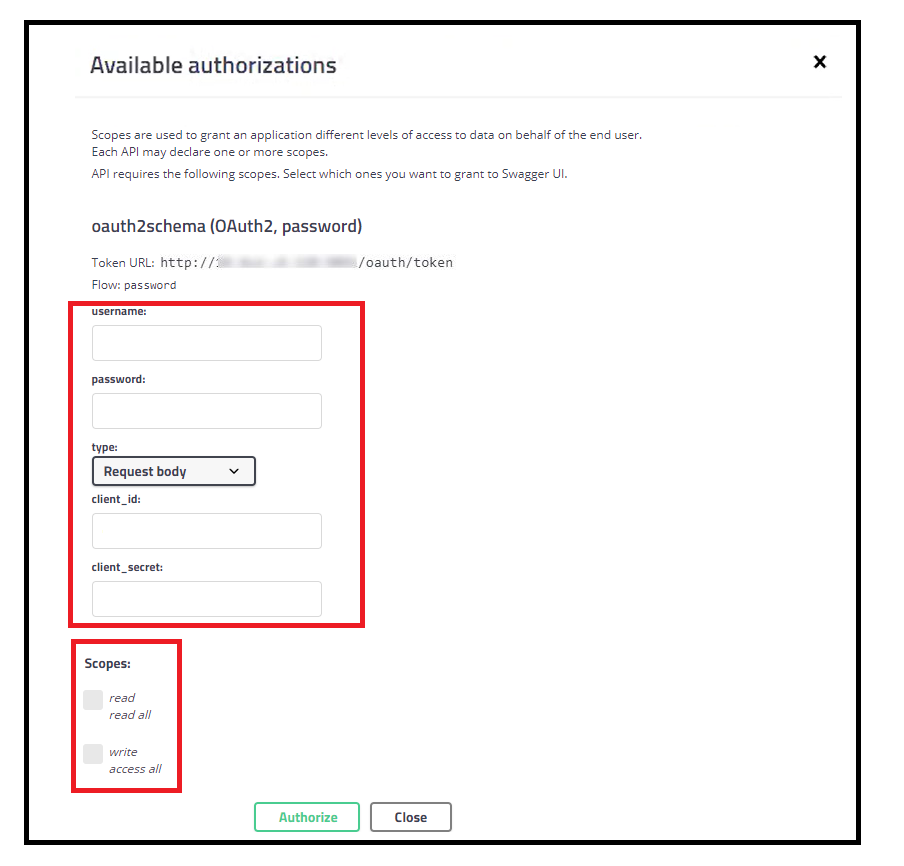
The Available authorizations window opens.
-
Pass the following mandatory parameters:
Authorization parameters and description
|
Element Name |
Element Type |
Description |
|
username |
String |
username@tenantId |
|
password |
String |
Existing password |
| client_id | String | order-management-client |
| client_secret | String | order-management-secret |
-
Depending on the requirements, select the read or write check boxes (associated with the Scopes field), and then click Authorize.
Result
An authorization token is generated for the particular service. This token is unique and valid only for the dedicated user with a tenant ID. The access token is valid for a limited period.
You can disable authorization by setting the value of
enableSecureAPI flag as false from the ConfigValues_Common.xml file under <OPE_HOME>/configurator/standalone/config directory, and upload the latest properties in the admin database.Auth service for other OPE services authentication is not required when
enableSecureAPI is set as false, but the configurator service still needs the auth service to be functional to log in into the Configurator UI.For soap services, to hit any OPE service for the non-default tenants, add a header with the name and value of the tenant ID.
Generating an authentication token through the REST endpoints
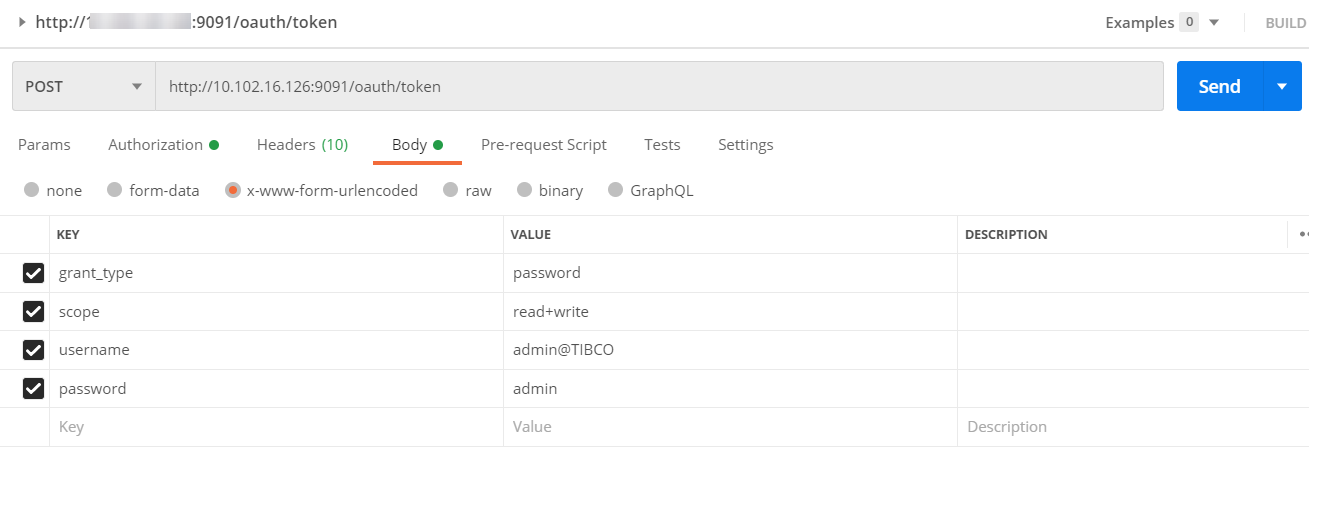
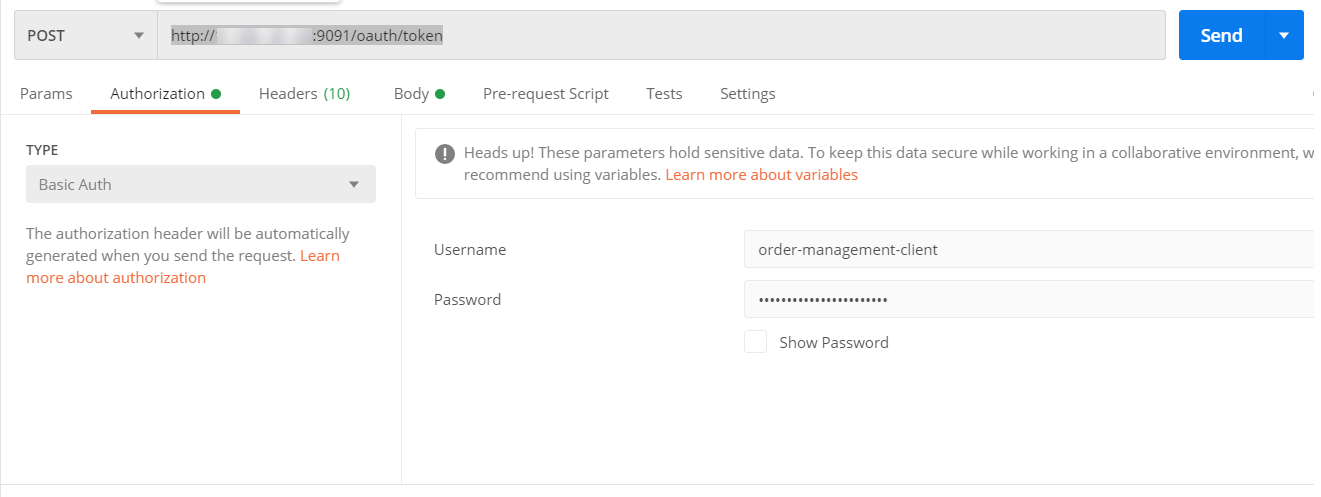
Perform the following procedure to generate the authentication token through the REST endpoints:
Procedure
- To authorize a particular service, open the postman client.
- On the Authorization tab, fill the details in the Username and Password fields and then click Send.
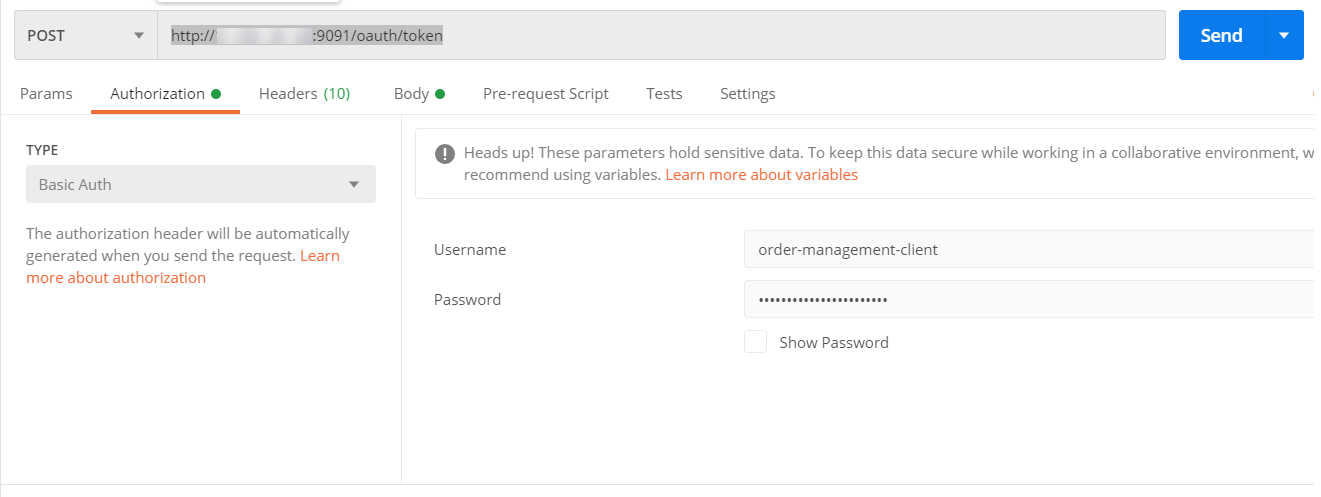
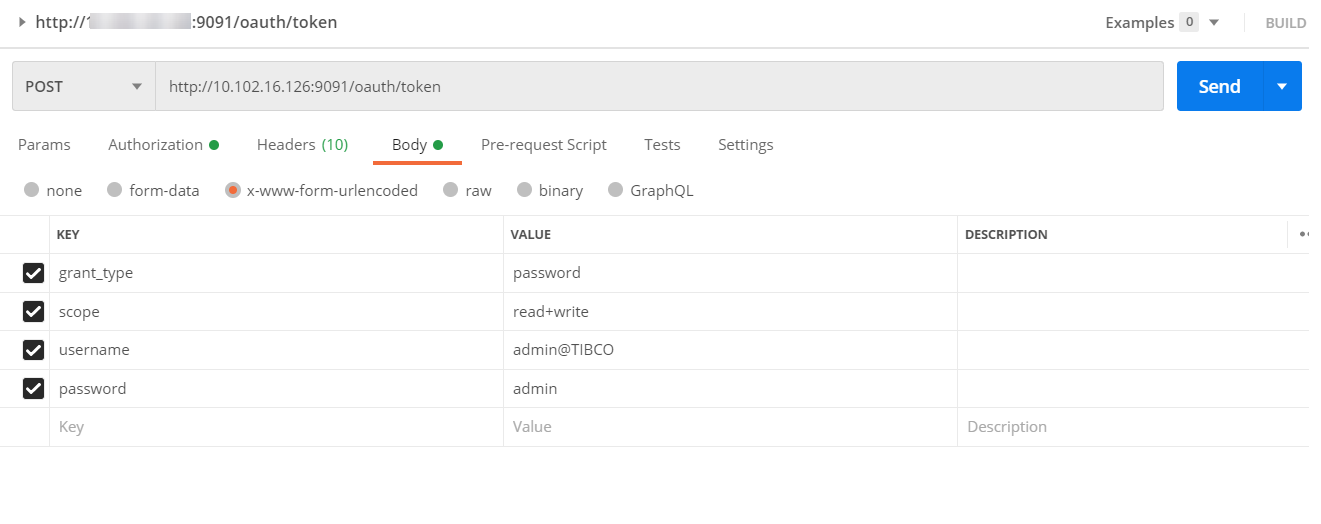
- On the Body tab, fill the details in the Username and Password fields and then click Send.
Result
An authorization token is generated for the particular service. This token is unique and valid only for the dedicated user with a tenant ID. The access token is valid for a limited period.