in the OpenSpirit tool bar to
open the settings window. Click on the Help
and Support tab at the top of the window.
in the OpenSpirit tool bar to
open the settings window. Click on the Help
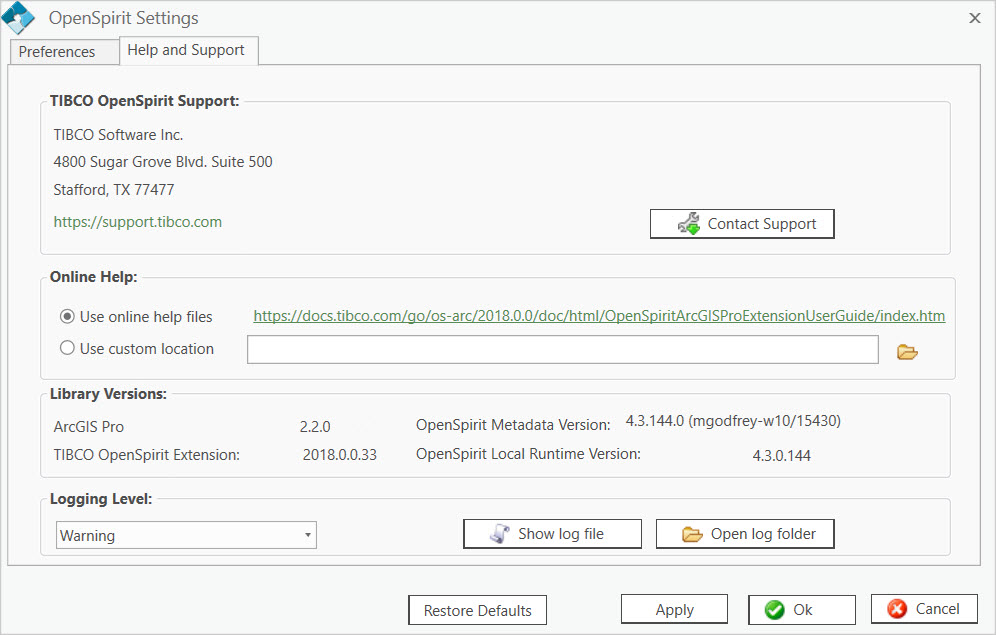
and Support tab at the top of the window.The OpenSpirit extension's settings window provides information about
how to contact TIBCO for support. Click on the Show/Edit
Settings button in the OpenSpirit tool bar to
open the settings window. Click on the Help
and Support tab at the top of the window.
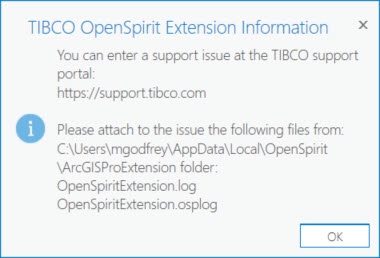
Click on the  button. This will open your web browser
to the TIBCO online support portal. It will also open a window that shows
where the OpenSpirit extension's log files are that should be attached
to any support issue entered in the support portal.
button. This will open your web browser
to the TIBCO online support portal. It will also open a window that shows
where the OpenSpirit extension's log files are that should be attached
to any support issue entered in the support portal.