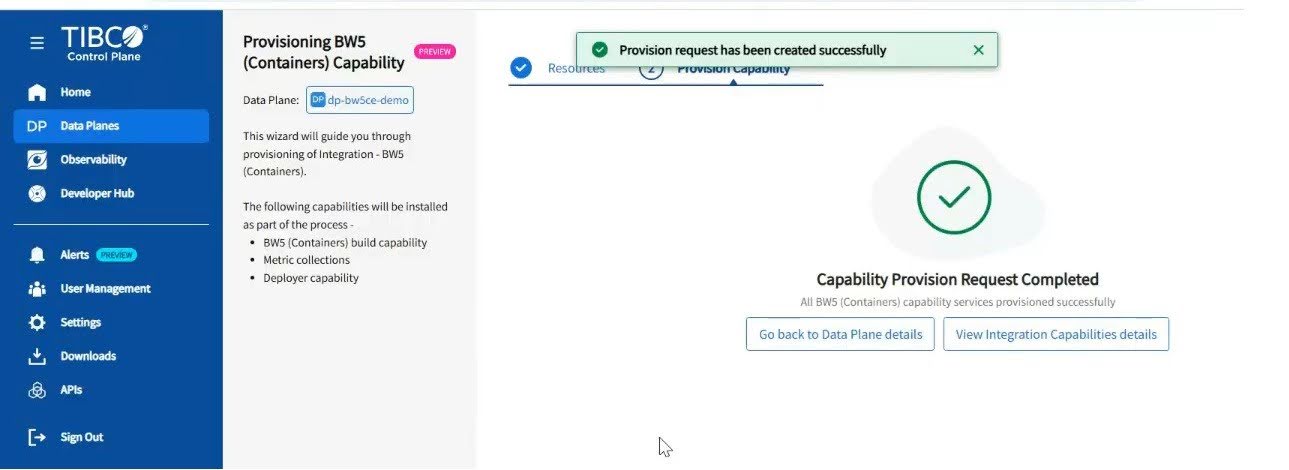
Provisioning TIBCO BusinessWorks™ 5 (Containers) Capability
You can provision the TIBCO BusinessWorks™ 5 (Containers) capability from TIBCO Control Plane. To provision the TIBCO BusinessWorks5 (Containers) capability, ensure that you have a registered data plane in TIBCO Control Plane. For more information, see Registering a Data Plane.
TIBCO BusinessWorks™ 5 (Containers) is an integration product suite for enterprise, web, and mobile applications. You can provision the TIBCO BusinessWorks™ 5 (Containers) capability to deploy, manage, and monitor TIBCO BusinessWorks™ 5 (Containers) applications by TIBCO Control Plane.
For more information on TIBCO BusinessWorks6 (Containers), see TIBCO BusinessWorks6 (Containers) Documentation.
- Ensure that the Nginx Ingress Controller is deployed with a valid domain name. For more information, see Ingress Controller.
-
Create a data plane by following the registration steps. For more information, see Registering a Data Plane.
- Procedure
- In the TIBCO Control Plane, click Data Planes from the left navigation.
- On the Data Plane card, click Go to Data Plane.
- Click Provision a Capability.
- On the Provision TIBCO BusinessWorks™ 5 Container Edition card, click Start.
- Select the required Storage Class and Ingress Controller to provision capability. If there is no existing resource, you can add a resource. For more information about resources, see Managing Resources.
- Click Next.
- Add the path prefix in the Path Prefix textbox for the ingress resource that is used for provisioning public APIs.
- To disable the fluentbit sidecar deployment for TIBCO BusinessWorks6 (Containers) applications, toggle off the The Deployment of fluenbit sidecar for Application logs button. By default, this button is enabled.
- Select the EULA checkbox to accept the End-User License Agreement.
- Click BW5 (Containers) Provision Capability. It takes some time to provision the capability.