TIBCO Platform Application Linking
You can link one or more running applications in the TIBCO Platform (for example, TIBCO BusinessWorks 6 (Containers) or Flogo apps) to a TIBCO Developer Hub component. This allows you to open the application detail page in the TIBCO Control Plane from the Components detail page.
In the Software Catalog table, if the entity type is component, and it is associated with a platform tag (case-insensitive), then the TIBCO Platform application deployments section shows on the catalog detail page of that component.
The following highlighted section shows a list of applications deployed in the TIBCO Control Plane and its respective data plane.

TIBCO platform application deployments table shows a column for ‘Control Plane’ if controlPlaneName and controlPlaneUrl or ControlPlaneId is provided in one of the items the tibcoPlatformApps array configuration as described in detail below. Suppose for an item in the array neither controlPlaneName and controlPlaneUrl or ControlPlaneId is provided. In that case, default Control Plane name will shown as ‘Primary Control Plane’ and clicking on the link will redirect to Control Plane where the TIBCO Developer Hub is provisioned.
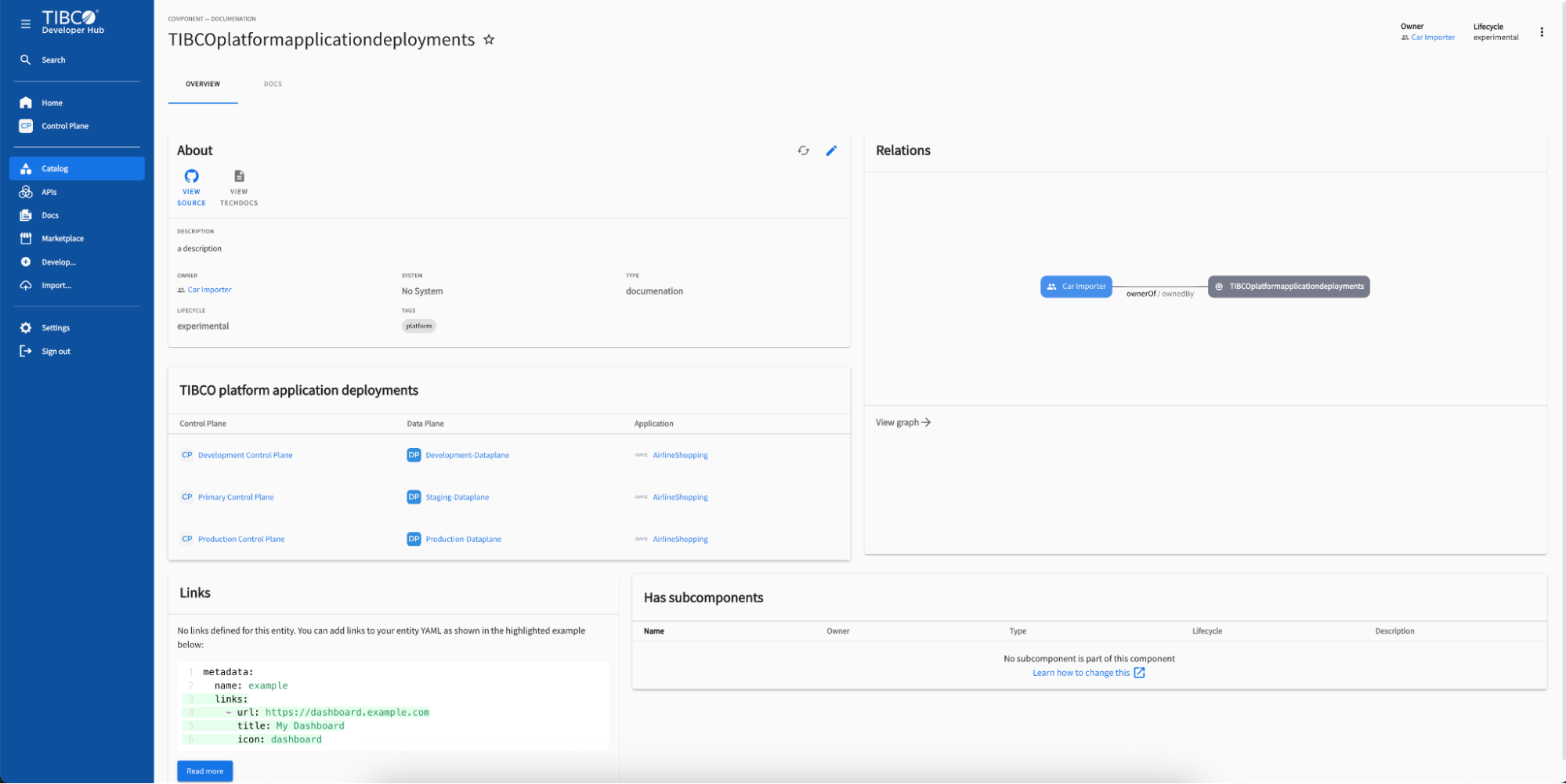
To view the data plane details in TIBCO Control Plane, click the data plane name. To go to TIBCO Control Plane, click the Control Plane name. You can click the application name to view the application details in TIBCO Control Plane.

Configure TIBCO Platform Application Instance Links
In the entity YAML file of the component, add the below configuration.
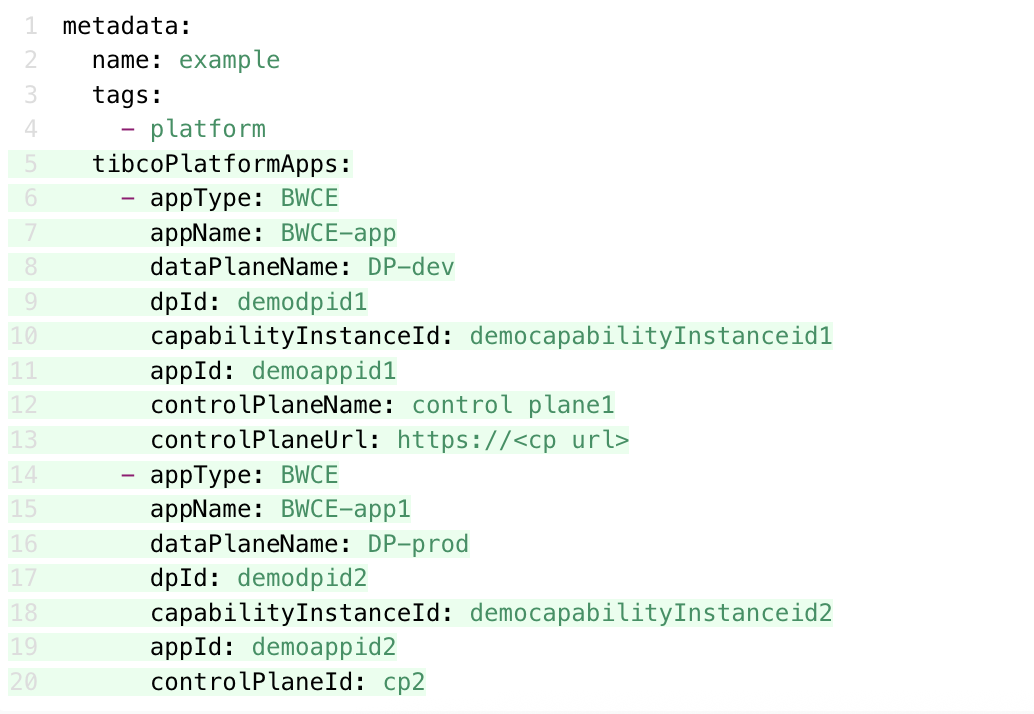
Under the metadata section, tags should be added as an array that contains a platform tag and tibcoPlatformApps should be added as an array that must have the following properties:
-
appType -This shows the type of an app. The respective appType icon is visible under the Application column in the table. -
appName -The name of the application deployed in the TIBCO Control Plane. This is visible in the Application column. -
dataPlaneName -The name of the data plane in the TIBCO Control Plane. This is visible in the Data Plane column. -
dpId -The id of the data plane. This is used to redirect to the data plane link in the TIBCO Control Plane and to redirect to the application link deployed in the TIBCO Control Plane. -
capabilityInstanceId -An id of the capability instance. This is used to redirect to the application link deployed in the TIBCO Control Plane. -
appId -The id of the application. This is used to redirect to the application link deployed in the TIBCO Control Plane. -
controlPlaneName - The name of the TIBCO Control Plane. This is visible in the Control Plane column if it exists. This should be provided along with controlPlaneUrl
-
controlPlaneUrl - The full URL of the additional TIBCO Control Plane. This is used to redirect to the TIBCO Control Plane. This should be provided along with controlPlaneName
-
controlPlaneId- The id of the secondaryControlPlane configured while adding secondaryControlPlanes configuration while provisioning/updating configuration. Refer to Adding multiple control planes section for more information.
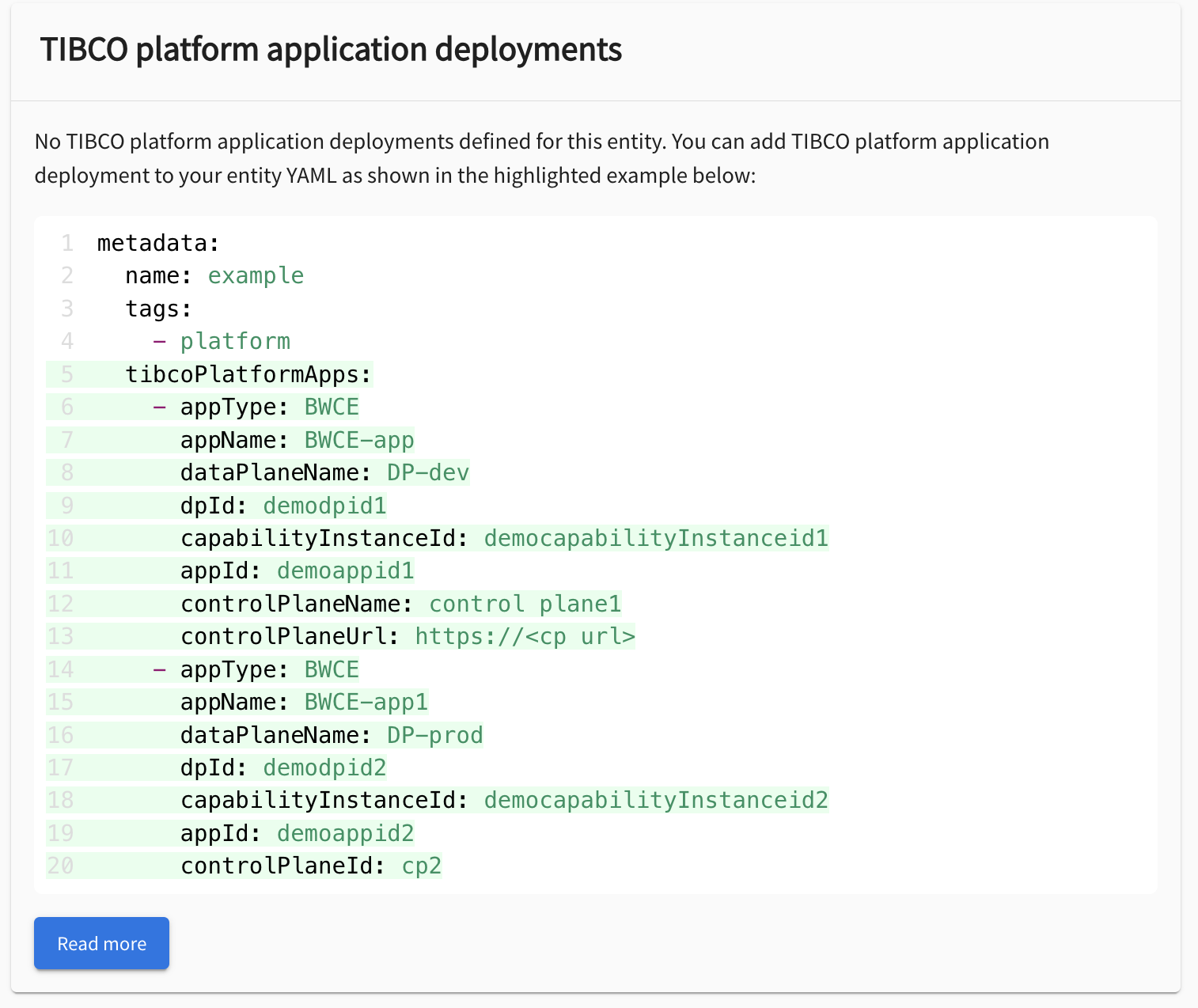
EMPTY State of TIBCO Platform Application Deployments
If the entity type is component and contains the platform tag and there is no tibcoPlatformApps configuration found in the entity YAML file or it is a blank array that does not contain any applications, you see the empty state screen displaying the configuration steps to list the deployed applications in the TIBCO Control Plane.