Registering an Existing Kubernetes Cluster
You must register your existing Kubernetes cluster as a data plane before you start using the different capabilities provided by TIBCO® Control Plane. Use the following steps to register your existing Kubernetes cluster as a data plane.
- If you have not already set up Kubernetes cluster infrastructure, refer Setting up Kubernetes Infrastructure.
- If you have an existing Kubernetes cluster, See Preparing a Kubernetes Cluster for TIBCO Control Plane Deployment.
- Helm is installed and configured.
- You must have Data plane Manager permission. For more information, refer Permissions.
- Procedure
- In the TIBCO Control Plane, click Data Planes menu from the sidebar.
- Click Register a Data Plane.
- On the Existing Kubernetes Cluster card, click Start.
-
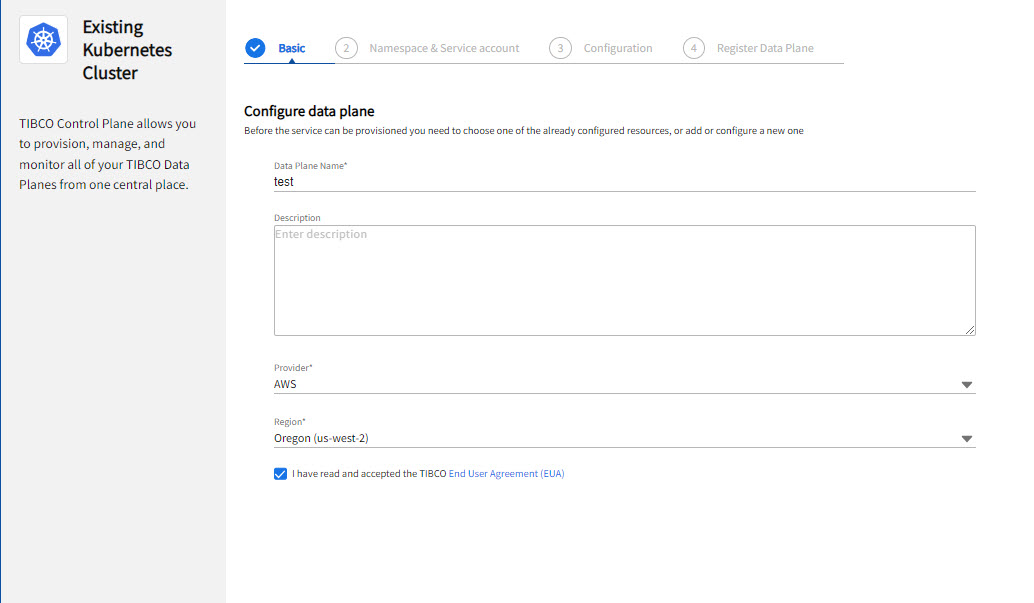
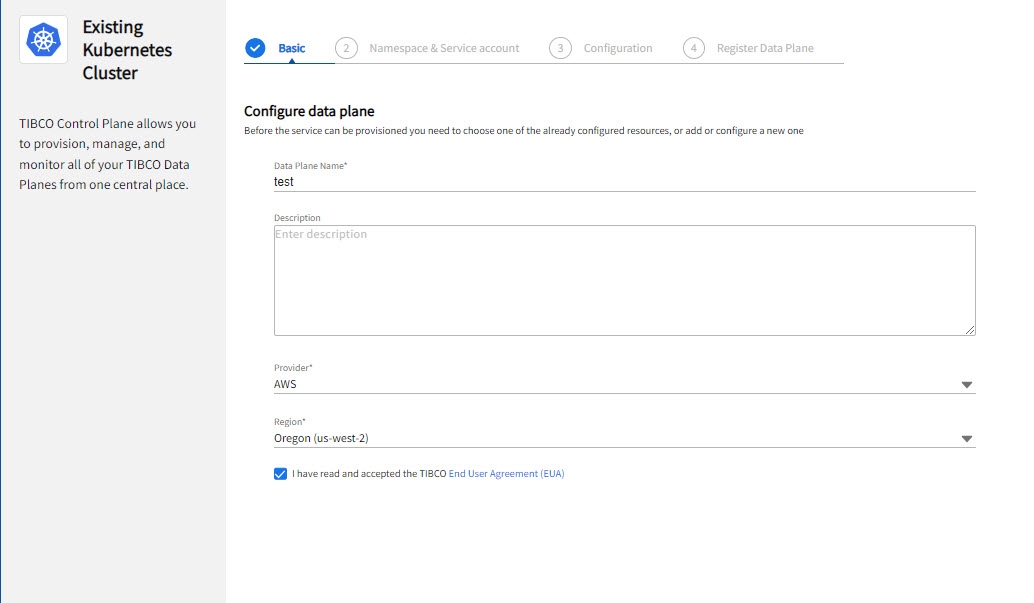
On the Basics screen, provide the following information about your Kubernetes cluster:
-
You must select the EUA checkbox before proceeding.
- On the Namespace & Service account page, specify the namespace in which you want to deploy TIBCO Control Plane infrastructure components and capabilities. If the namespace is not already created, you can create it by running the command on the last screen of the wizard.
-
Specify the Kubernetes Service account name. The service account is used when deploying TIBCO Control Plane infrastructure components and capabilities. If the service account is not already created, you can create it by running the command on the last screen of the wizard. Enable or disable the cluster scoped permissions for RBAC.
By default, the service account has cluster-scope permissions. If you do not want service account to have cluster-scope permissions, disable the Allow cluster scoped permissions option. If cluster scoped permissions are disabled, cluster-scoped RoleBindings are not created. It creates namespace scoped Role and RoleBindings, which only applies to resources in every namespace. For more information, see Data Plane RBACs.
-
On the Configuration page, enable or disable Fluentbit sidecar deployment for log processing. By default, Fluentbit log processing is enabled. If you disable this option, the logs from data plane are not captured and forwarded to log processor configured in the observability resource. If your organization's current infrastructure already captures logs from all workloads then you can disable this feature to reduce resource consumption. After registering a data plane, you cannot edit this configuration.
Note: This option is available from UI for Managed TIBCO Control Plane. For self-hosted TIBCO Control Plane, you must set this option in theplatform-bootstrapchart. -
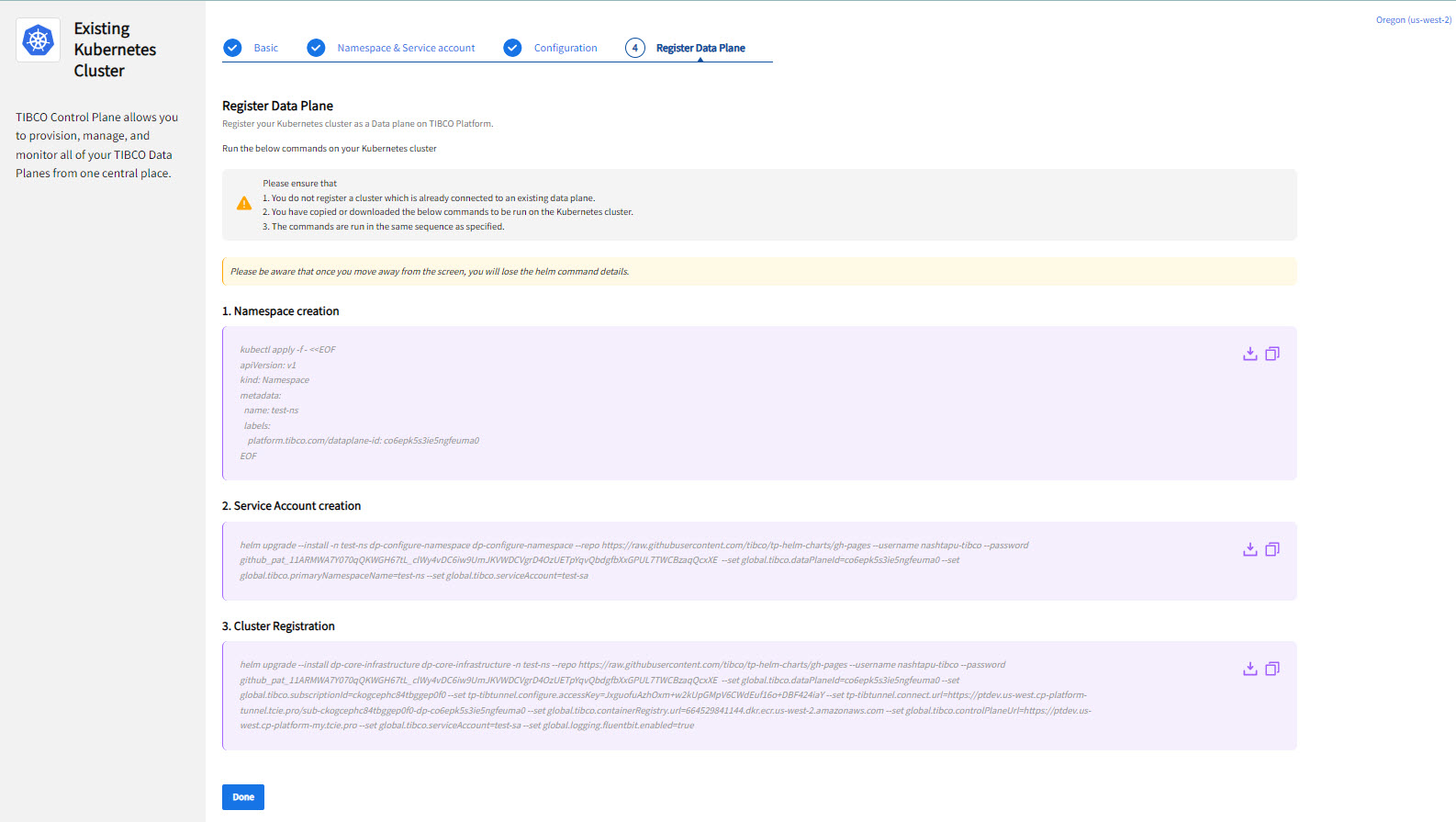
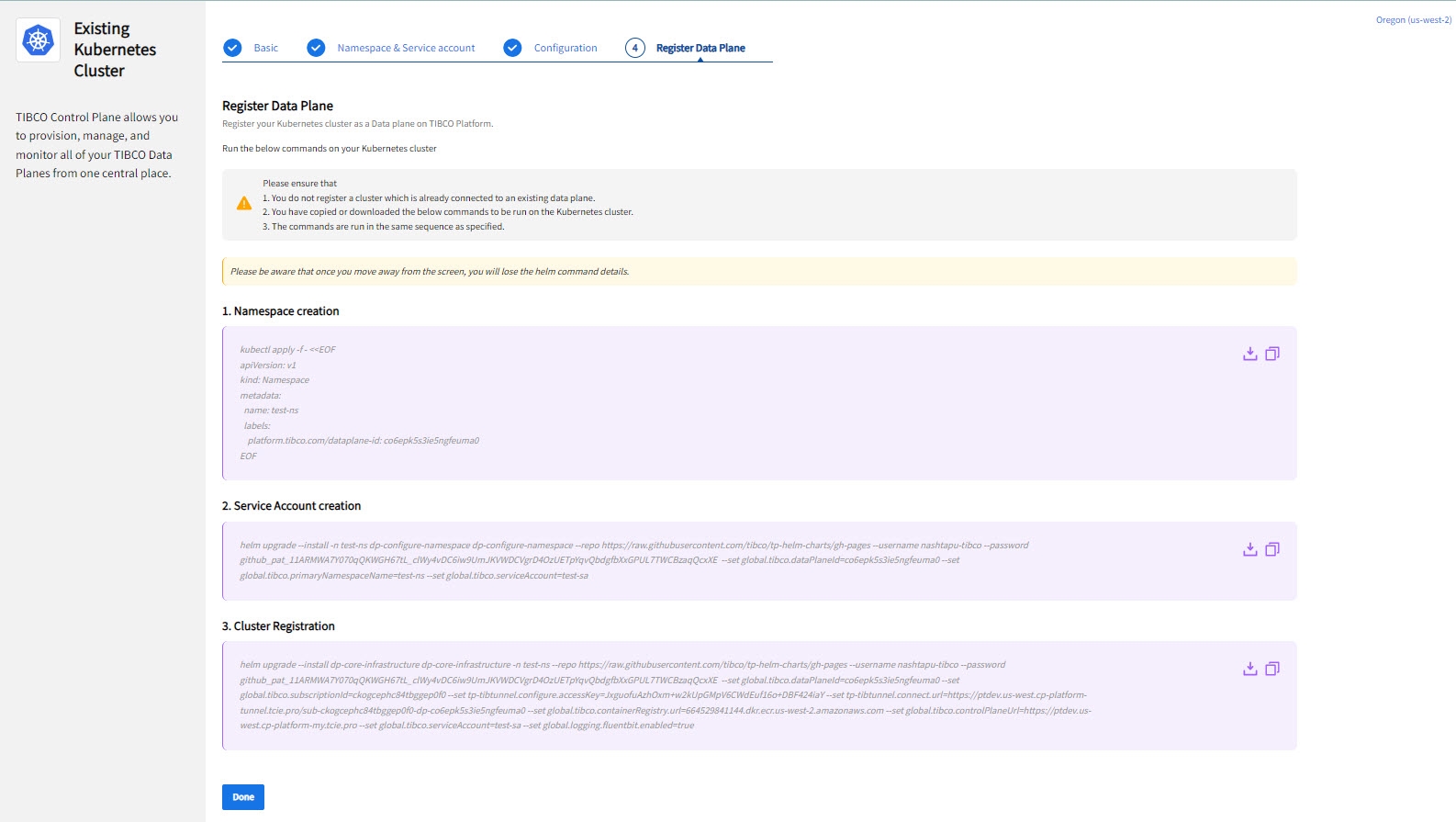
On the Register a Data Plane page, the helm commands for namespace creation, service account creation, and cluster registration are provided. Run the helm commands in your Kubernetes cluster in the sequence specified on the screen. It is mandatory to run all three commands whether you have existing namespace and service account or you want to create new one. Cluster Registration command deploys TIBCO Control Plane Infrastructure Components in your Kubernetes cluster, which are required to manage and monitor the data plane by using TIBCO Control Plane.
Optionally, to enable creation of default network policies, see Data Plane Network Policies.
Note: The Helm commands are unique for each data plane. Copy or download the commands before clicking Done. Because after you close this screen, you cannot access the Helm commands, and you need to follow the previous steps again.