TIBCO Platform CLI Concepts
The following section explains some of TIBCO Platform CLI Concepts.
Profiles
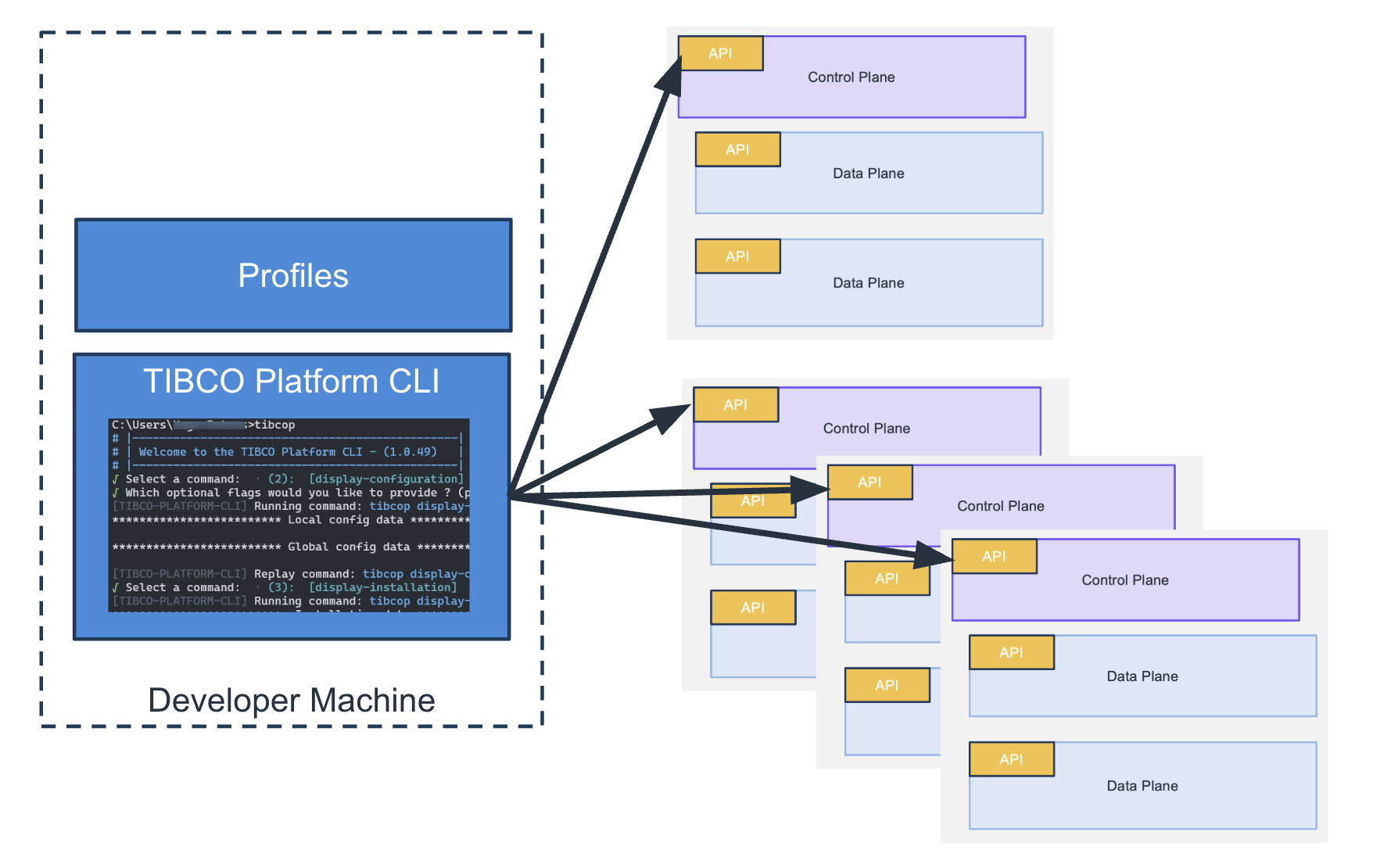
The TIBCO Platform CLI can be used to communicate to multiple Control Planes, which represent instances of the TIBCO Platform. Every instance of a TIBCO Platform is represented by a profile. These profiles are stored locally on disk. Every profile has a number of data planes, there is a default profile for the CLI and a default data plane for a profile. The following image represents these various profiles:
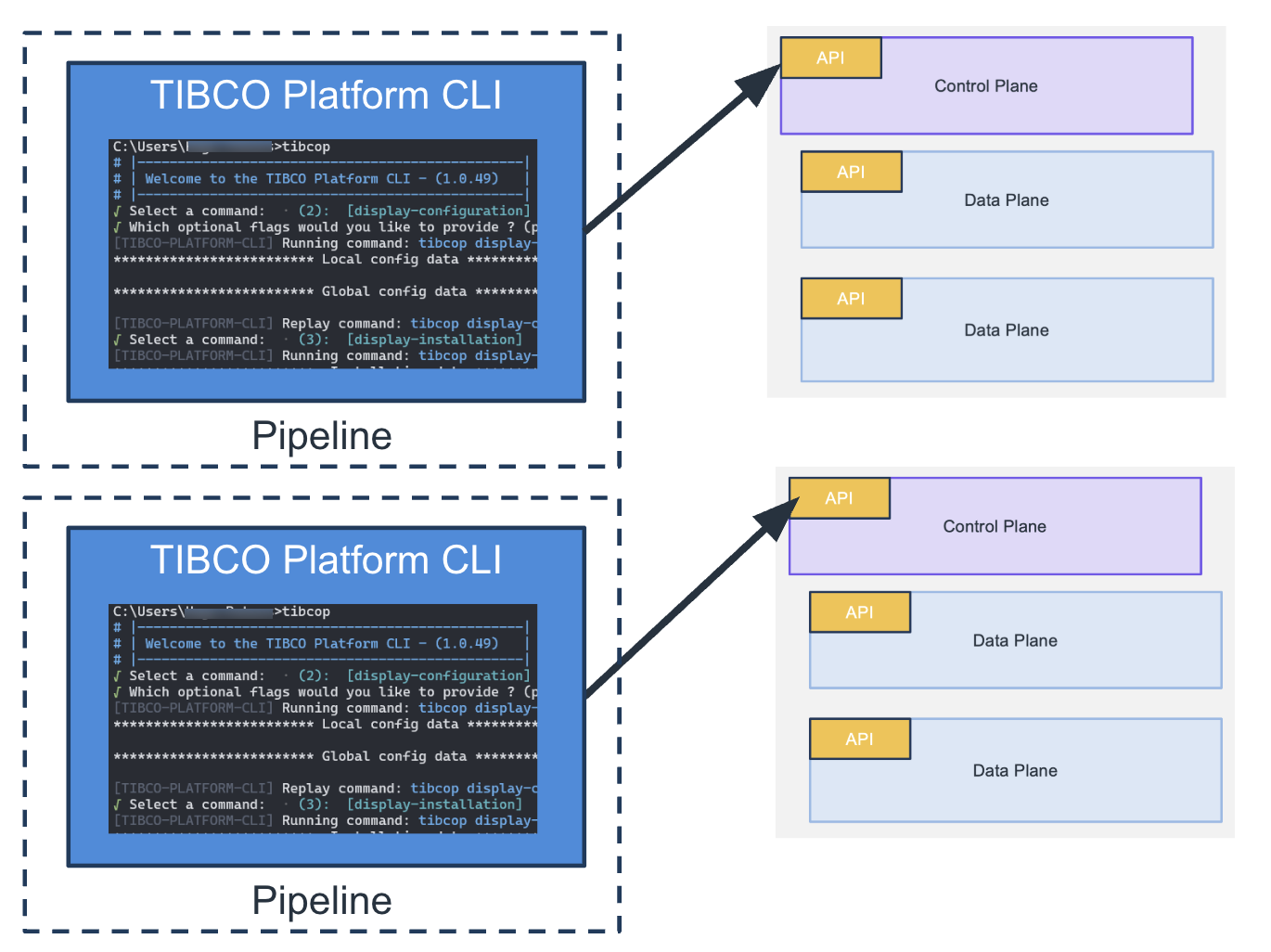
The CLI can also be run from pipelines for example to manage multiple TIBCO Platform instances:
OCLIF Framework
OCLIF framework is an open source framework to build command line tools. Platform CLI is based on the OCLIF framework. For more information see: https://oclif.io/
Platform CLI Architecture
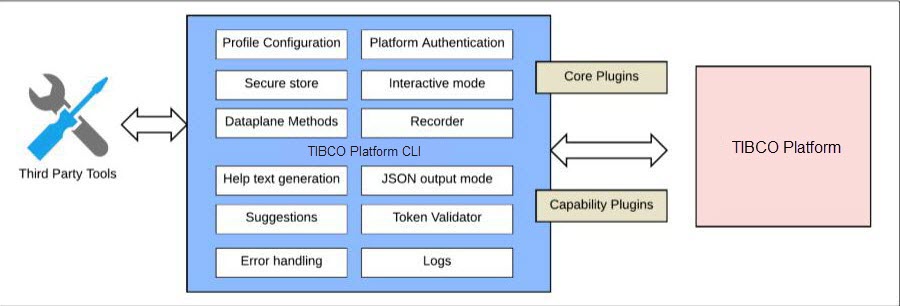
Platform CLI has a plugin-based architecture, that can be extended by creating plugins.
Topics
Every plugin corresponds to one topic, all commands for a topic are provided by this plugin. Every topic represents a logical grouping of commands, for example, all the commands for the TIBCO Platform are bundled in the tplatform topic. There are also top level commands that don’t have a topic related to it.
Interactive Mode
When you start the CLI without any arguments you run CLI in the interactive mode. The interactive mode will guide you the commands that you can use to interact with TIBCO Control Plane and data planes. The interactive mode allows you to search for commands and scroll through them one by one. You can also browse the individual topics. After you have chosen a command it will interactively ask you for inputs for that command. After running it, it will provide you with a replay command. You can rerun your last command quickly and you can also see the history of all the commands run in the past.
Recorder
In the interactive mode you have the option to switch on the recorder, this allows you to record the commands you have executed in a script file. In this way you can create scripts for the TIBCO Platform quickly.
JSON Output mode
Every command that returns data will have a JSON output mode; this means that the data is printed in the terminal in JSON format. This is useful because in this way the output of commands can be injected into variables in scripts. This means that you can use those values in scripts later on.
Validation
With the TIBCO Platform CLI you can validate certain states on the TIBCO platform, meaning that you can test if the actions you have done in your scripts have been successful. So if something is not done you can have the script fail. And you can be sure that after your script has run the required state of the platform is changed. Validation is also useful in script to implement a waiting for pattern, where you give the platform some time to get into a specific state, and after that your script can continue with the following steps.
Autocomplete
Autocomplete enables you to type part of commands, options, or flags and TIBCO Platform CLI will automatically complete those commands or provide suggestions to complete those. To view the suggestion list, press the Tab key. Autocomplete can be enabled by executing the specific shell-dependent command.