Configuring a Custom Helm Chart Repository
TIBCO Control Plane uses the TIBCO GitHub repository to store and access Helm charts for all components. To use your own repository to store Helm charts and enable access to helm charts from your custom repository, you can configure a custom helm repository. TIBCO Control Plane supports both OCI and non-OCI repositories as custom Helm repositories.
You can configure a custom helm repository at the global level or at the data plane level.
- You must have the following permissions:
- To configure the custom helm repository at the global level, you must have Owner or Team Admin permission.
- To configure the custom helm repository at the data plane level, you must have Data plane Manager permission. For more information, see Permissions.
- Ensure that the latest Helm charts from TIBCO GitHub repository are available in your custom repository.
Configuring a Custom Helm Repository at the Global Level
- Procedure
- In the TIBCO Control Plane UI, click Data Planes.
-
Click Global configuration in the upper-right corner.
-
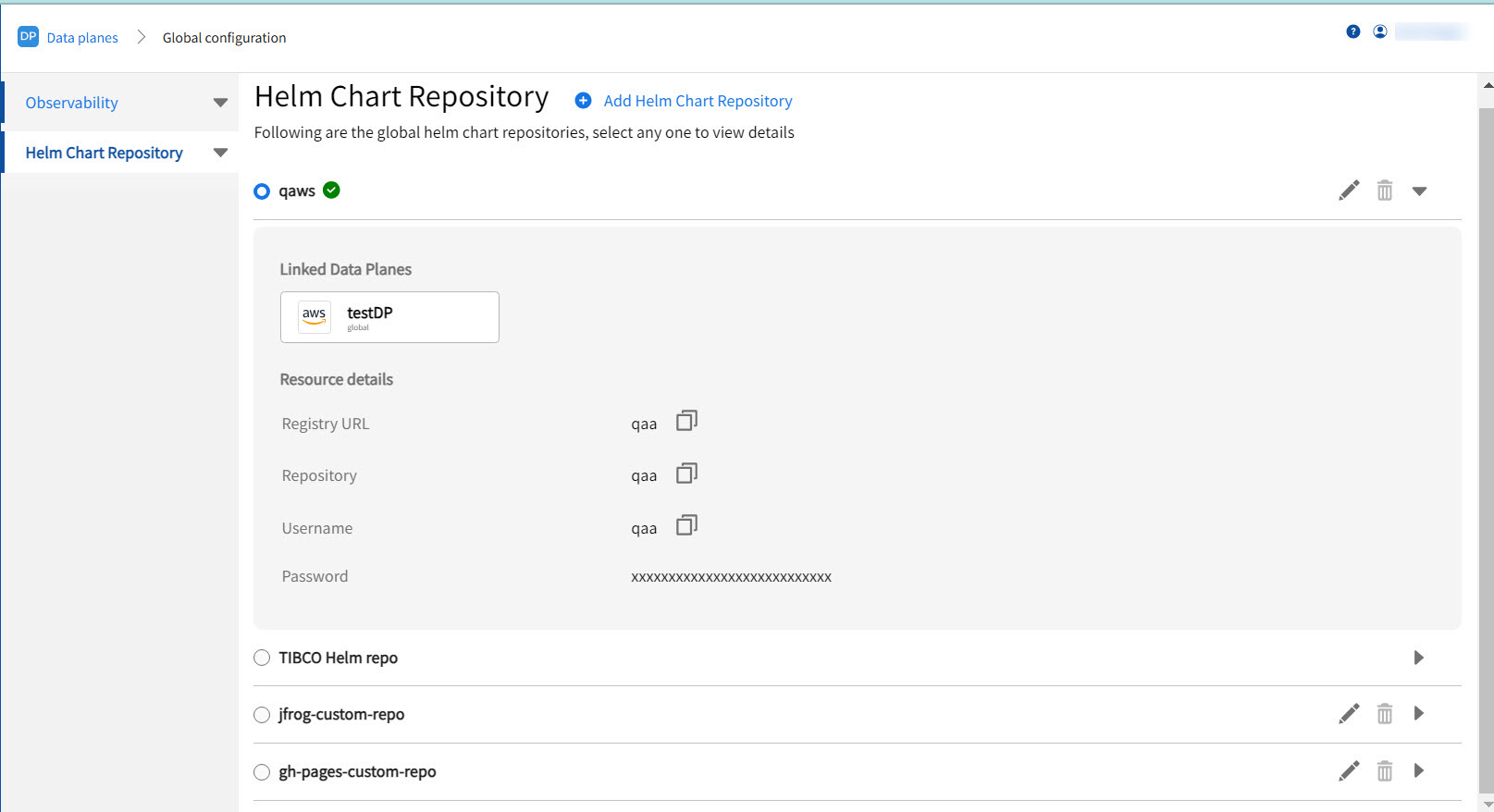
Click the Helm Chart Repository tab. The Helm Chart Repository page displays the default repository and custom Helm repositories configured.
-
To add a new repository, click Add Helm Chart Repository. Specify details for the custom helm repository.
Field Description Repository alias Alias to be used for the repository. Registry URL Helm chart repository URL. Repository Name of the repository. Username Username to access the Helm chart repository. Password Password to access the Helm chart repository.
Custom Certificate Secret Name Specify secret name containing custom certificate for your custom Helm chart repository.
This is optional. It is required if custom Helm repository is using self-signed certificate.
For more information, see Custom Helm Repository with Custom Certificates.
For more information on creating Kubernetes secret with custom certificate, see Using Custom Certificate.
Set as default registry for data plane registration Set this registry as the default registry when registering a data plane. Apply the latest service pack or patch versions of the charts If selected, the latest service pack or patch versions are applied to the data plane and capabilities on refresh operation.
For more information about Refresh, see
Configuring a Custom Helm Repository at the Data Plane Level
You can configure a custom helm repository at the data plane level when registering a data plane or from the Data plane Configuration page.
- Procedure
- In TIBCO Control Plane UI, click Data Planes.
- Click the data plane card for which you want to configure a Custom Helm Repository.
-
Click Data Plane Configuration and then navigate to the Helm Chart Repository page.
- The default Helm chart repository configured at the global level or repository added during data plane registration is by default used for the data plane.
- To change the default repository for the data plane, select the repository from the list.
- To configure a new Helm chart repository at the data plane level, select Add Helm Chart Repository to this data plane. Specify the details for the repository. For more information of the fields, see the table in the preceding procedure.
Updating Helm Chart Repository Configuration
You can edit or delete the Helm chart configuration.
To edit the Helm chart repository configuration, click edit  next to the repository name. After updating the data plane configuration, you must perform the Refresh operation to apply changes. For more information about Refresh, see Refreshing Infrastructure Components .
To delete the Helm chart repository configuration, click delete  next to the repository name.
Custom Helm Repository with Custom Certificates
When working with a custom Helm repository that utilizes custom certificates, you have two approaches to ensure secure communication.
Option 1: Configure your Machine to Trust Custom Certificates
Before executing any Helm commands, the user can configure their local machine to trust the custom certificates. This typically involves adding the certificate authority (CA) to the system's trust store. The exact steps for this configuration vary depending on the operating system (macOS, Windows, Linux distributions).
Option 2: Pass Custom Certificates with Helm Commands
Helm provides options to directly pass custom certificates during command execution. This allows users to bypass system-wide trust configurations and specify certificates on a per-command basis. Helm supports the following flags for this purpose:
--ca-file string: This flag is used to verify certificates of HTTPS-enabled servers using the provided CA bundle file.
--cert-file string: This flag identifies the HTTPS client using the specified SSL certificate file.
These flags can be used with various Helm commands to authenticate and authorize access to the custom Helm repository with custom certificates.